Best Electrical Takeoff Software in 2026: Free Tools, AI-Powered Platforms, and What Actually Works
Electrical takeoffs are one of the most tedious and error-prone parts of the estimating process. An estimator working on a mid-size commercial project might spend two to three full days counting receptacles, tracing conduit runs, reading panel schedules, cataloging luminaires, and tallying low-voltage devices — all before applying a single unit cost.
The software you use for this process determines whether those days become hours, and whether the quantities you extract are accurate enough to win the job without leaving money on the table.
This guide compares the categories of electrical takeoff software available in 2026 — from free spreadsheet-based approaches to dedicated digitizer tools to the latest AI-powered platforms — and breaks down what each approach actually delivers for electrical contractors.
What Electrical Takeoff Software Needs to Do
Before comparing tools, it helps to define what a good electrical takeoff workflow requires:
- Symbol recognition — identify every device type on the drawings: receptacles, switches, luminaires, panels, transformers, junction boxes, sensors, and fire alarm devices
- Quantity counting — tally devices by type, rating, and mounting specification
- Linear measurement — measure conduit runs, wire pulls, cable tray, and raceway in linear feet
- Panel schedule extraction — read panel schedules and correlate circuit information with device counts
- Multi-sheet handling — work across power plans, lighting plans, low-voltage plans, fire alarm plans, and single-line diagrams in a single project
- Output formatting — produce a structured material list or bill of quantities that feeds into pricing
The fundamental question with any tool is: how much of this does it automate, and how much still requires manual effort?
Category 1: Spreadsheet-Based Takeoffs (Free)
How It Works
The simplest approach is still the most common: an estimator views the PDF drawings on screen (or prints them), manually counts each symbol type, and enters quantities into an Excel or Google Sheets template organized by CSI division or the contractor's standard categories.
What You Get
- Cost: Free (you already have Excel)
- Accuracy: Entirely dependent on the estimator's attention and experience
- Speed: 2–4 days for a typical 100-sheet commercial electrical set
- Learning curve: None — every estimator knows spreadsheets
The Limitation
There is no automation at all. Every count, every measurement, every classification is manual. When drawings get revised, you re-count from scratch. When you are bidding three projects simultaneously and each has 150+ sheets, spreadsheets become a bottleneck that limits how many tenders you can respond to.
For small residential contractors doing 10–20 fixtures per project, spreadsheets work fine. For commercial and industrial electrical contractors handling drawing sets with thousands of devices, the math does not work.
Category 2: On-Screen Digitizer Tools
How It Works
Digitizer tools like on-screen takeoff (OST) software let you overlay the PDF, define a scale, and then click on symbols to count them or trace paths to measure linear runs. Each click or trace is logged with a classification, and the software tallies totals automatically.
What You Get
- Cost: $1,000–$5,000+ in annual licenses depending on the tool
- Accuracy: Good for counting, moderate for linear measurements (depends on how carefully you trace)
- Speed: 1–2 days for a 100-sheet set — roughly 50% faster than pure spreadsheets
- Learning curve: Moderate — requires learning the tool's workflow and symbol libraries
The Limitation
Digitizer tools reduce the effort of tallying and math, but they do not reduce the effort of looking. You still need to visually identify every symbol on every sheet, click on each one, and classify it correctly. For a large electrical set, that means clicking thousands of times across dozens of sheets.
The fundamental bottleneck — the human visual scanning of drawings — remains unchanged. Digitizer tools make you a faster counter, but they do not make the counting unnecessary.
Category 3: AI-Powered Takeoff Platforms
How It Works
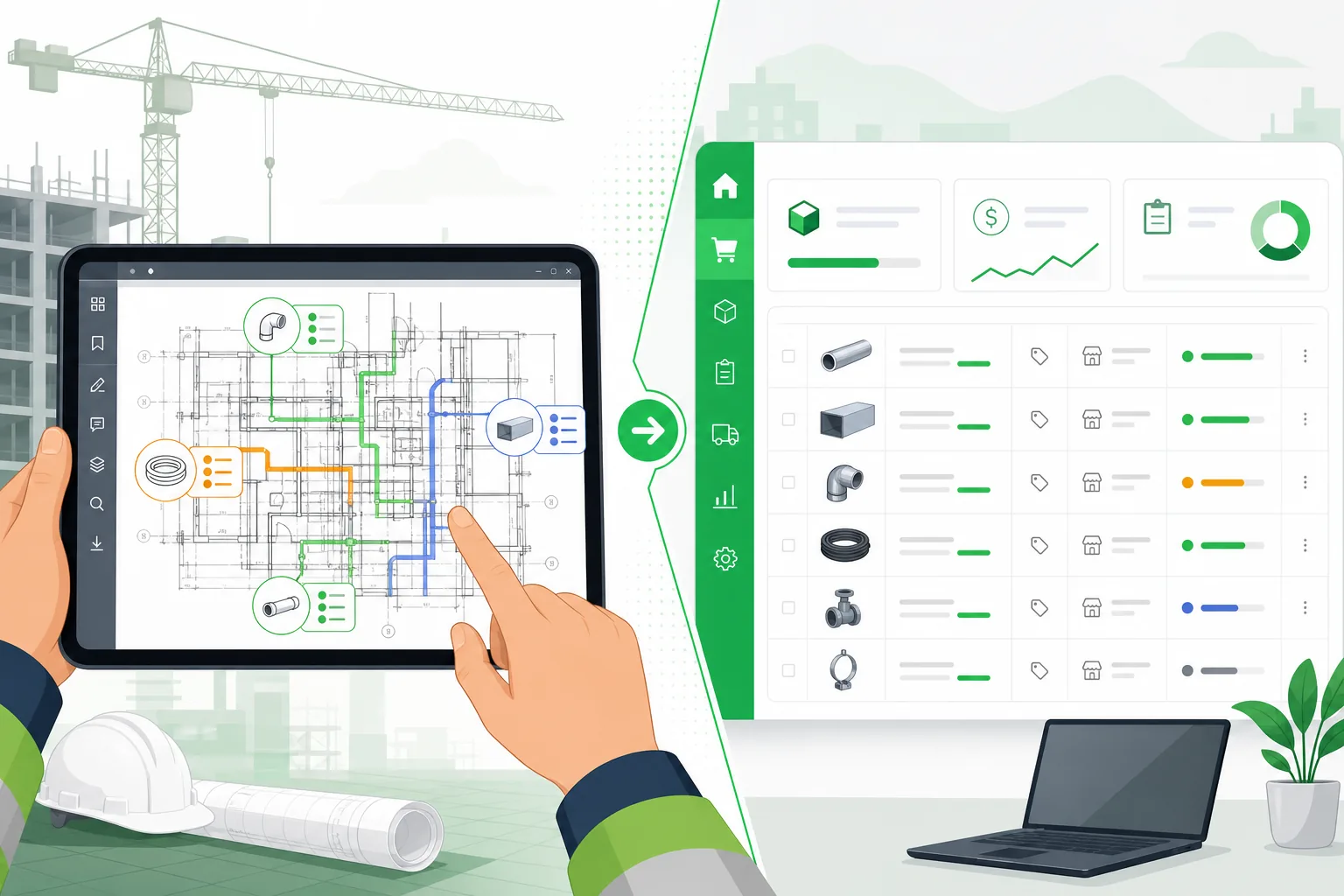
AI-powered takeoff software uses computer vision and large language models to read the drawing directly. You upload a PDF, the system identifies the drawing type (power plan, lighting plan, panel schedule, single-line diagram), recognizes symbols and text, extracts quantities and specifications, and outputs a structured material list.
The key difference: the AI does the visual scanning, not the estimator.
What You Get
- Cost: Typically $99–$500/month depending on volume and features
- Accuracy: 85–95% on well-drawn commercial sets, with review interface for corrections
- Speed: Minutes per drawing set, not days — a 100-sheet set can be processed in under an hour including review
- Learning curve: Low — upload, review, export
Why This Matters for Electrical Contractors
Electrical drawings are among the most complex in any construction set. A single floor plan might contain:
- 50+ luminaire types each with different mounting, voltage, and circuit specifications
- Receptacles with different ratings (15A, 20A, 30A), mounting heights, and designations
- Conduit runs in multiple sizes, materials (EMT, rigid, PVC), and routing
- Fire alarm devices, data outlets, security devices, and specialty systems
AI platforms that are purpose-built for electrical takeoff can differentiate between these categories automatically because they use specialized extraction models tuned to electrical drawing conventions — not a single generic model trying to handle everything.
What to Look For in an AI Takeoff Tool
Not all AI tools handle electrical drawings equally. Here is what separates the useful from the gimmicky:
| Capability | Why It Matters |
|---|---|
| Multi-sheet type support | Can it handle power plans, lighting plans, LV plans, fire alarm, panel schedules, AND single-line diagrams? |
| Symbol differentiation | Does it distinguish between a duplex receptacle and a GFCI, or between a surface-mount luminaire and a recessed one? |
| Panel schedule reading | Can it extract panel data and correlate circuits with device counts? |
| Conduit and wire measurement | Does it measure linear runs, or only count discrete devices? |
| Revision handling | When addenda come in, can it re-process changed sheets without re-doing the entire set? |
| Export format | Does it output to Excel, CSV, or directly integrate with estimating software? |
How AI Electrical Takeoff Actually Works
Understanding what happens under the hood helps you evaluate whether an AI tool is genuinely useful or just marketing.
Step 1: Drawing Classification
The system first determines what type of electrical drawing each page is. A power plan requires different extraction logic than a panel schedule or a single-line diagram. Good AI tools classify pages automatically, so a mixed drawing set (which is every real project) gets routed to the right extraction approach for each sheet.
Step 2: Symbol and Component Recognition
For symbol-based sheets (floor plans, power plans, lighting plans), the AI identifies device symbols, reads associated labels and designations, and classifies each component by type. For tabular sheets (panel schedules), it reads the structured data directly.
The difference between a general-purpose AI and a specialized one is critical here. A generic vision model might recognize that there are symbols on a page, but it will not know that a triangle with a line through it is a fire alarm pull station, or that the circle labeled "J" is a junction box while the circle labeled "2A" is a luminaire type.
Step 3: Quantity Assembly
Once components are identified, the system tallies quantities by type, aggregates across sheets, and handles the deduplication that occurs when the same device appears on both a power plan and a reflected ceiling plan.
Step 4: Review and Export
The estimator reviews the extracted quantities, makes any corrections, and exports the material list for pricing. The review step is where the estimator's expertise adds value — validating that the AI's extraction matches what they see on the drawings — rather than doing the counting from scratch.
Real-World Accuracy: What to Expect
No AI tool is 100% accurate on every drawing. Accuracy depends on drawing quality, symbol consistency, and the complexity of the set. Here is what you should realistically expect:
| Drawing Quality | Expected AI Accuracy |
|---|---|
| Clean CAD-generated PDFs with standard symbols | 90–95% |
| Scanned drawings with decent resolution | 80–90% |
| Hand-marked or heavily annotated drawings | 70–85% |
| Drawings with non-standard symbol legends | 75–85% |
The right question is not "is it perfect?" but "does it save time?" Even at 85% accuracy, the estimator is reviewing and correcting a mostly-complete takeoff instead of building one from zero. That is the difference between a 3-day task and a 3-hour task.
Making the Decision
The choice depends on your volume and the value of your estimator's time:
| Scenario | Best Fit |
|---|---|
| Residential contractor, 5–10 projects/year, small drawing sets | Spreadsheets (free, good enough) |
| Commercial electrical sub, 20–50 bids/year | Digitizer tool or AI platform |
| Large EC or estimating department, 50+ bids/year | AI platform (ROI is clear at this volume) |
| Estimating service or consulting firm | AI platform (speed is the entire value proposition) |
The math is straightforward: if an AI tool saves your estimators 15 hours per project and you bid 40 projects a year, that is 600 hours of estimating time recovered. At a fully loaded cost of $50–$75/hour for a skilled electrical estimator, that is $30,000–$45,000 in labor annually — far more than the cost of any AI takeoff subscription.
What Is Coming Next
The direction of electrical takeoff software is clear: more automation, better accuracy on edge cases, and tighter integration with pricing databases and bid management. The tools that will win are the ones that treat electrical as a first-class discipline — with dedicated panel schedule reading, conduit measurement, and fire alarm extraction — rather than a module bolted onto a generic takeoff platform.
For electrical contractors evaluating tools in 2026, the question is no longer whether AI takeoff software works. It is whether you can afford to keep doing it manually while your competitors are not.
Related reading: AI electrical takeoff software — full product tour · Takeoff software comparison: PlanSwift vs Bluebeam vs OST vs AI · Accubid vs IntelliBid vs McCormick for electrical estimating · Electrical estimating AI guide for US contractors
Aginera's AI takeoff platform includes specialized extraction for electrical drawings — power plans, lighting plans, low-voltage systems, fire alarm, panel schedules, and single-line diagrams. Try it free or book a demo to see it on your drawings.