MEP Estimating Software in 2026: Free Downloads, AI Tools, and What Works for Real Projects
Every MEP contractor has the same problem: too many tenders, not enough estimating hours. The drawings arrive, the bid deadline is in five days, and your team is already working on two other estimates. The software you use to prepare takeoffs and cost estimates determines how many bids you can submit and how accurate those bids are.
This guide breaks down the MEP estimating software landscape in 2026 — from free downloadable tools to purpose-built AI platforms — so you can evaluate what makes sense for your operation.
What MEP Estimating Software Needs to Cover
MEP estimating is not one workflow — it is three distinct disciplines bundled under one roof, each with its own drawing types, measurement conventions, and pricing structures:
Mechanical (HVAC)
- Ductwork in linear feet and square feet of sheet metal
- Equipment (AHUs, RTUs, VAV boxes, chillers, boilers) counted by specification
- Piping (chilled water, hot water, refrigerant) in linear feet by diameter
- Controls and accessories (dampers, diffusers, grilles, thermostats)
(How the mechanical side works in depth: AI HVAC takeoff software.)
Electrical
- Devices (receptacles, switches, sensors) counted by type and rating
- Luminaires counted by type and mounting
- Conduit and wire in linear feet by size
- Panel schedules, switchgear, transformers
- Fire alarm and low-voltage systems
(How the electrical side works in depth: AI electrical takeoff software.)
Plumbing
- Fixtures (lavatories, water closets, sinks) counted by specification
- Piping (domestic water, waste, vent, gas) in linear feet by diameter and material
- Equipment (water heaters, pumps, backflow preventers)
- Drainage and sanitary infrastructure
(Run one yourself: free AI plumbing takeoff.)
Any tool claiming to handle "MEP estimating" needs to address all three, with the measurement methods appropriate to each.
Free MEP Estimating Tools: What Is Actually Available
When contractors search for "MEP estimating software free download," they are usually looking for one of three things:
1. Excel Templates and Spreadsheets
The most common free option. Dozens of Excel-based MEP estimating templates are available online, organized by CSI division or trade-specific categories. They provide a structured format for entering quantities and rates, with formulas for totaling and markup.
What works: Good for organizing data you have already gathered manually. Useful as a pricing template once quantities are extracted.
What does not work: Zero automation for the actual takeoff. You still count every symbol, measure every run, and read every schedule by hand. The "estimating" part is really just "organized data entry."
2. Free Tiers of Takeoff Software
Some digitizer platforms offer limited free versions — typically capped by project count, page count, or feature set. These let you overlay PDFs, set scale, and click-count symbols.
What works: Faster than pure spreadsheets for counting and measuring. Helpful for small projects.
What does not work: Free tiers almost always have restrictions that make them impractical for real bid volumes. And the core limitation remains: you are still doing the visual scanning manually.
3. Open-Source Quantity Survey Tools
A small number of open-source tools exist for construction quantity calculation, but they tend to focus on structural or civil quantities (concrete volume, earthwork) rather than MEP symbol counting and linear measurement.
What works: Specialized calculations like duct weight or pipe volume.
What does not work: Not designed for the core MEP takeoff workflow of reading drawings and extracting component lists.
Paid MEP Estimating Platforms
The paid market divides into two categories: traditional digitizer-based tools and AI-powered platforms.
Traditional Digitizer Platforms
These tools digitize the manual process: you load a PDF, set scale, and click on each symbol or trace each run. The software tracks your counts and measurements.
| Strength | Limitation |
|---|---|
| Proven workflow, widely adopted | Manual scanning remains the bottleneck |
| Good measurement accuracy | Slow on large drawing sets (100+ sheets) |
| Established vendor support | Operator-dependent accuracy |
| Integration with estimating databases | No intelligence about what is on the drawing |
Typical cost: $1,000–$5,000/year per seat.
AI-Powered MEP Estimating Platforms
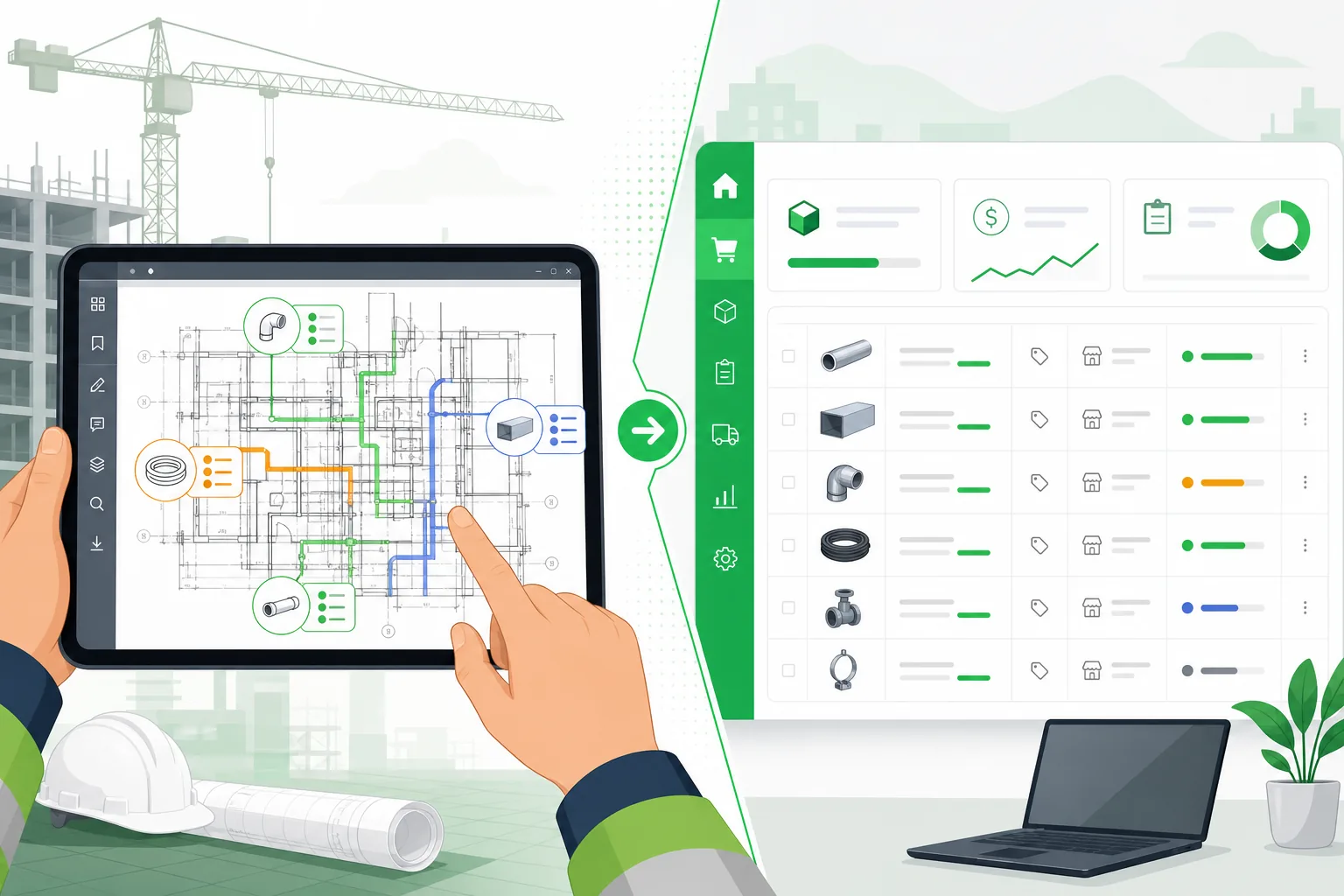
The newer category uses computer vision and language models to read drawings directly. You upload a PDF, and the system classifies pages by discipline and drawing type, identifies components, extracts quantities, and outputs a structured material list.
| Strength | Limitation |
|---|---|
| Dramatically faster (minutes vs. days) | Accuracy varies with drawing quality |
| Handles revision re-processing | Newer technology, less track record |
| Scales with bid volume | Requires review step for validation |
| Works across all three MEP disciplines | Complex or non-standard drawings need human review |
Typical cost: $99–$500/month depending on volume.
Why AI Is Changing MEP Estimating
The shift from digitizer tools to AI is not incremental — it changes the fundamental workflow:
Before AI: Estimator as Scanner
- Estimator opens drawing
- Estimator visually scans every symbol on every page
- Estimator clicks/counts each item
- Estimator classifies each item
- Software tallies the counts
- Estimator moves to next page
The human is the bottleneck at every step.
With AI: Estimator as Reviewer
- Upload entire drawing set
- AI classifies pages by discipline and type
- AI identifies and counts all components
- AI measures linear runs and reads schedules
- Estimator reviews the extracted quantities
- Estimator makes corrections and exports
The AI does the scanning. The human validates and adds judgment.
This is not about replacing the estimator — it is about moving their expertise from the lowest-value task (counting symbols) to the highest-value task (reviewing quantities and making judgment calls on scope and pricing).
What Makes AI MEP Software Different From Generic AI
Not all AI tools handle MEP equally. The critical difference is specialization.
A generic AI model — even a very capable one — treats a construction drawing as "an image with symbols and text." It can describe what it sees, but it does not understand the difference between a duct diffuser and a light fixture, or why a symbol on a plumbing riser diagram means something different than the same shape on a power plan.
Purpose-built MEP extraction uses specialized models for each discipline and drawing type:
- Mechanical extraction knows that rectangles on a duct plan are equipment, not rooms
- Electrical extraction distinguishes between 20A and 30A receptacles by reading the designation labels
- Plumbing extraction understands that fixture counts on a riser diagram are specifications, not just numbers
- Panel schedule extraction reads tabular data with circuit-level detail
- Single-line diagram extraction identifies switchgear topology, not just connected boxes
This per-discipline specialization is what separates tools that work on real projects from demos that look impressive on a simple floor plan but fall apart on a 200-sheet bid set.
Evaluating MEP Estimating Software: The Questions That Matter
When comparing tools, these are the questions that predict whether the software will actually help your workflow:
-
Does it handle all three disciplines? Many tools are strong on electrical but weak on mechanical, or vice versa. You need one platform that covers M, E, and P.
-
Can it read different drawing types? Floor plans, schedules, schematics, riser diagrams, and details all require different extraction approaches. A tool that only handles floor plans misses critical data.
-
What happens when drawings are revised? Addenda are the norm, not the exception. Can you re-process changed sheets without re-doing the entire takeoff?
-
How does it handle drawing quality? Clean CAD exports perform differently than scanned drawings or annotated PDFs. Ask about accuracy on your actual drawing types.
-
What is the output format? The takeoff is only useful if it feeds into your pricing workflow. Look for Excel, CSV, or direct integration with your estimating system.
-
What does review look like? Every AI tool needs a human review step. The question is whether the review interface is efficient — highlighting low-confidence items, showing the drawing alongside the extraction, allowing quick corrections.
The ROI Calculation
The value of MEP estimating software scales with bid volume:
| Bids per Year | Manual Hours per Bid | AI Hours per Bid | Hours Saved | Value at $60/hr |
|---|---|---|---|---|
| 20 | 40 | 8 | 640 | $38,400 |
| 40 | 40 | 8 | 1,280 | $76,800 |
| 60 | 40 | 8 | 1,920 | $115,200 |
The secondary ROI is bid volume: when takeoffs take hours instead of days, your team can bid more projects. At a typical win rate of 15–25%, each additional bid represents $15,000–$50,000 in expected revenue for a mid-size MEP contractor.
The Bottom Line
Free MEP estimating tools work for organizing data, but they do not solve the core problem — the takeoff itself is still manual. Digitizer tools speed up the tallying, but the human visual scanning remains the bottleneck.
AI-powered MEP estimating software changes the equation by automating the extraction itself, turning the estimator from a scanner into a reviewer. The technology is mature enough in 2026 that the question for most MEP contractors is not whether to adopt it, but how quickly they can integrate it into their bidding workflow.
Aginera handles mechanical, electrical, and plumbing takeoffs from a single upload. Purpose-built extraction models for each discipline and drawing type. Start a free trial or see a live demo.