Questions MEP Estimators Should Ask Before Buying an AI Takeoff Tool
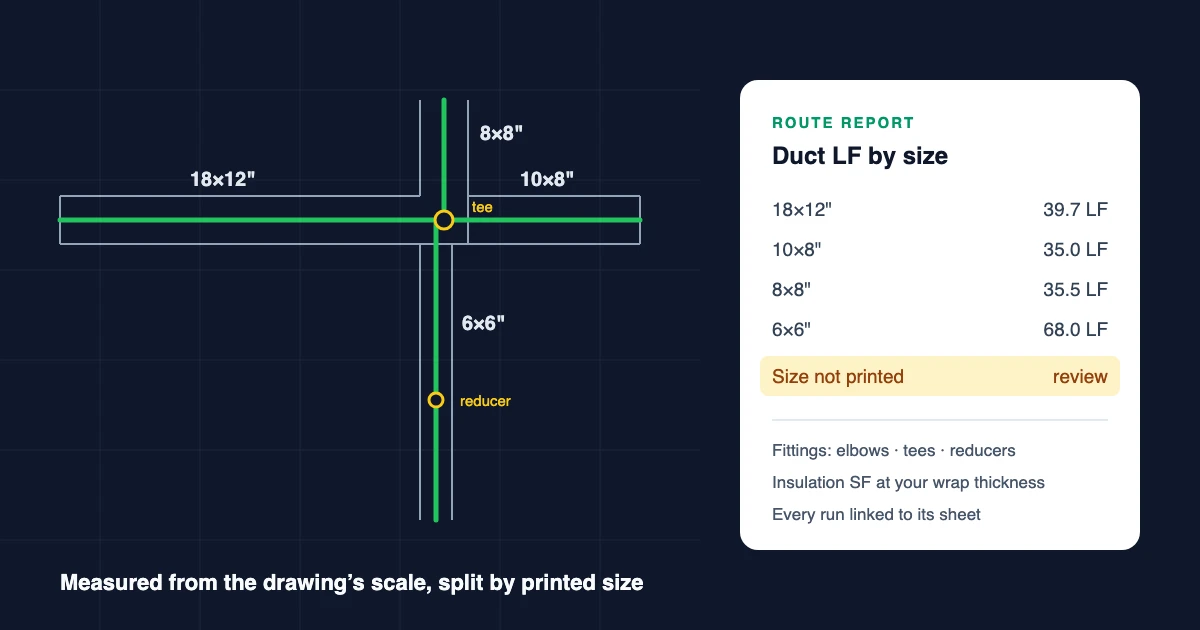
Evaluating the product itself? The MEP estimating software page covers multi-trade MEP takeoff, and the single-trade pages for AI plumbing takeoff software and AI HVAC takeoff software each have a free tool you can run on your own sheet.
Mechanical, electrical, and plumbing estimators are being asked to evaluate a new generation of AI takeoff and estimating platforms — from single-trade AI electrical takeoff to full multi-trade extraction. The promise is attractive: upload drawings, extract quantities, reduce manual counting, and get to a bid faster.
But experienced estimators know the real challenge is not just counting symbols.
Real MEP drawings include engineer notes, details, schedules, elevations, risers, addenda, unclear existing conditions, typical rooms, mechanical equipment connections, hanger assumptions, fabrication choices, and pricing rules that vary by contractor.
That is why the right question is not simply:
"Can AI count devices?"
A better question is:
"Can AI help estimators organize drawing scope, identify risk, separate measurable quantities from assumptions, and export clean data into the estimating workflow?"
This article covers the key questions MEP contractors should ask when evaluating AI takeoff software.

1. Can AI Read Both Drawings and Engineer Notes?
A strong AI takeoff platform should not only read symbols on plans. It should also understand written information such as:
- General notes
- Keyed notes
- Equipment schedules
- Fixture schedules
- Panel schedules
- Mechanical schedules
- Control notes
- Installation details
- Specification references
- Addendum notes
- RFI responses or clarifications
This matters because engineers often describe scope that is not shown as a clear symbol on the plan.
For example, a drawing note may say:
"Provide life safety damper at duct penetration."
But the damper may not be symbolized on the floor plan.
A good AI system should not silently invent a quantity. Instead, it should surface that note as a review item so the estimator can decide whether to price it, carry an allowance, issue an RFI, or clarify the scope.
The best AI estimating workflows separate:
- Plan-confirmed quantities — directly counted from symbols
- Schedule-derived quantities — from equipment, fixture, or panel schedules
- Note-only scope — referenced in text but not drawn
- Detail-only scope — shown in section details but not on the plan
- Review-required assumptions — items flagged for estimator judgment
That separation is important for bid accuracy.
2. How Should AI Handle Engineered Details Versus Plan-Visible Quantities?
MEP estimating often depends on the relationship between plans, details, schedules, and specifications.
A plan may show a duct run. A detail may show fire/smoke damper requirements. A schedule may define equipment capacity. A specification may define material type. The estimator has to bring all of that together.
AI takeoff software should help organize those layers:
| Source | Example | Estimating Use |
|---|---|---|
| Plan | Diffuser, receptacle, valve, duct, pipe | Count or measure |
| Schedule | Equipment tag, fixture type, panel data | Validate and classify |
| Detail | Installation method, support, damper, insulation | Add scope or labor factor |
| Note | "Coordinate with fire alarm" | Review / RFI / allowance |
| Specification | Material, labor requirement, product standard | Pricing and compliance |
The AI should not treat every note or detail as a final quantity. It should help the estimator see where the scope came from and whether it is directly measurable.

3. Can AI Account for Elevation Changes, Risers, and Vertical Offsets?
This is one of the hardest areas for AI takeoff.
Plan drawings are usually two-dimensional, but MEP systems are three-dimensional. Ducts rise and drop. Pipes step up and down. Conduit may run vertically between floors. Equipment connections may require offsets that are not obvious from the plan.
A practical AI platform should identify elevation-related information such as:
- Riser diagrams
- Section references
- Floor-to-floor heights
- Duct up/down symbols
- Pipe rise/drop notes
- Mechanical room elevations
- Roof equipment connections
- Equipment pads and curbs
- Shaft and chase locations
However, estimators should be cautious of any system that claims to fully automate every vertical condition from 2D PDFs.
A realistic workflow is:
- AI extracts visible horizontal quantities.
- AI flags risers, drops, shafts, and elevation-dependent scope.
- Estimator applies vertical allowances or manual adjustments.
- The system records those adjustments for review and export.
This keeps estimator judgment in the loop while still reducing manual review time.
4. How Should Hanger Costs Be Handled?
Hanger cost is not just a quantity issue. It is an installation condition issue.
For example:
- Is the structure high?
- Is the system elevation low?
- Are long rods required?
- Is trapeze support needed?
- Is seismic bracing required?
- Is lift access required?
- Is the work above ceilings or in an open high-bay space?
- Are supports typical or custom?
AI can help by extracting duct, pipe, conduit, and equipment scope. But hanger cost should usually be handled through configurable assemblies and estimator-controlled assumptions.
Useful hanger assembly logic may include:
- One support every X feet
- Different rules for duct, pipe, and conduit
- Hanger type by system
- Rod length allowance
- Trapeze support option
- Seismic bracing option
- Lift/access labor factor
- High-bay labor factor
The best AI workflow does not hide these assumptions. It lets the estimator configure them.
5. Can AI Distinguish Duct Fabrication Methods?
Mechanical contractors often estimate ductwork differently depending on how the duct is sourced.
Common options include:
- Purchased ductwork
- In-house fabrication
- Outsourced fabrication
- Shop labor plus field installation
- Field install only
- Subcontracted duct scope
An AI platform should not assume the fabrication method from the drawing alone. That is a contractor-specific pricing decision.
Instead, the system should allow the estimator to map takeoff quantities into different pricing strategies:
| Duct Strategy | Pricing Logic |
|---|---|
| Purchased duct | Material cost + field labor |
| In-house fabrication | Sheet metal material + shop labor + field labor |
| Outsourced fabrication | Vendor cost + field labor + markup |
| Subcontracted duct | Subcontract quote + markup |
| Install-only | Labor only |
This is where AI takeoff and estimating databases need to work together. AI should generate clean quantities. The estimator or estimating system should control pricing strategy.

6. Does AI Replace Labor Tables Like MCAA, SMACNA, HPH, or TraSer?
For most contractors, the answer should be no.
AI takeoff software should not force a contractor to abandon trusted labor tables, assemblies, price services, or historical estimating data.
Many contractors already rely on:
- MCAA labor units
- SMACNA-based assumptions
- HPH pricing
- TraSer pricing
- McCormick
- Trimble Accubid
- ConEst IntelliBid
- Sage
- Custom spreadsheets
- Internal labor and productivity databases
A practical AI platform should support one or both workflows:
- Export quantities into the existing estimating system
- Import customer labor units, assemblies, and rate cards into the AI platform
For many MEP contractors, the best model is:
AI accelerates takeoff and scope review. The contractor's estimating database remains the pricing authority.
7. Does AI Support Repeatable Assemblies and Typical Rooms?
Repeatable work is one of the highest-value areas for AI-assisted estimating.
Examples include:
- Hotel guest rooms
- Apartment units
- Patient rooms
- Classrooms
- Restrooms
- Exam rooms
- Office layouts
- Mechanical room equipment groups
- Standard electrical room layouts
A common estimating challenge is deciding whether the typical blow-up applies once, by room type, by floor, or across the whole project.
A good AI system should help identify typical layouts and allow the estimator to confirm the multiplier.
For example:
"This guest room layout appears to apply to 82 rooms. Confirm multiplier?"
The estimator should be able to review the typical room, apply the multiplier, and avoid double-counting items that also appear on enlarged plans or floor plans.
This is especially useful for electrical devices, lighting, plumbing fixtures, HVAC diffusers, low-voltage devices, and fire alarm devices.
8. Are Manual Takeoff Adjustments Still Needed?
Yes.
AI takeoff should be treated as a first-pass draft, not an unquestioned final estimate.
Estimators still need to:
- Edit quantities
- Add missing scope
- Remove false positives
- Apply allowances
- Adjust labor factors
- Confirm typical-room multipliers
- Review note-only scope
- Validate schedule-derived quantities
- Decide fabrication strategy
- Apply company-specific pricing rules
The key is that manual adjustment should be easy.
An estimator-friendly AI platform should allow users to:
- Edit quantities directly
- Add manual line items
- Mark rows as reviewed
- Flag RFIs
- Exclude non-priced rows
- Apply multipliers
- Add labor factors
- Export reviewed quantities
AI should reduce the time spent finding and organizing scope. It should not remove estimator control.

9. Should AI Estimating Software Work Standalone or Alongside Existing Tools?
For many contractors, AI should work in parallel with existing estimating software.
A typical workflow looks like this:
- Upload PDF drawings.
- AI classifies sheets by discipline.
- AI extracts quantities from plans, schedules, notes, and details.
- Estimator reviews and adjusts the takeoff.
- Quantities are exported to CSV or Excel.
- Pricing is completed in the contractor's existing estimating system.
This is often better than trying to replace the entire estimating stack on day one.
Contractors may already have years of pricing history, labor units, vendor costs, assemblies, and approval workflows built into their current systems. AI should enhance that process, not disrupt it unnecessarily.
10. What Export Formats Should Estimators Expect?
At minimum, AI takeoff software should support:
- CSV export
- Excel export
- Structured line-item data
- Takeoff summary reports
Useful takeoff fields include:
- Trade or discipline
- Item type
- Description
- Quantity
- Unit of measure
- Sheet reference
- Source type: plan, schedule, note, detail, addendum
- Confidence or review status
- Estimator notes
- Pricing status
- Assembly code
- Customer cost code
- Export mapping code
For contractors using downstream estimating systems, export mapping is critical. The AI system should make it easy to connect extracted quantities to the contractor's cost codes and assemblies.
11. What Should Contractors Look for in AI MEP Takeoff Software?
When evaluating AI takeoff platforms, estimators should ask:
- Does the system read notes, schedules, details, and plan symbols?
- Does it separate measured quantities from assumptions?
- Can it flag note-only or detail-only scope?
- Can it detect conflicts between plans, schedules, and details?
- Can it support risers, vertical allowances, and elevation review?
- Can hanger assumptions be controlled through assemblies?
- Can duct fabrication strategy be configured?
- Can customer labor tables and rate cards be imported?
- Can repeatable rooms and typical units be multiplied safely?
- Can estimators manually adjust the AI output?
- Can the data export cleanly to existing estimating systems?
- Does the system improve review speed without hiding risk?
The best AI platforms are not black boxes. They are review systems that help estimators see more scope faster.
12. Where Aginera Fits
Aginera is built for AI-assisted takeoff, estimating support, and bid intelligence across MEP and construction workflows.
The platform is designed to help estimators:
- Upload PDF drawing sets
- Classify sheets by discipline
- Extract electrical, mechanical, plumbing, fire protection, and related scope
- Read plans, schedules, notes, and details
- Separate plan-confirmed quantities from review-required scope
- Support repeatable assemblies and typical layouts
- Allow manual estimator adjustments
- Export structured takeoff data to CSV/Excel and compatible estimating systems
- Work alongside existing estimating software
Aginera is especially useful for contractors who want to speed up first-pass takeoff while keeping estimator judgment and pricing control in place.
The goal is not to replace experienced estimators. The goal is to help them get to a cleaner, more complete, reviewable takeoff faster.
Conclusion
AI takeoff software can save significant time for MEP estimators, but only if it respects how estimating actually works.
The hardest parts of MEP estimating are not simple counts. They are interpretation, context, assumptions, and risk.
Engineer notes matter. Details matter. Schedules matter. Elevations matter. Hangers matter. Fabrication strategy matters. Labor tables matter. Manual review matters.
That is why the best AI estimating workflow is estimator-controlled:
- AI extracts and organizes the scope.
- The estimator reviews, adjusts, and owns the final bid.
For contractors evaluating AI takeoff software, the winning platform will not be the one that claims everything is automatic. It will be the one that makes the estimator faster, more consistent, and more confident without hiding uncertainty.
Frequently Asked Questions
What is AI MEP takeoff software?
AI MEP takeoff software uses artificial intelligence to extract mechanical, electrical, plumbing, and fire protection quantities from construction drawings, schedules, notes, and details.
Can AI takeoff software replace an estimator?
No. AI takeoff software is best used as a first-pass extraction and review tool. The estimator should validate quantities, assumptions, pricing, and bid scope.
Can AI read engineer notes on drawings?
Yes, strong AI takeoff platforms can read notes and schedules, but note-only scope should usually be flagged for estimator review rather than treated as an automatic counted quantity.
Does AI estimate ductwork and hangers automatically?
AI can extract ductwork quantities, but hanger assumptions, fabrication strategy, access conditions, and labor factors should be configurable and estimator-controlled.
Can AI takeoff software work with existing estimating systems?
Yes. Many contractors use AI takeoff software to generate reviewed quantities, then export CSV or Excel data into existing estimating systems such as Accubid, McCormick, ConEst, Sage, or internal spreadsheets.