AI Takeoff Software Comparison 2026: How the Top Tools Stack Up for Construction Estimating
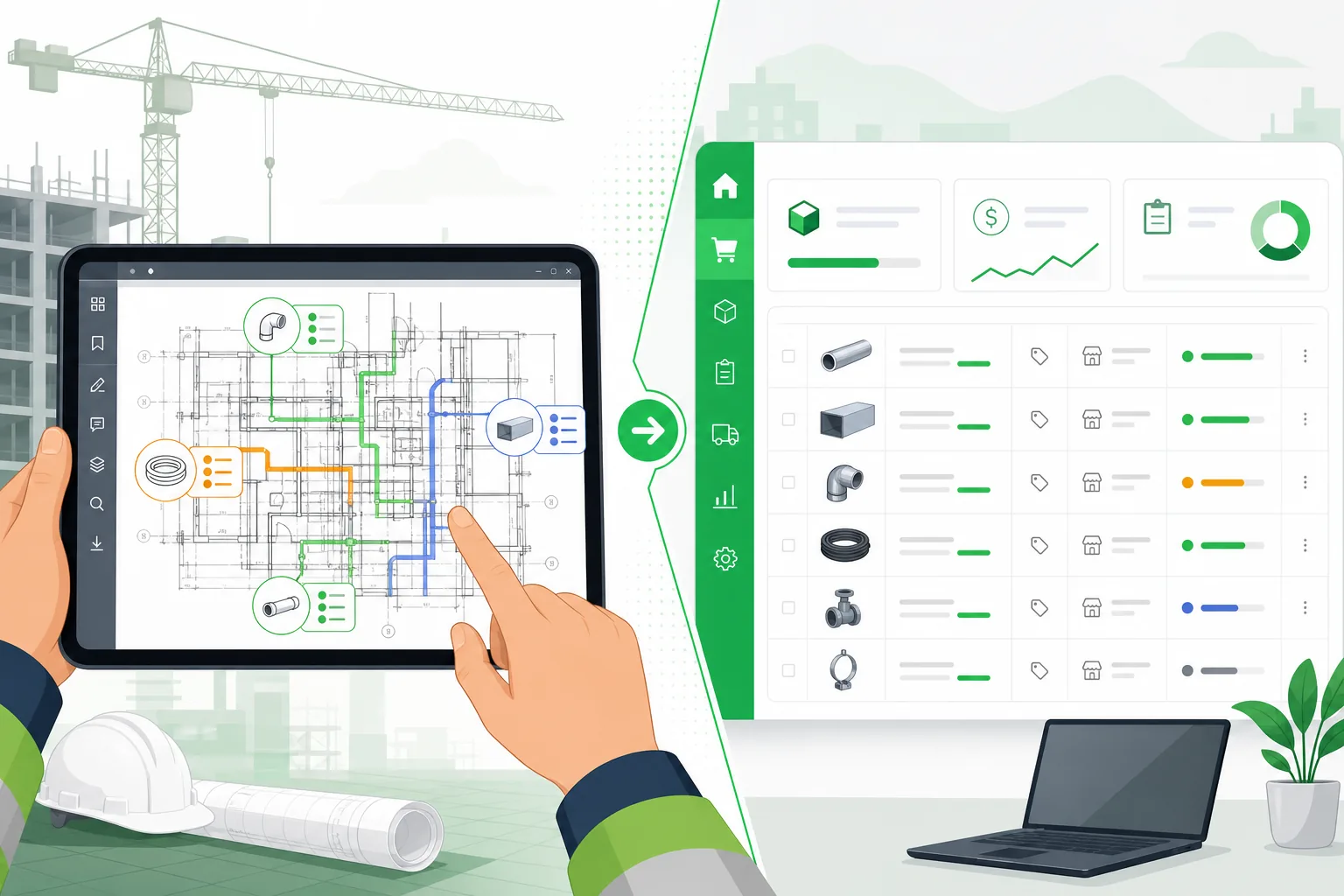
The construction takeoff software market has split into two distinct eras. On one side, the digital measurement tools that have served estimators for the past 15+ years — PlanSwift, On-Screen Takeoff, Bluebeam Revu. On the other, a new generation of AI-powered platforms that automate the extraction process itself.
If you are evaluating takeoff tools in 2026, the question is no longer "should I go digital?" — most firms already have. The question is whether your current tool is costing you bids by keeping your estimators in a manual counting loop, and whether an AI-powered alternative is mature enough to trust.
This comparison covers the five most commonly evaluated tools across the construction takeoff landscape, including what each does well, where each falls short, and which is the best fit for different types of contracting firms.
Updated September 2026 with published per-seat list prices, an Active Takeoff / low-cost alternatives section, and the state of AI extraction across vendors. If you are evaluating for a specific trade, we keep deeper guides for electrical takeoff software and MEP takeoff software, plus head-to-head estimating comparisons like Accubid vs. IntelliBid vs. McCormick.
The Tools We Are Comparing
The takeoff software market breaks down into four categories:
- Manual digital takeoff tools — purpose-built for on-screen measuring and counting. The estimator does the work; the software organizes it.
- PDF markup tools used for takeoff — designed primarily for document review and collaboration, with takeoff as a secondary function.
- AI-powered takeoff services — companies that use AI plus human reviewers to deliver completed takeoffs on your behalf.
- AI-powered takeoff software — self-serve platforms where AI processes your drawings and delivers results in minutes.
The five tools in this comparison:
| Tool | Category | Primary Use |
|---|---|---|
| PlanSwift | Manual digital takeoff | Click-to-measure takeoff and estimating |
| On-Screen Takeoff (OST) | Manual digital takeoff | Digital measurement and quantity extraction |
| Bluebeam Revu | PDF markup with takeoff | Document review, markup, and measurement |
| Beam AI | AI takeoff service | Done-for-you AI + human takeoff delivery |
| Aginera DesignOps | AI takeoff software | Self-serve AI-powered extraction and pricing |
Takeoff Software Pricing 2026: Cost Per Seat
"How much does takeoff software cost?" has a wide answer — from under $300 a year for a PDF markup tool to over $3,000 a seat for a full takeoff-and-estimate suite. The table below uses published list prices as of September 2026 (vendor pricing pages and their listings on Capterra / G2 / TrustRadius). Vendors change these without notice and most discount for multi-seat contracts, so treat them as the starting point for a quote, not the final number.
| Tool | List price (per seat) | Model | What is and is not included |
|---|---|---|---|
| Bluebeam Revu | $260 (Basics) · $330 (Core) · $440 (Complete) · $590 (Max) per user / year | Annual subscription | Markup, measurement and collaboration. No symbol recognition, no assemblies, no pricing. |
| On-Screen Takeoff | ~$995–1,500 per user / year | Annual subscription | Measurement only. Estimating needs Quick Bid, sold separately. |
| PlanSwift | ~$1,749–2,000 per licence / year, or a perpetual licence ~$1,595–1,749 plus ~$250 / year for updates and support | Subscription or perpetual | Takeoff and basic estimating on Windows. Trade plugins and training ($295 / person) are extra. |
| Togal.AI | $1,999 (Essential) – $2,999 (Growth) per user / year; about $299 / month billed yearly | Annual subscription | AI room / area detection and plan comparison for GCs. Custom pricing above 4 users. |
| STACK Takeoff & Estimate | $2,988 (Premium) – $3,588 (Pro) per year; per-seat price falls to ~$2,199 at three or more seats | Annual subscription | Cloud takeoff and estimating, multi-trade. AI features on the higher tiers. |
| Beam AI | ~$500–1,500 per project | Per project (service) | Done-for-you takeoff with human QA, 24–72 hour turnaround. No software to learn, no per-seat fee. |
| Aginera DesignOps | Free Starter (200 AI credits) · $299 / month Professional · Enterprise on request | Subscription, no seat minimum | Self-serve AI extraction across MEP and 80+ drawing types, assembly expansion, built-in pricing. Current plans. |
Three things the list price hides:
- Seat count is the multiplier. A three-estimator shop on STACK or Togal is a $6,000–9,000 line item before training. The same shop on Bluebeam Core is under $1,000 — but is still doing the takeoff by hand.
- Per-project pricing punishes volume. A service at $800 a project is cheap for four bids a year and expensive for four bids a month. The crossover with a flat subscription is usually around 4–6 projects a month.
- Estimator hours dwarf licence fees. See the cost-of-ownership table further down: the difference between 15 hours and 2 hours of estimator time per bid is worth more per month than any licence in this table costs per year.
Takeoff software reviews: what to read for
Review-site star ratings for the tools above cluster between 4.2 and 4.7 out of 5, which tells you little. Read the written reviews for three specifics instead: (1) how the reviewer's trade matches yours — a GC's praise for area takeoff says nothing about panel schedules or duct runs; (2) whether accuracy complaints are about counting (symbols, fixtures) or measuring (lengths, areas), because tools are typically strong at one and weak at the other; and (3) what the reviewer says about revisions, since re-doing a takeoff on an addendum is where manual tools quietly cost the most.
Active Takeoff and Other Low-Cost Alternatives
Searches for "Active Takeoff alternatives" usually come from small contractors who started on a sub-$500 desktop tool and have outgrown it — Active Takeoff, ProEst's entry tier, eTakeoff Basic, and the takeoff functions inside Bluebeam Basics all sit in that band. They do the job for a one-person estimating desk on simple sets. The reasons people leave are consistent: no multi-user projects, no assemblies (so every counted symbol still has to be priced by hand), and no help with a 100-sheet set where most of the work is figuring out which sheets matter.
If that is where you are, the realistic next steps are:
- Stay manual, add collaboration: Bluebeam Core or Complete — cheap, everyone already has it, and Studio sessions solve the multi-user problem. You are still counting by hand.
- Manual takeoff with estimating attached: PlanSwift or OST + Quick Bid — proven, Windows-only, and still bounded by estimator hours.
- Skip the counting: an AI extraction tool that reads the sheet and hands you the quantities to review. For electrical, mechanical and plumbing sets, that is what Aginera's electrical takeoff software and MEP takeoff software pages are about; you can try it on one sheet with the free electrical takeoff tool before creating an account.
PlanSwift: The Established Digital Takeoff Workhorse
What it is: PlanSwift is one of the most widely adopted digital takeoff tools in the US construction market. Acquired by ConstructConnect in 2017 (and now part of the Trimble ecosystem), it provides on-screen measurement and quantity takeoff from PDF drawings.
How it works: Estimators import PDF plans into PlanSwift, set the drawing scale, and then click to measure — point-to-point for linear items, area selection for surface quantities, and individual clicks for item counts. Quantities feed into built-in spreadsheet-style cost estimation.
Strengths
- Large user base and community. PlanSwift has been in the market since 2008 and has a substantial ecosystem of plugins, templates, and training resources. If you hire an experienced estimator, there is a reasonable chance they already know PlanSwift.
- Trade-specific plugins. The PlanSwift plugin marketplace includes extensions for concrete, roofing, drywall, flooring, and other trades. These add pre-built assemblies and measurement templates that accelerate setup.
- Straightforward pricing. One-time license purchase with optional annual maintenance. This appeals to firms that dislike subscription models.
- Integrated estimating. Built-in cost columns let estimators attach material and labor costs directly to takeoff items without exporting to a separate tool.
Limitations
- Entirely manual. Every measurement and every count requires the estimator to click. There is no automation of symbol recognition, no AI-assisted counting, and no automatic classification of components.
- PDF-only input. PlanSwift works with PDFs and some image formats. It does not process CAD files (DWG/DXF) or BIM models natively, which limits its usefulness for firms that receive mixed file types.
- No assembly expansion logic. PlanSwift counts what you tell it to count. It does not infer conduit, wire, fittings, or supporting materials from a device location. The estimator must build those assemblies manually or use plugins.
- Desktop-only. PlanSwift is a Windows desktop application. There is no web-based version, no Mac support, and no mobile companion for field verification.
For a detailed head-to-head analysis, see our PlanSwift vs. Aginera comparison.
On-Screen Takeoff (OST): The ConstructConnect Measurement Standard
What it is: On-Screen Takeoff is a digital measurement tool from ConstructConnect (formerly On Center Software). It is purpose-built for quantity takeoff from PDF and TIFF drawings and is commonly used in conjunction with Quick Bid for cost estimation.
How it works: Like PlanSwift, OST requires the estimator to manually select and measure every item on the drawing. The estimator creates "conditions" (defined measurement types — linear, area, or count), calibrates the scale, and then clicks on the drawing to measure each occurrence. Results export to Quick Bid or Excel for pricing.
Strengths
- Mature measurement engine. OST's measurement tools are refined from decades of development. Linear measurements, area calculations, and count conditions are reliable and precise.
- ConstructConnect ecosystem integration. OST integrates with Quick Bid for estimating and the broader ConstructConnect project network, which can be valuable for firms already using those tools for bid management and project leads.
- Bid-day workflow. OST is optimized for the estimating workflow — conditions, overlays, audit trails, and multi-user takeoff coordination on the same project.
- Proven track record. OST has been in continuous development since the late 1990s and is a known quantity in the estimating community.
Limitations
- No automation. Every measurement is manual. The estimator visually identifies components, decides what they are, and clicks to measure. This is fundamentally the same workflow as measuring from a paper plan — just done on screen.
- Requires Quick Bid for full estimating. OST alone is a measurement tool. To build a complete estimate with pricing, you typically need Quick Bid, which is a separate purchase.
- Legacy user interface. The interface has not seen a significant redesign in recent years. New estimators often face a steeper learning curve compared to more modern tools.
- No CAD or BIM input. OST works with 2D image-based drawings (PDF, TIFF). It does not process DWG files, Revit models, or other native design formats.
For a detailed head-to-head analysis, see our On-Screen Takeoff vs. Aginera comparison.
Bluebeam Revu: The PDF Collaboration Tool with Takeoff Features
What it is: Bluebeam Revu is a PDF creation, markup, and collaboration platform widely used by general contractors, architects, and engineers. Its primary value proposition is document review — redlining, RFI markup, punchlist management, and multi-user collaboration via Bluebeam Studio. Takeoff is a secondary feature set.
How it works: Bluebeam's measurement tools allow users to measure lengths, areas, perimeters, and counts directly on PDF drawings. Measurements can be organized into custom columns and exported to CSV or Excel. However, Bluebeam was not designed as a dedicated takeoff tool, and its measurement workflow reflects that.
Strengths
- Best-in-class PDF markup. If your firm does heavy document review, RFI management, or punchlist work, Bluebeam is difficult to beat. The markup and collaboration features are the strongest in the construction software market.
- Bluebeam Studio collaboration. Real-time multi-user document sessions allow teams to collaborate on markups simultaneously, which is valuable for plan review meetings and design coordination.
- Broad adoption. Bluebeam is nearly ubiquitous among general contractors and large architecture/engineering firms. Using Bluebeam for markup ensures compatibility with project partners.
- Cross-platform availability. Bluebeam is available on Windows and has moved to a cloud-based model with Bluebeam Cloud, making it more accessible across devices.
- Custom columns and formulas. For basic takeoff needs, Bluebeam's measurement markup with custom columns can handle simple quantity and cost calculations.
Limitations
- Takeoff is a secondary feature. Bluebeam was built for PDF markup, not quantity takeoff. The measurement tools work, but they lack the workflow optimizations of purpose-built takeoff software — no conditions library, no assembly logic, limited takeoff-specific reporting.
- No AI or automation. All measurements are manual. Bluebeam does not recognize symbols, classify drawing types, or automate any part of the extraction process.
- No estimating integration. Bluebeam does not include a cost database, assembly libraries, or pricing engine. Takeoff data must be exported and manually entered into a separate estimating system.
- Not optimized for high-volume takeoff. For a 150-page drawing set where you need to count and measure hundreds of components, Bluebeam's measurement workflow is significantly slower than purpose-built takeoff tools like PlanSwift or OST.
For a detailed head-to-head analysis, see our Bluebeam vs. Aginera comparison.
Beam AI: The Done-for-You AI Takeoff Service
What it is: Beam AI (formerly Beam Estimating) is an AI-powered takeoff service — not self-serve software. Contractors upload their drawings, and Beam's combination of AI processing and human reviewers delivers a completed takeoff, typically within 24 to 72 hours. Beam reports over 1,200 customers and covers multiple trades including mechanical, electrical, plumbing, and general construction.
How it works: You submit your drawing set through Beam's platform, specify the trade and scope, and their team processes it. AI handles initial extraction, and human estimators review and refine the output before delivering the final takeoff to you. The result is a quality-checked quantity takeoff.
Strengths
- Minimal learning curve. Since Beam does the work, your team does not need to learn new software. You upload drawings and receive results. This is attractive for firms that do not want to change their existing workflow.
- Human quality review. Every takeoff passes through human reviewers, which provides a layer of quality assurance that purely automated tools must replicate through their own QA processes.
- Multi-trade coverage. Beam covers mechanical, electrical, plumbing, structural, and general trades, making it suitable for general contractors who need takeoff across multiple disciplines.
- 1,200+ customers. Beam has meaningful market traction, which validates the service model for many types of contracting firms.
- Good for GCs and multi-trade shops. The service model works particularly well for general contractors who need to quickly scope multiple trades for budgeting or preconstruction, without maintaining deep expertise in every discipline.
Limitations
- Not instant. The 24 to 72 hour turnaround means you cannot get results during a bid-day crunch or when an addendum lands on short notice. If your competitive advantage depends on speed, a service model introduces a lag that self-serve software does not.
- It is a service, not software. You do not control the process, you cannot iterate in real time, and you cannot re-run a takeoff yourself when an addendum changes 15 sheets. You submit, wait, and receive. For firms that want hands-on control, this can feel opaque.
- Per-project pricing. Beam charges per project, which means your cost scales linearly with bid volume. Firms that bid heavily — 15+ projects per month — may find the per-project model more expensive than a flat-rate software subscription.
- Limited MEP depth. While Beam covers multiple trades, the depth of extraction for specialized MEP work — conduit and wire inference, NEC-compliant assembly expansion, panel schedule parsing — is typically less granular than what a specialized MEP tool provides.
- No assembly expansion or pricing engine. Beam delivers quantity takeoffs, not priced estimates. You still need to apply your own assemblies, labor factors, and material pricing after receiving the takeoff.
Aginera DesignOps: Self-Serve AI Takeoff with Full Assembly Expansion
What it is: Aginera DesignOps is a self-serve AI-powered takeoff and estimating platform that specializes in MEP and electrical construction. It processes PDF drawing sets and CAD files (DWG/DXF), extracts quantities using computer vision and engineering rule engines, expands every device into full material and labor assemblies, and produces a priced estimate — all in minutes.
How it works: You upload a drawing set. DesignOps classifies every sheet by discipline, extracts devices and equipment using vision models trained on construction drawings, parses panel schedules and riser diagrams for electrical topology, infers conduit sizing and wire quantities from NEC tables, expands each device into a complete installation assembly, and applies material pricing and labor rates. The result is a structured, priced takeoff ready for review.
Strengths
- Instant results. A 150-page drawing set processes in minutes, not hours or days. This changes the bid-day calculus — estimators can run takeoffs in the morning and spend the afternoon refining the estimate instead of still counting symbols.
- Full assembly expansion. DesignOps does not just count fixtures. For each extracted device, it generates the complete installation assembly: conduit type and size, wire gauge and conductor count, fittings, boxes, supports, and associated labor. This takes a device count to a bid-ready material list.
- Conduit and wire inference. Using panel schedule data, circuit routing logic, and NEC ampacity tables, DesignOps calculates conduit sizes and wire quantities — the most time-consuming part of electrical estimation that most other tools skip entirely.
- Panel schedule parsing. DesignOps reads panel schedule tables from drawings, extracting breaker sizes, circuit assignments, phase configurations, and connected loads. This data feeds directly into conduit and wire calculations.
- Built-in pricing engine. Material costs and labor rates are applied automatically, producing a priced estimate alongside the quantity takeoff. Pricing can be customized to your firm's rates and local market conditions.
- Specialization in MEP/electrical. Rather than attempting to be everything to every trade, DesignOps focuses on MEP and electrical work — the disciplines where conduit/wire inference and assembly expansion add the most value.
- Revision handling. When an addendum arrives, you upload the revised drawing set and DesignOps re-processes it. There is no need to manually identify which sheets changed and redo those counts — the AI handles the full re-extraction.
- PDF and CAD input. DesignOps processes both PDF and DWG/DXF files, covering the most common formats contractors receive from design teams.
Limitations
- MEP/electrical focus. DesignOps is purpose-built for MEP and electrical trades. If you need takeoff for sitework, concrete, structural steel, or other non-MEP disciplines, you will need a complementary tool.
- Newer platform. Aginera is newer to market than established tools like PlanSwift or Bluebeam. Firms that value decades of market presence may want to evaluate output quality on their own drawing types before committing.
- AI confidence thresholds. Like any AI system, DesignOps flags items where confidence is below threshold for human review. On complex or poorly drawn plans, the number of flagged items may be higher, requiring estimator attention.
Feature-by-Feature Comparison Table
This table compares the five tools across the features that matter most for construction takeoff and estimating workflows.
| Feature | PlanSwift | On-Screen Takeoff | Bluebeam Revu | Beam AI | Aginera DesignOps |
|---|---|---|---|---|---|
| AI-powered extraction | No | No | No | Yes (AI + human review) | Yes (fully automated) |
| Automation level | Manual click-to-measure | Manual click-to-measure | Manual markup-to-measure | Automated with human QA | Fully automated, self-serve |
| Typical takeoff speed | 8-20 hours / project | 8-20 hours / project | 10-25 hours / project | 24-72 hour turnaround | Minutes |
| Symbol recognition | No | No | No | Yes | Yes |
| Sheet classification | No | No | No | Yes | Yes (auto-routes by discipline) |
| Assembly expansion | Manual / via plugins | No (measurement only) | No | No | Yes (full device-to-assembly) |
| Conduit/wire inference | No | No | No | No | Yes (NEC-based sizing) |
| Panel schedule parsing | No | No | No | Limited | Yes (full circuit extraction) |
| Built-in pricing engine | Basic cost columns | Via Quick Bid (separate) | No | No | Yes (customizable rates) |
| Revision handling | Manual re-measurement | Manual re-measurement | Manual re-markup | Resubmit (24-72 hr) | Re-upload and re-process (minutes) |
| Input formats | PDF, TIFF | PDF, DWG/DXF | |||
| Trades supported | Multi-trade (via plugins) | Multi-trade | Multi-trade (markup only) | Multi-trade (MEP, structural, general) | MEP / Electrical |
| Pricing model | One-time license + maintenance | Subscription | Subscription | Per-project | Subscription |
| Deployment | Windows desktop | Windows desktop | Desktop + Cloud | Cloud (service) | Cloud (web app) |
| Collaboration | Limited | Multi-user project sharing | Bluebeam Studio (real-time) | N/A (service) | Team-based project sharing |
| Export formats | Excel, CSV, PDF | Excel, CSV (via Quick Bid) | CSV, Excel, PDF | Excel, CSV | Excel, CSV, PDF |
| Learning curve | Moderate | Moderate–High | Moderate | None (it's a service) | Low (upload and review) |
Cost of Ownership: Beyond the License Fee
Software pricing tells only part of the story. The real cost of a takeoff tool includes the estimator time it consumes per project.
Example scenario: A mid-size electrical contractor bidding 10 projects per month with an average drawing set of 120 pages. Estimator loaded cost: $85/hour.
| Cost Factor | PlanSwift | OST + Quick Bid | Bluebeam | Beam AI | Aginera DesignOps |
|---|---|---|---|---|---|
| Software/service cost | ~$1,750-2,000/yr per licence | ~$2,500-3,500/yr (combined) | $260-590/yr per user | ~$500-1,500/project | Free Starter; $299/mo Professional |
| Estimator time per project | 12-18 hours | 12-18 hours | 16-22 hours | 1-2 hours (review only) | 1-3 hours (review + refine) |
| Monthly estimator cost (10 projects) | $10,200-$15,300 | $10,200-$15,300 | $13,600-$18,700 | $850-$1,700 | $850-$2,550 |
| Annual estimator cost | $122,400-$183,600 | $122,400-$183,600 | $163,200-$224,400 | $10,200-$20,400 | $10,200-$30,600 |
The manual tools have the lowest software licensing cost but the highest total cost of ownership because of the estimator labor they require. AI-powered options cost more in software or service fees but dramatically reduce the labor component.
Which Tool Is Right for You?
There is no single "best" takeoff tool. The right choice depends on your trade, your bid volume, your team's technical comfort, and what you need the tool to do. Here is a decision framework.
Choose PlanSwift or On-Screen Takeoff if:
- Your firm handles multi-trade general contracting work and needs a flexible manual measurement tool
- You have experienced estimators who are already proficient with these tools and productive in the current workflow
- Your bid volume is low enough (3-5 projects/month) that manual takeoff time is manageable
- You prefer a one-time purchase (PlanSwift) over subscription pricing
- You need a broad plugin ecosystem for specialized trades like roofing, concrete, or drywall
Choose Bluebeam Revu if:
- Your primary need is PDF markup, document review, and collaboration — and takeoff is a secondary, occasional requirement
- You are a general contractor, architect, or engineer who needs to mark up plans for RFIs, submittals, and punchlist — and wants to do light measurements in the same tool
- Your team already uses Bluebeam for collaboration via Bluebeam Studio and adding another tool would fragment the workflow
- You do not need deep quantity takeoff, assembly expansion, or pricing — just basic measurements and counts
Choose Beam AI if:
- You want someone else to do the takeoff entirely — your firm does not want to run software or train staff on new tools
- Your projects span multiple trades and you need a single service that covers MEP, structural, and general takeoff
- You are a general contractor or CM who needs takeoff for budgeting and preconstruction rather than detailed subcontractor-grade estimates
- You can work with a 24-72 hour turnaround — your projects are not subject to same-day bid crunches
- You prefer variable per-project cost over a fixed subscription
Choose Aginera DesignOps if:
- You are an MEP or electrical contractor who needs deep, assembly-level takeoff — not just device counts, but conduit, wire, fittings, and labor
- Speed matters. You need takeoff results in minutes, not days, because you are bidding competitively and addenda arrive on short notice
- You want a self-serve tool your estimators control, not a service where you submit and wait
- You need conduit and wire inference — automatically calculating raceway sizes, conductor counts, and run lengths based on panel schedules and NEC rules
- You want a priced estimate, not just a quantity takeoff — material costs and labor rates applied automatically
- You want to handle revisions instantly — upload the new set, re-process, and compare
How AI Takeoff Software Is Changing the Competitive Landscape
The shift from manual digital takeoff to AI-powered extraction is not a feature upgrade — it is a structural change in how contracting firms compete.
Bid volume becomes a growth lever, not a bottleneck
With manual takeoff, bid volume is constrained by estimator capacity. Each additional bid requires 12-20 hours of labor. With AI takeoff, the marginal cost of each additional bid drops to review time — 1-3 hours. A firm that could bid 8 projects per month can now bid 20, tripling their pipeline without tripling their headcount.
Speed creates asymmetric advantage
When an addendum lands at 3 PM and the bid is due at 10 AM, the firm that can re-process the entire drawing set in 15 minutes and update their estimate by 5 PM has a structural advantage over the firm that needs two more days. This is not a theoretical scenario — it happens on nearly every competitive bid.
Accuracy shifts from human stamina to systematic review
Manual takeoff accuracy depends on the estimator's attention span across 8-20 hours of clicking. Missed items on page 87 of 150 are not a character flaw — they are a statistical inevitability of manual processes. AI extraction does not lose focus on page 87. It misses things for different reasons (ambiguous drawings, unusual symbols), but those misses are consistent and flagged, not random and silent.
Frequently Asked Questions
Is AI takeoff software accurate enough to trust for bidding?
No takeoff method — manual, semi-automated, or AI — is 100% accurate on every drawing. The question is how each method fails. Manual takeoff produces random errors (missed items, miscounts, arithmetic mistakes) that are hard to detect. AI takeoff produces systematic errors (unrecognized symbols, ambiguous classifications) that are flagged for human review. In practice, AI takeoff with human review produces accuracy rates comparable to or better than an experienced estimator working manually, in a fraction of the time.
Can I use AI takeoff software alongside my existing tools?
Yes. Most estimators use AI takeoff to generate the initial quantity extraction and then refine the output in their existing estimating workflow. Aginera DesignOps exports to Excel, CSV, and PDF, which integrates with virtually any downstream pricing or estimating system.
What about trades other than electrical and MEP?
AI takeoff capabilities vary by trade. Tools like Beam AI cover multiple trades through their service model. Aginera DesignOps specializes in MEP and electrical, where the complexity of conduit, wire, and assembly expansion provides the greatest ROI from automation. For general construction trades (concrete, drywall, sitework), manual digital tools like PlanSwift still serve well.
How long does it take to learn AI takeoff software?
The learning curve for self-serve AI tools like Aginera DesignOps is significantly shorter than manual tools because the software does the extraction work. The estimator's role shifts from "operator who measures" to "reviewer who validates." Most estimators are productive within their first project, which typically takes under an hour to upload and review.
Does AI takeoff replace estimators?
No. AI takeoff replaces the manual counting and measuring portion of the estimator's job — the 60-70% of their time that adds the least strategic value. Estimators still review AI output, apply project-specific judgment, evaluate constructability, manage risk, and build relationships. The technology makes estimators more productive, not redundant.
How does pricing work for these tools?
Per seat, per year, at published list prices (September 2026): Bluebeam Revu $260–590; On-Screen Takeoff roughly $995–1,500 (Quick Bid extra); PlanSwift roughly $1,749–2,000 (or a perpetual licence around $1,595–1,749 plus ~$250/yr for updates); Togal.AI $1,999–2,999; STACK $2,988–3,588 with volume discounts. Beam AI is a service priced per project (roughly $500–1,500). Aginera DesignOps has a free Starter tier (200 AI credits) and a $299/month Professional plan. High-volume firms generally get better economics from flat-rate software than from per-project services; low-volume firms are usually better off starting on a free or per-project option.
What file formats do AI takeoff tools support?
Most AI takeoff tools process PDF construction drawings, which is the most common format for bid documents. Aginera DesignOps also processes DWG and DXF CAD files. Beam AI primarily works with PDFs. None of the AI tools currently process Revit models natively, though this is an area of active development across the industry.
Conclusion
The construction takeoff software market in 2026 offers genuine choice across a spectrum from fully manual to fully automated. PlanSwift and On-Screen Takeoff remain solid, proven tools for firms that want manual control and broad trade coverage. Bluebeam Revu excels at document collaboration with adequate basic measurement capabilities. Beam AI offers a hands-off service model for firms that want takeoff done for them. And Aginera DesignOps provides self-serve AI automation with the deepest MEP/electrical intelligence — assembly expansion, conduit and wire inference, and built-in pricing — for firms where speed and depth are competitive advantages.
The right tool is the one that fits your trade, your workflow, and your competitive strategy. For MEP and electrical contractors who are tired of spending days on manual takeoff when they could be spending hours reviewing and refining — the calculus has shifted decisively toward AI.
Ready to see how AI takeoff performs on your own drawings? Start a free trial of Aginera DesignOps and process your first project in minutes — or try the free browser tools first: PDF to BOM extraction and PDF to CAD conversion, no signup required.
Related reading: Electrical takeoff software for contractors · MEP takeoff software · Best electrical takeoff software in 2026 · MEP estimating software: AI vs. free tools