BOM Management for Engineering Teams: How to Automate Bill of Materials Extraction from Drawings in 2026
A single wrong line item on a bill of materials can cascade through an entire project. The wrong cable tray size gets ordered. Fabrication starts on panels that don't match the spec. A procurement team in Dubai waits six weeks for switchgear that was never supposed to be on the order in the first place — because someone transcribed "3200A" from the drawing as "2300A" in a spreadsheet.
These are not hypothetical scenarios. They happen on engineering projects every day, in every market from the UAE to the United States, and they share a common root cause: the bill of materials was created manually, disconnected from the drawings it was supposed to represent.
This guide covers everything engineering teams need to know about BOM management in 2026 — from foundational structures and standards to AI-powered extraction that eliminates manual data entry entirely.
What Is a BOM and Why Does It Matter?
A bill of materials (BOM) is a structured list of every component, material, and assembly required to build a product or complete a construction project. It defines what needs to be procured, in what quantity, and in what configuration.
In construction and MEP engineering, the BOM is the bridge between design intent and physical reality. It translates the lines, symbols, and annotations on engineering drawings into actionable procurement data: part numbers, quantities, specifications, suppliers, and costs.
The importance of accurate BOM management is difficult to overstate:
- Procurement accuracy — A correct BOM means the right materials arrive on site at the right time. An incorrect BOM means delays, expediting fees, and emergency substitutions.
- Cost control — BOMs feed directly into project estimates and budgets. Errors in the BOM propagate into every downstream cost calculation.
- Change management — When a design changes, the BOM must change with it. Teams that manage BOMs in disconnected spreadsheets lose track of which version reflects the current design.
- Regulatory compliance — In markets like the UAE, Saudi Arabia, and Qatar, material specifications must comply with local authority requirements. The BOM is the compliance record.
- Audit trail — Disputes about what was specified versus what was installed start and end with the BOM.
A 2025 study by McKinsey found that poor materials management — driven largely by BOM inaccuracies — accounts for up to $1.6 trillion in global construction productivity losses annually. For individual projects, BOM errors translate to 3-5% of total project cost in rework and waste.
The Traditional BOM Creation Process and Its Pain Points
The conventional approach to creating a BOM from engineering drawings is straightforward in theory and disastrous in practice.
How It Typically Works
- An engineer or estimator receives a set of drawings — architectural, structural, MEP, or a combination.
- They open each sheet and manually identify every component: fixtures, fittings, equipment, cables, conduits, panels, and accessories.
- They record each item in a spreadsheet, typically Excel, with columns for description, quantity, unit, specification, and sometimes a part number.
- They cross-reference the drawing schedules (panel schedules, equipment schedules, fixture schedules) with the plan views to reconcile quantities.
- They send the BOM to procurement, which adds supplier information and pricing.
Where It Breaks Down
Time consumption. A 150-sheet MEP project can take an experienced estimator 40-80 hours to produce a complete BOM. For contractors bidding multiple projects simultaneously, this bottleneck directly limits bid volume.
Human error. Manual transcription from drawings to spreadsheets introduces errors at every step. Misread quantities, skipped sheets, duplicated line items, and incorrect specifications are endemic. Industry data suggests manual BOMs carry a 5-12% error rate before any review.
Version drift. When drawings get revised — and they always do — the BOM must be updated to match. In a manual process, there is no automatic link between the drawing and the BOM. Someone has to identify what changed, find the corresponding BOM line items, and update them. Changes that span multiple sheets are routinely missed.
Knowledge silos. The person who created the BOM often holds critical context in their head: why they chose a particular cable size, which items were grouped, which schedule drove a specific quantity. When that person is unavailable, the BOM becomes opaque.
No single source of truth. Multiple versions of the BOM circulate by email. Procurement works from one version while engineering reviews another. The site team has a third. Nobody knows which is current.
Types of BOMs: eBOM, mBOM, and Procurement BOM
Not all BOMs serve the same purpose. Understanding the distinctions is essential for structuring your BOM management process correctly.
Engineering BOM (eBOM)
The engineering BOM reflects the design intent. It lists components as they appear on the engineering drawings — organized by system, discipline, or functional group. The eBOM is the designer's view of the project.
An eBOM for an electrical system might list:
| Item | Description | Specification | Qty | Unit |
|---|---|---|---|---|
| 1 | Main Distribution Board | 3200A, 4-pole, IP54 | 1 | No. |
| 2 | Sub-Distribution Board | 800A, 4-pole, IP42 | 6 | No. |
| 3 | Cable Tray | 300mm x 100mm, HDG | 420 | m |
| 4 | Power Cable | 4C x 240mm2, XLPE/SWA | 1,850 | m |
The eBOM does not typically include supplier part numbers, pricing, or lead time information. Its purpose is to capture what the design requires.
Manufacturing/Fabrication BOM (mBOM)
The manufacturing BOM restructures the eBOM around how things are actually built or assembled. In construction, this is often called the fabrication BOM. It breaks assemblies into their constituent parts and includes fabrication-specific details.
Where the eBOM might list "Main Distribution Board, 3200A," the mBOM would break that down into the enclosure, busbars, circuit breakers, metering CTs, wiring, and labeling required to build that board.
Procurement BOM
The procurement BOM maps design requirements to purchasable items. It adds supplier information, manufacturer part numbers, unit costs, lead times, and approved alternatives. This is what the purchasing team actually uses to issue purchase orders.
The procurement BOM must reconcile engineering requirements with market reality. The specified item may not be available, or may have an unacceptable lead time — particularly relevant in Gulf markets where imported equipment can face 12-20 week lead times. The procurement BOM must track approved substitutions and their approval status.
Why the Distinction Matters
Teams that try to maintain a single BOM for all three purposes end up with a document that serves none of them well. The eBOM gets cluttered with procurement data. The procurement BOM loses the engineering structure needed for change management. The mBOM detail overwhelms anyone trying to understand the design.
Best practice is to maintain distinct but linked BOMs, where changes in the eBOM propagate to the procurement BOM through a controlled process.
BOM Structure Standards and Best Practices
A well-structured BOM is more than a list of parts. It is a hierarchical data model that reflects the physical and logical organization of the project.
Hierarchical Structure
Organize your BOM in a tree structure that mirrors how the project is built:
Level 0: Project
  Level 1: System (Electrical, Mechanical, Plumbing)
    Level 2: Subsystem (Power Distribution, Lighting, Fire Alarm)
      Level 3: Assembly (Panel MDB-01, Lighting Circuit LC-1)
        Level 4: Component (Breaker, Cable, Conduit)
This structure enables roll-up calculations at any level. A project manager can see total cable quantities across the entire project. An electrical engineer can see cable quantities for just the power distribution system. A procurement manager can see quantities for a specific panel assembly.
Standardized Part Numbering
Implement a consistent numbering scheme that encodes meaningful information:
[Discipline]-[Category]-[Subcategory]-[Sequence]

Examples:
ELEC-CABLE-XLPE-001    (Electrical, Cable, XLPE insulated, first item)
MECH-DUCT-RECT-015     (Mechanical, Ductwork, Rectangular, fifteenth item)
PLMB-PIPE-CPVC-003     (Plumbing, Piping, CPVC, third item)
Avoid auto-generated numbers that carry no semantic meaning. A part number like "P-00847291" tells nobody anything without a lookup. A part number like "ELEC-CABLE-XLPE-001" communicates discipline, category, and type at a glance.
Required Fields
Every BOM line item should include, at minimum:
| Field | Purpose |
|---|---|
| Item Number | Hierarchical position in the BOM |
| Part Number | Unique identifier for the component |
| Description | Human-readable name and key attributes |
| Specification | Technical requirements (size, rating, material, standard) |
| Quantity | How many are needed |
| Unit of Measure | Each, meter, kilogram, set |
| Drawing Reference | Which sheet(s) this item appears on |
| Revision | Which drawing revision this quantity is based on |
BOM Review Protocols
Establish a review cycle that catches errors before they reach procurement:
- Self-check — The person creating the BOM verifies quantities against drawing schedules.
- Peer review — A second engineer reviews the BOM against the drawings independently.
- Cross-discipline check — Items that span disciplines (e.g., cable penetrations through structural elements) are reviewed by both discipline leads.
- Design-procurement reconciliation — Procurement confirms that every BOM item is purchasable and flags items with long lead times or availability issues.
Drawing-to-BOM: Extracting BOMs from Engineering Drawings
The most error-prone step in BOM management is the extraction itself — the process of reading engineering drawings and translating their content into structured BOM data. This is where automation delivers the highest return.
What Drawing-to-BOM Extraction Involves
Engineering drawings encode BOM information in multiple forms:
- Schedules — Panel schedules, equipment schedules, fixture schedules, and valve schedules list components in tabular form directly on the drawing.
- Symbols — Standard symbols on plan views represent components (receptacles, lights, diffusers, sprinkler heads) that must be counted.
- Annotations — Text callouts specify cable sizes, pipe diameters, duct dimensions, and equipment ratings.
- Title blocks and legends — Drawing metadata that provides context for interpreting the content.
- Detail views — Enlarged sections that specify connection methods, mounting hardware, and accessories not visible on plan views.
A complete BOM extraction requires reading all of these sources, correlating them (the schedule says 12 lights, the plan view shows 12 light symbols), and resolving discrepancies.
Manual Extraction vs. AI-Powered Extraction
Manual extraction relies on an experienced engineer reading each drawing, interpreting the content, and entering data into a spreadsheet. The process is slow, error-prone, and does not scale.
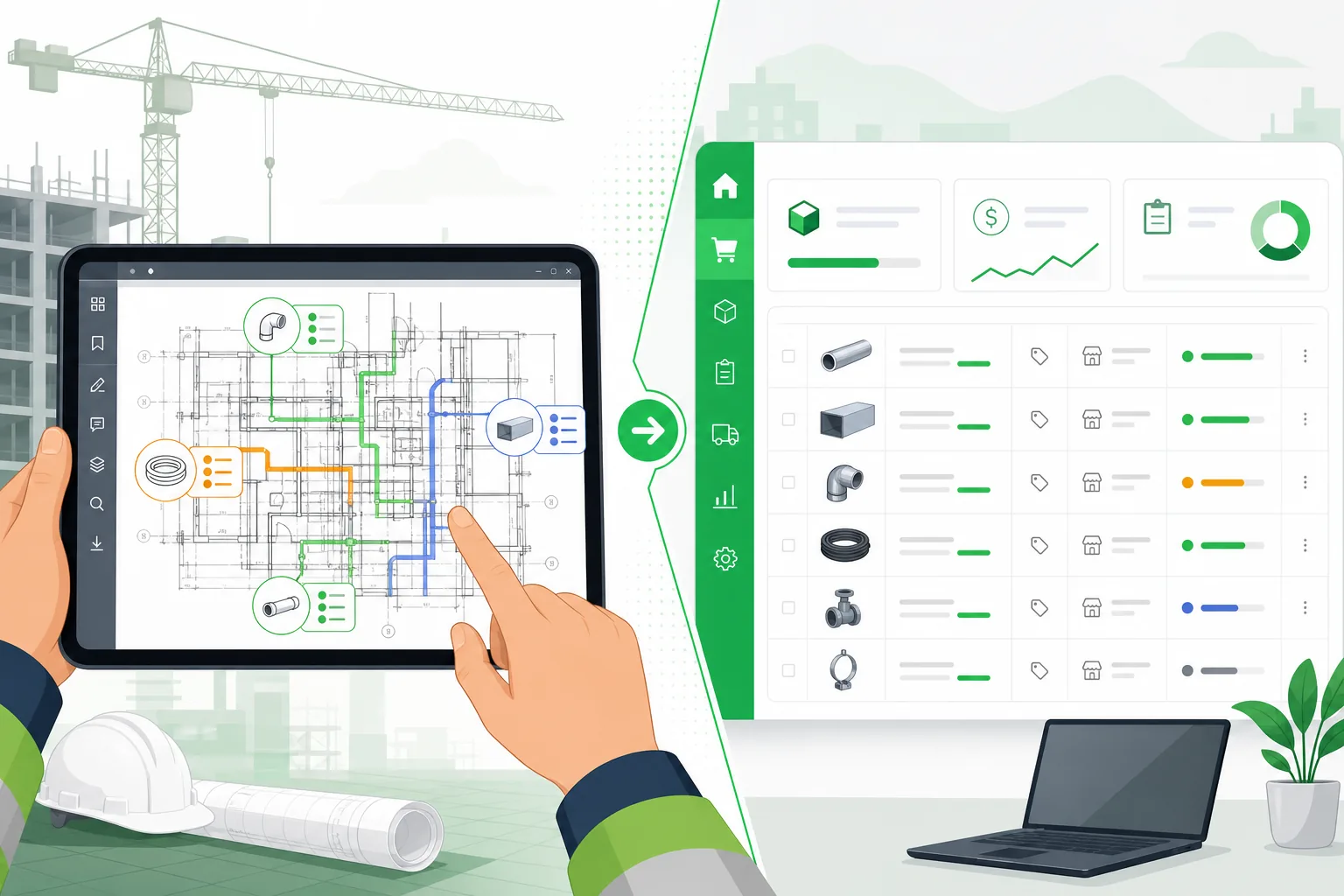
AI-powered BOM extraction uses computer vision and natural language processing to read drawings directly. Modern systems can:
- Detect and classify symbols on plan views, counting quantities automatically
- Read schedules and extract tabular data into structured formats
- Parse annotations to capture specifications, ratings, and dimensions
- Correlate across sheets — matching a panel shown on the single-line diagram with its schedule on another sheet
- Flag inconsistencies — identifying when a schedule quantity does not match the symbol count on the plan
The accuracy of AI extraction has improved dramatically. Current systems achieve 92-97% accuracy on well-drawn documents, compared to the 88-95% accuracy of manual extraction. More importantly, AI extraction takes minutes instead of days.
For teams managing large portfolios — common among contractors in the UAE, Saudi Arabia, and other Gulf markets where mega-projects are the norm — the throughput advantage alone justifies the investment. A 500-sheet project BOM that would take a team two weeks to compile manually can be generated in hours.
Learn more about automated BOM extraction from drawings.
BOM Mismatch Detection: When the Drawing Says One Thing and the BOM Says Another
One of the most costly categories of engineering errors is the mismatch between what appears on the drawing and what appears on the BOM. These discrepancies arise from multiple sources:
- Revision lag — The drawing was updated but the BOM was not, or vice versa.
- Transcription errors — A cable size was misread or a quantity was entered incorrectly.
- Scope gaps — Items visible on the drawing were not included in the BOM because they were assumed to be part of another scope.
- Schedule conflicts — The equipment schedule lists a different rating than what appears on the single-line diagram.
The Cost of Mismatches
BOM-to-drawing mismatches that reach procurement or fabrication are expensive to fix:
- Material returns and reorders add 15-30% to the cost of the affected items when you factor in restocking fees, shipping, and expediting.
- Schedule impact typically adds 2-6 weeks when the correct materials must be sourced after the error is discovered.
- Labor waste from installing incorrect materials and then replacing them can exceed the material cost itself.
A 2024 analysis by Dodge Construction Network found that 31% of MEP rework is attributable to discrepancies between design documents and material orders — a problem that better BOM management would largely prevent.
Automated Mismatch Detection
AI-powered BOM management systems can continuously compare the BOM against the source drawings and flag discrepancies automatically:
- Quantity mismatches — The drawing shows 47 Type A light fixtures but the BOM lists 45.
- Specification conflicts — The single-line diagram specifies a 400A breaker but the panel schedule shows 315A.
- Missing items — Components visible on the drawing that have no corresponding BOM entry.
- Orphaned BOM items — BOM line items that do not correspond to anything on the current drawing revision.
- Unit of measure errors — A cable quantity entered in feet when the project uses meters, or vice versa.
This automated cross-referencing eliminates an entire category of errors that manual processes consistently miss. When your drawings and your BOM are both derived from the same AI extraction, they are inherently consistent — there is no gap for transcription errors to enter.
See how teams are already solving this problem.
Real-Time BOM Management Across Multiple Projects
Engineering firms and contractors rarely work on a single project at a time. A mid-size MEP contractor might have 8-15 active projects simultaneously, each with its own set of drawings, BOMs, and revision cycles. Managing BOMs across this portfolio introduces challenges that single-project tools cannot address.
Portfolio-Level Visibility
Effective multi-project BOM management requires visibility at three levels:
- Project level — Complete BOM for a single project, organized by system and discipline.
- Category level — All instances of a specific item type across all projects. How many 300mm cable trays do we need across our entire portfolio this quarter?
- Supplier level — All items from a specific supplier across all projects, enabling volume-based negotiation.
Aggregated Procurement
When BOMs from multiple projects feed into a single procurement system, teams can consolidate orders across projects. Instead of placing six separate orders for cable from six different projects, procurement places one order for the total quantity and allocates against each project upon delivery.
This consolidation typically yields 8-15% cost savings on bulk materials and significantly reduces the administrative overhead of managing hundreds of individual purchase orders.
Change Propagation
When a component is discontinued or a specification changes, multi-project BOM management lets you instantly identify every project affected. Without centralized management, someone has to manually search through dozens of spreadsheets across multiple project folders — a process that is both time-consuming and unreliable.
BOM Integration with ERP and Procurement Systems
A BOM that lives in isolation — disconnected from your ERP, procurement, and project management systems — delivers only a fraction of its potential value.
ERP Integration
Connecting your BOM management system to your ERP enables:
- Automatic purchase requisition generation — When a BOM is approved, purchase requisitions are created in the ERP without manual data entry.
- Inventory matching — Before ordering, the system checks existing warehouse stock against BOM requirements.
- Cost allocation — BOM line items map directly to project cost codes, eliminating manual cost coding.
- Goods receipt matching — When materials arrive, they are matched against the BOM and the purchase order simultaneously.
Procurement System Integration
Beyond ERP, integration with procurement platforms enables:
- Supplier catalog matching — BOM items are automatically matched against supplier catalogs to identify specific products and current pricing.
- RFQ automation — Request for quotation packages are generated directly from the BOM, complete with specifications and quantities.
- Lead time visibility — Real-time supplier data shows expected delivery dates for each BOM item, enabling early identification of schedule risks.
- Approved substitution management — When an exact match is unavailable, the system suggests approved alternatives based on engineering equivalence.
Export Formats
Your BOM system should support export in formats your downstream systems consume:
| Format | Use Case |
|---|---|
| Excel/CSV | Universal compatibility, manual review |
| JSON/XML | ERP and procurement system integration |
| IFC | BIM integration and clash detection |
| Formal submittal and client deliverables |
The ROI of Automated BOM Management
Quantifying the return on investment for BOM automation requires measuring improvements across four dimensions.
Time Savings
| Activity | Manual Process | Automated Process | Savings |
|---|---|---|---|
| Initial BOM extraction (200-sheet project) | 60-80 hours | 2-4 hours | 95% |
| BOM update per revision cycle | 8-16 hours | 0.5-1 hour | 94% |
| Cross-reference and validation | 12-20 hours | Automatic | 100% |
| Multi-project consolidation report | 4-8 hours | Real-time | 100% |
For a contractor processing 20 projects per year, the time savings alone exceed 1,500 engineering hours annually — equivalent to a full-time senior estimator.
Error Reduction
Automated BOM extraction reduces error rates from the manual baseline of 5-12% to under 2%. On a $10 million MEP project where materials represent 40-50% of costs, reducing BOM errors from 8% to 1.5% saves $260,000-$325,000 in avoided rework, returns, and expediting.
Procurement Efficiency
Faster, more accurate BOMs enable earlier procurement. Earlier procurement means:
- Better pricing — More time to negotiate and fewer rush orders.
- Fewer substitutions — Long-lead items are identified and ordered before they become schedule-critical.
- Reduced waste — Accurate quantities mean less over-ordering "just in case."
Teams using automated BOM management consistently report 15-25% reduction in material waste and 10-20% improvement in procurement cycle time.
Competitive Advantage
In competitive bidding environments, the team that produces an accurate estimate faster wins more work. Automated BOM generation lets you bid on more projects with the same team, or bid the same number of projects with higher accuracy. Either way, your win rate improves.
Building Your BOM from Drawings: A Step-by-Step Guide
For teams ready to move from manual BOM creation to an automated workflow, here is a practical implementation path.
Step 1: Standardize Your Drawing Package
Before automating extraction, ensure your drawings follow consistent conventions. AI extraction performs best when drawings use standard symbols, consistent annotation styles, and complete schedules.
Step 2: Define Your BOM Template
Establish the fields, hierarchy, and categorization scheme your BOMs will follow. This template becomes the target structure that your extraction process populates.
Step 3: Upload and Extract
Upload your drawing set to an AI-powered extraction platform. The system reads every sheet, identifies components, counts quantities, reads schedules, and generates a structured BOM.
Step 4: Review and Validate
Review the extracted BOM against the drawings. AI extraction is highly accurate but not infallible — complex or non-standard drawings may require human verification. The system flags low-confidence extractions for priority review.
Step 5: Enrich with Procurement Data
Add supplier information, pricing, and lead times to transform the engineering BOM into a procurement-ready document.
Step 6: Export and Integrate
Export the BOM to your ERP, procurement system, or estimating tool. Maintain the link between the BOM and the source drawings so that future revisions can be automatically reconciled.
Follow our detailed guide on building BOMs from drawings.
How Aginera Handles BOM Management
Aginera's DesignOps platform approaches BOM management as an integrated part of the drawing-to-estimate workflow, not a standalone spreadsheet exercise.
When you upload engineering drawings — whether DWG files, PDFs, or scanned documents — the platform uses AI to extract every identifiable component and organize it into a structured BOM. Panel schedules are read. Symbol counts are verified against schedules. Cable quantities are calculated from routing paths. Equipment specifications are captured from annotations and title blocks.
The result is a BOM that is inherently linked to its source drawings. When drawings are revised, the BOM updates. When a mismatch is detected — a schedule quantity that does not match the plan view — the platform flags it for review rather than silently propagating the error.
For teams managing multiple projects, the platform provides portfolio-level BOM visibility, consolidated procurement views, and export to standard ERP formats.
Start automating your BOM workflow today.
Frequently Asked Questions
What is BOM management and why is it important for engineering teams?
BOM management is the process of creating, maintaining, and controlling the bill of materials throughout a project's lifecycle. For engineering teams, effective BOM management ensures that the materials specified in drawings are accurately captured, procured, and delivered. Poor BOM management leads to ordering errors, rework, project delays, and cost overruns — problems that compound as project size and complexity increase.
How do you extract a BOM from engineering drawings?
Traditionally, a BOM is extracted by manually reading each drawing sheet, identifying components from symbols and schedules, counting quantities, and entering the data into a spreadsheet. Modern AI-powered platforms automate this process by using computer vision to detect symbols, read schedules, and parse annotations — generating a structured BOM directly from the drawing files in minutes rather than days.
What is the difference between an engineering BOM and a procurement BOM?
An engineering BOM (eBOM) reflects the design intent and lists components as they appear on drawings — organized by system and function, with technical specifications. A procurement BOM maps those requirements to purchasable items, adding supplier part numbers, pricing, lead times, and approved alternatives. The eBOM answers "what does the design need?" while the procurement BOM answers "what do we order and from whom?"
How does automated BOM mismatch detection work?
Automated mismatch detection compares the BOM against the source drawings to identify discrepancies. The system checks quantity alignment (does the fixture count on the plan match the BOM?), specification consistency (does the breaker rating on the single-line match the panel schedule?), and completeness (are all drawing components represented in the BOM?). Discrepancies are flagged for engineering review before they reach procurement.
Can AI-generated BOMs integrate with ERP and procurement systems?
Yes. Modern BOM management platforms export in standard formats (Excel, CSV, JSON, XML) that ERP and procurement systems consume. The integration enables automated purchase requisition generation, inventory matching, cost allocation, and goods receipt matching — eliminating manual data re-entry between the BOM and downstream systems.
What ROI can teams expect from automating BOM management?
Teams that automate BOM extraction and management typically see 90-95% reduction in BOM creation time, 70-85% reduction in BOM errors, 15-25% reduction in material waste, and 10-20% improvement in procurement cycle time. For a mid-size contractor processing 15-20 projects per year, the time savings alone exceed 1,500 engineering hours annually.
Is automated BOM extraction accurate enough for large-scale construction projects?
Current AI-powered BOM extraction systems achieve 92-97% accuracy on well-drawn documents, compared to 88-95% accuracy for manual extraction. The key advantage is consistency — AI does not skip sheets when fatigued, misread numbers, or forget to check the last page of a schedule. For large-scale projects common in the UAE, Saudi Arabia, and other Gulf markets, the combination of speed and accuracy makes automated extraction the only practical approach.
How should teams handle BOM management across multiple concurrent projects?
Multi-project BOM management requires a centralized platform that provides visibility at the project, category, and supplier levels. This enables aggregated procurement (consolidating orders across projects for volume discounts), portfolio-wide change propagation (instantly identifying all projects affected by a component discontinuation), and consistent BOM standards across the organization. Spreadsheet-based approaches do not scale beyond two or three concurrent projects.
Moving Forward
BOM management is not a solved problem for most engineering teams. The gap between what drawings specify and what procurement orders is still bridged by manual effort, institutional knowledge, and spreadsheets that nobody fully trusts.
Closing that gap requires treating the BOM as a live data product — derived from drawings, validated against them continuously, and connected to the procurement and ERP systems that consume it. The technology to do this exists today. The teams that adopt it will bid faster, order more accurately, and waste less on every project.