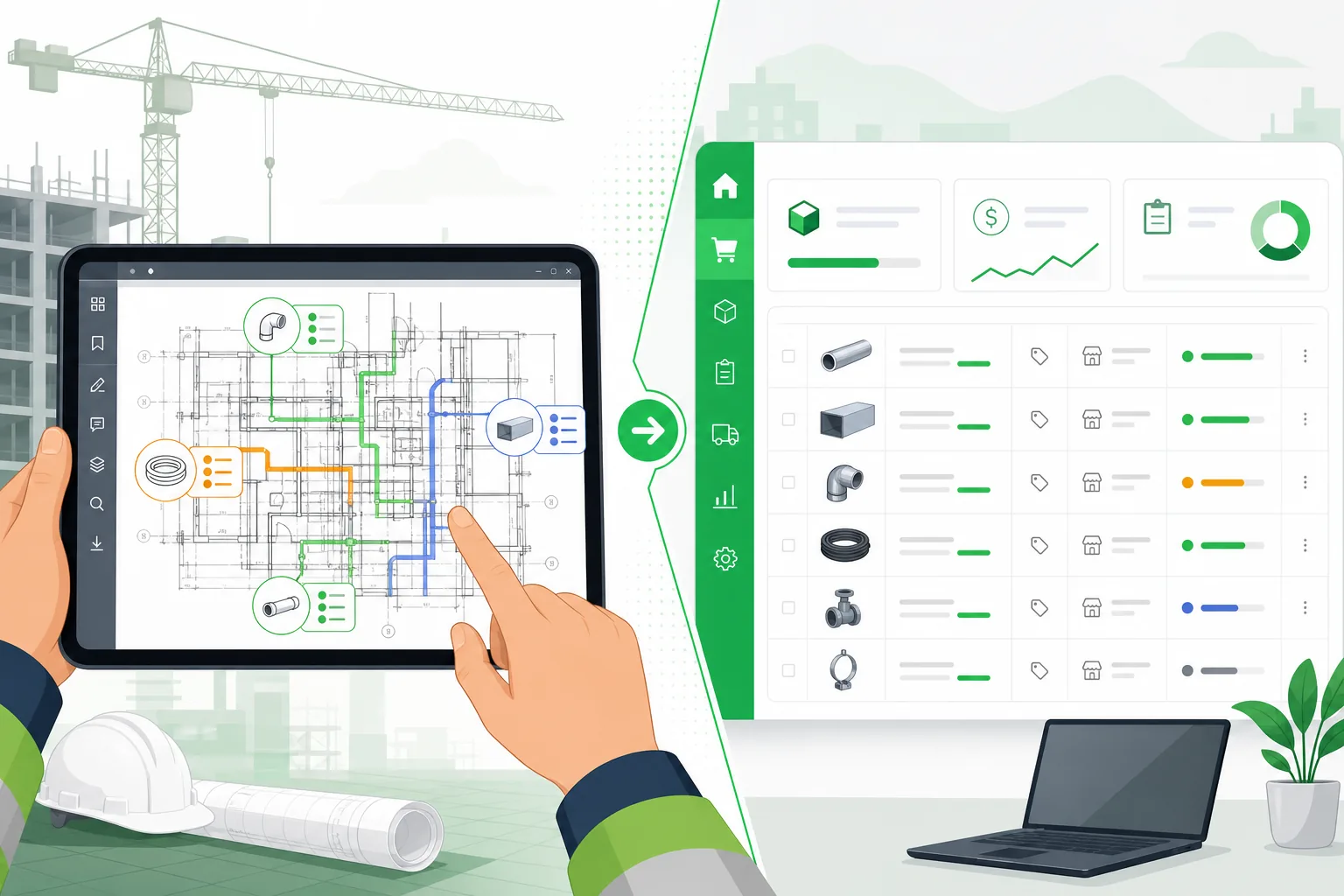
How to Do a Drywall Takeoff from Drawings (Step-by-Step)
Drywall is one of the highest-volume materials on any commercial interior project, and estimating it wrong is expensive in both directions. Underestimate and you are scrambling for emergency material deliveries that blow your schedule. Overestimate and you are eating the cost of materials that end up in a dumpster.
The takeoff is where accuracy starts. A drywall takeoff converts what is drawn on architectural plans into a precise list of gypsum board, metal studs, track, joint compound, tape, corner bead, and fasteners needed to build every wall and ceiling on the project.
This guide walks through the entire process — what a drywall takeoff is, which drawings you need, how to measure and calculate step by step, the mistakes that cost estimators money, and how modern AI tools are automating the workflow.
What Is a Drywall Takeoff?
A drywall takeoff is the process of quantifying all gypsum board, framing, and finishing materials required for a project by analyzing the construction drawings. The output is a structured material list — typically measured in square feet of board area, linear feet of framing, and counts of accessories — that feeds directly into pricing and procurement.
Unlike MEP takeoffs where you are counting discrete components (fixtures, devices, fittings), drywall takeoff is fundamentally an area and linear measurement exercise. You are calculating the surface area of every wall and ceiling that gets board, then converting that area into specific material quantities based on partition types, board sizes, and construction details.
A typical drywall takeoff output looks like this:
| Item | Quantity | Unit |
|---|---|---|
| 5/8" Type X gypsum board | 14,200 | SF |
| 1/2" standard gypsum board | 6,800 | SF |
| 5/8" moisture-resistant board | 1,400 | SF |
| 3-5/8" 25-gauge metal studs | 4,600 | LF |
| 6" 20-gauge metal studs | 1,200 | LF |
| Floor/ceiling track | 5,800 | LF |
| Joint compound (all-purpose) | 42 | Pail |
| Paper tape | 24 | Roll |
| Corner bead | 860 | LF |
| 1-1/4" Type S screws | 48 | Box (1000) |
Getting this list right determines whether the job makes money. For a 50,000 SF commercial interior, drywall materials alone can run $150,000–$300,000, and a 10% measurement error translates directly into $15,000–$30,000 of unrecovered cost or unnecessary spend.
What Drawings You Need
A drywall takeoff requires pulling information from multiple sheets in the drawing set. No single drawing contains everything you need. Here are the three you cannot do without — and what each one tells you.
Floor Plans
The architectural floor plan is your primary takeoff drawing. It shows the layout of every room, corridor, and space on each floor, with wall locations drawn to scale.
From the floor plan you extract:
- Wall lengths — the linear dimension of every wall segment
- Room dimensions — used to cross-check and verify wall measurements
- Wall references — partition type designations (e.g., "A1," "B2," "C3") that tell you how each wall is constructed
- Door and window locations — openings that reduce board area
- Opening sizes — often noted directly on plan or referenced to a door/window schedule
The floor plan is where most of the measurement work happens. Every wall you see on this drawing becomes a line item in your takeoff.
Partition Type Schedule
The partition type schedule (sometimes called a wall type schedule) is the drawing that tells you how each wall is built. While the floor plan shows where walls go, the partition schedule shows their construction — typically as a section detail for each type.
From the partition type schedule you extract:
- Stud size and gauge — 3-5/8" 25ga, 6" 20ga, etc.
- Number of board layers — single-layer, double-layer, or more
- Board type per side — Type X, moisture-resistant, abuse-resistant, standard
- Board thickness — 1/2", 5/8"
- Wall height — sometimes specified here if it differs from floor-to-ceiling
- Insulation requirements — batt type and thickness
- Fire rating — 1-hour, 2-hour, which drives board layer count
- STC rating — sound transmission class, which affects stud spacing and insulation
A typical commercial project might have 8–15 different partition types. Each one has different material requirements, so mapping every wall segment to its correct partition type is critical.
Reflected Ceiling Plan (RCP)
The reflected ceiling plan shows ceiling construction — what type of ceiling exists in each room. For drywall takeoff, the RCP tells you where you have gypsum board ceilings versus acoustical tile, exposed structure, or other ceiling types.
From the RCP you extract:
- Drywall ceiling areas — rooms and corridors with gypsum board ceilings
- Ceiling heights — which directly determines wall height (slab-to-slab versus finished ceiling height)
- Soffits and bulkheads — dropped ceiling sections built with drywall framing
- Ceiling type references — similar to partition types, these reference detail drawings showing construction layers
Many estimators overlook the ceiling component of a drywall takeoff. On a commercial project, drywall ceilings can represent 15–25% of total board area — missing them means your estimate is 15–25% short on materials from the start.
Supporting Drawings
Beyond the three essential drawings, you will also reference:
- Building sections — to verify floor-to-floor and floor-to-ceiling heights
- Wall sections and details — for construction specifics at wall-to-ceiling intersections, control joints, and special conditions
- Door and window schedules — for precise opening dimensions
- Finish schedules — which sometimes specify board type by room
- Specifications (Division 09) — for material standards, acceptable manufacturers, and installation requirements
Step-by-Step: How to Do a Drywall Takeoff
Step 1: Measure Wall Lengths
Start with the floor plan and measure every wall segment that receives drywall. Work systematically — room by room or grid line by grid line — so you do not miss walls or count them twice.
For each wall segment, record:
- The linear length in feet (or meters)
- The partition type designation referenced on the drawing
- Which floor the wall is on (for multi-story projects)
Tips for accurate measurement:
- Measure to the centerline of the wall, which is how architects dimension. If you measure face-to-face, you will be slightly short on framing and slightly long on board for each wall.
- Curved walls require measuring along the arc, not the chord. Most takeoff software has an arc measurement tool. If working manually, break curves into short chord segments.
- Watch for walls that change partition type mid-run. A corridor wall might be type A1 for most of its length but switch to B2 where it borders a rated room. Measure each segment separately.
- Do not forget interior partition returns — short wall stubs at door frames, closet walls, and column furring. These small segments add up quickly.
On a typical 30,000 SF commercial floor, you might measure 200–400 individual wall segments totaling 3,000–5,000 linear feet of wall.
Step 2: Determine Wall Height
Wall height is not always obvious. Different conditions on the same project can produce different wall heights:
| Condition | Height Source |
|---|---|
| Standard partition to ceiling grid | Bottom of deck minus ceiling plenum, or per partition type detail |
| Full-height partition (slab to slab) | Floor-to-floor height from building sections |
| Partition to underside of structure | Slab-to-slab minus floor finish thickness |
| Partial-height partition | Noted on plan or in partition type detail |
| Shaft wall | Full building height or as noted |
Where to find wall heights:
- Partition type schedule — many partition types specify a height or height range
- Building sections — show floor-to-floor dimensions
- Interior elevations — show finished ceiling heights per room
- RCP — ceiling height annotations tell you where the top of standard partitions land
A common estimating error is using a single wall height for every partition. On a commercial project with 14-foot slab-to-slab height, you might have 9-foot partitions to the ceiling grid, 14-foot full-height partitions, 4-foot pony walls, and 42-inch partition returns. Using one height for all of these will produce a meaningless takeoff.
Step 3: Calculate Wall Area
With length and height for every wall segment, calculate the gross wall area:
Wall Area = Length × Height
Organize your calculations by partition type, because each type requires different materials:
| Partition Type | Total Length (LF) | Height (ft) | Gross Area (SF) |
|---|---|---|---|
| A1 — 3-5/8" stud, 1 layer 5/8" Type X each side | 1,840 | 9.0 | 16,560 |
| A2 — 3-5/8" stud, 2 layers 5/8" Type X each side | 620 | 9.0 | 5,580 |
| B1 — 6" stud, 1 layer 5/8" Type X each side | 480 | 14.0 | 6,720 |
| C1 — 3-5/8" stud, 1 layer 1/2" each side (non-rated) | 960 | 9.0 | 8,640 |
| D1 — Furring on CMU, 1 layer 5/8" MR board | 320 | 9.0 | 2,880 |
This gross area becomes the starting point for all material calculations. Keep it organized by partition type — you will need this breakdown for every subsequent step.
Step 4: Subtract Openings
Subtract door, window, and other openings from the gross wall area to get the net wall area. This is the actual board area you need to cover.
For each opening:
Opening Area = Width × Height
Pull opening dimensions from:
- Door schedule — gives exact width and height for every door
- Window schedule — same for windows
- Floor plan annotations — some openings are dimensioned directly on plan
- Hardware schedule — for pass-through windows, transaction counters, and specialty openings
Industry practice on opening deductions:
Many estimators use the "50% rule" for small openings — if the opening is less than 4' × 4' (16 SF), they do not deduct it because the waste from cutting around the opening roughly equals the material saved. This is a judgment call that depends on your firm's waste factor and how you handle cutoffs.
For large openings (storefront systems, overhead doors, curtain walls), always deduct the full area.
| Opening Type | Typical Size | Deduct? |
|---|---|---|
| Standard 3'-0" × 7'-0" door | 21 SF | Optional (many estimators skip) |
| Double 6'-0" × 7'-0" door | 42 SF | Yes |
| 8'-0" × 8'-0" overhead door | 64 SF | Yes |
| 3'-0" × 4'-0" window | 12 SF | Optional |
| 10'-0" × 8'-0" storefront | 80 SF | Yes |
| Mechanical louver 2' × 2' | 4 SF | No |
After deductions, add a waste factor — typically 5–10% for standard rectangular rooms, 10–15% for irregular layouts, angles, and curves. The waste factor accounts for cut-off pieces that are too small to use, damage during installation, and field conditions that differ from drawings.
Net Board Area = (Gross Area − Opening Deductions) × (1 + Waste Factor)
Step 5: Calculate Ceiling Area
Return to the RCP and calculate drywall ceiling areas. For each room or zone with a gypsum board ceiling:
Ceiling Area = Room Length × Room Width
For irregular rooms, break the space into rectangles and triangles, calculate each, and sum. Watch for:
- Soffits and bulkheads — these have both a bottom face (horizontal area) and side faces (vertical area). Calculate each separately.
- Ceiling height changes — where ceilings step from one height to another, the vertical face of the step is a drywall surface.
- Cove details — curved transitions from wall to ceiling that require flexible board or special framing.
- Open-to-above areas — where there is no ceiling (atriums, double-height spaces). Do not include these.
A ceiling takeoff often requires a different board type than walls — ceiling board is typically lighter weight, and some projects spec 1/2" standard board for ceilings versus 5/8" Type X for walls. Keep ceiling area separate from wall area.
Apply the same waste factor approach: 5–10% for rectangular ceilings, higher for irregular shapes.
Step 6: Convert to Materials
This is where the takeoff transitions from area measurement to material list. Using the net board area (by partition type for walls, by ceiling type for ceilings), convert to specific quantities.
Gypsum Board
Standard gypsum board comes in 4' × 8' sheets (32 SF), 4' × 10' sheets (40 SF), and 4' × 12' sheets (48 SF). Choose the sheet size based on wall height to minimize waste and horizontal joints:
| Wall/Ceiling Height | Optimal Sheet Size | Reason |
|---|---|---|
| 8'-0" or less | 4' × 8' | One sheet covers height, horizontal install |
| 8'-1" to 9'-0" | 4' × 9' or 4' × 10' | Avoids horizontal joint |
| 9'-1" to 10'-0" | 4' × 10' | Single sheet coverage |
| 10'-1" to 12'-0" | 4' × 12' | Single sheet coverage |
| Over 12'-0" | 4' × 12' + filler | Horizontal joint unavoidable |
Number of sheets = Net Board Area ÷ Sheet Area
For double-layer partitions (common on 2-hour fire-rated walls), multiply the board count by 2 for each side that gets two layers. A Type A2 partition with two layers on each side needs 4× the single-layer board quantity for that wall area.
Remember that partition type determines board on each side of the wall. A standard interior partition needs board on both sides, so the total board area is 2× the wall area for each single-layer side.
Metal Studs and Track
Studs: Spaced at 16" on center (most common) or 24" on center (as specified). Calculate the number of studs per wall:
Number of studs = (Wall Length ÷ Stud Spacing) + 1
Each stud is cut to wall height, so:
Total stud LF = Number of Studs × Wall Height
Track: Two pieces per wall run — one floor track and one ceiling track:
Total track LF = Wall Length × 2
Add extra for any mid-height horizontal blocking or backing for wall-mounted items (grab bars, shelving, casework).
Finishing Materials
| Material | Calculation Basis |
|---|---|
| Joint compound (all-purpose) | ~0.07 gallons per SF of board area (three coats) |
| Paper tape | ~1 LF per 1 SF of board area (joints + corners) |
| Corner bead | Sum of all outside corner LF (measure from plan) |
| Screws (1-1/4" Type S for single layer) | ~1 screw per SF of board area |
| Screws (1-5/8" Type S for second layer) | ~1 screw per SF of second-layer area |
Insulation
If the partition type specifies insulation (batt or mineral wool), calculate:
Insulation area = Wall Length × Wall Height (one layer per cavity)
Insulation is measured by cavity area, not board area. A wall with board on both sides has one insulation layer in the cavity.
Common Mistakes That Cost Estimators Money
1. Forgetting to Count Both Sides of the Wall
The most frequent error in drywall takeoff. Every interior partition has two sides that need board. If you calculate wall area and use it directly as board area, you are 50% short on material. Always multiply wall area by 2 (for single-layer) or by the total number of board layers specified in the partition type.
2. Using One Wall Height for the Entire Project
Commercial projects have multiple ceiling heights, full-height partitions, soffits, pony walls, and shaft walls. Using a single default height — even if it is correct for 80% of the walls — produces a wrong takeoff for the other 20%.
3. Ignoring Partition Type Differences
A 1-hour rated wall and a 2-hour rated wall look identical on the floor plan — both are just lines. But the 2-hour wall might need double-layer board on each side (4 layers total versus 2), different stud gauge, and different screw lengths. Applying the wrong partition type to a wall can double or halve the material required.
4. Missing Ceiling Board Entirely
Estimators who focus on walls sometimes forget that drywall ceilings exist. On a commercial office project, ceilings can account for 15–25% of total board. Missing them means your estimate does not include enough board, studs (for ceiling framing), or finishing materials.
5. Not Accounting for Waste
Theoretical calculations give theoretical quantities. Jobsite reality involves cutoffs, damaged sheets, miscuts, and field conditions that require extra material. A 0% waste factor guarantees a material shortage. Standard practice is 5–10% for walls and ceilings in simple rectangular rooms, 10–15% for complex layouts.
6. Incorrect Opening Deductions
Deducting every opening — including small ones — means you have not accounted for the wasted material from cutting around those openings. Conversely, not deducting large openings like storefront systems means you are buying thousands of square feet of board you do not need.
7. Confusing Net and Gross in Material Conversion
Calculating board area from gross wall area (before opening deductions) but then also adding a waste factor on top double-counts your buffer. Be consistent: calculate net area first, then add waste.
8. Ignoring Furring and Soffits
Column furring, pipe chases, soffits, and bulkheads are small in plan view but can add significant board and framing quantities. A 100-foot corridor with a continuous soffit adds four surfaces (two sides, a bottom, and a top if enclosed) at whatever the soffit dimensions are.
Automating the Process with Aginera
The manual drywall takeoff process described above works — it has been the industry standard for decades. But it is slow, error-prone, and scales poorly. A 50,000 SF commercial interior with 15 partition types, 200+ rooms, and 300+ doors can take an experienced estimator 8–16 hours to take off manually.
What Aginera's Drywall Extraction Does
Aginera's AI takeoff engine reads your architectural drawing set and automates the entire drywall workflow:
- Classifies sheets automatically — identifies floor plans, RCPs, partition schedules, door schedules, and detail sheets from the uploaded PDF set
- Reads partition type schedules — extracts stud size, gauge, board layers, board type, insulation, and fire rating for every partition type defined in the drawings
- Measures every wall segment — traces wall paths on the floor plan, calculates lengths, and maps each segment to its partition type designation
- Determines wall heights — cross-references building sections, partition type details, and RCP ceiling heights to assign the correct height to each wall
- Calculates wall and ceiling areas — computes gross area, identifies and deducts openings using door and window schedule data, and applies appropriate waste factors
- Converts to material quantities — produces a complete material list: board by type and thickness, studs by size and gauge, track, screws, compound, tape, corner bead, and insulation
- Handles multi-floor projects — processes each floor independently and produces per-floor and project-total summaries
Where AI Outperforms Manual Takeoff
| Aspect | Manual Takeoff | Aginera |
|---|---|---|
| Time for 50,000 SF project | 8–16 hours | Minutes |
| Partition type mapping errors | Common (misread designations) | Automated from schedule |
| Both-sides-of-wall errors | Frequent | Impossible (rule-based) |
| Missed ceilings | Happens regularly | RCP processed automatically |
| Opening deductions | Inconsistent | Systematic from door/window schedules |
| Waste factor application | Varies by estimator | Consistent, configurable |
| Revision handling | Restart from scratch | Reprocess changed sheets only |
The biggest time savings come from two places: the initial measurement (tracing every wall on every floor plan) and the revision cycle. When an addendum changes partition types or adds rooms, a manual estimator has to re-measure and recalculate. Aginera reprocesses the affected sheets and updates the takeoff in minutes.
How It Fits Your Workflow
Aginera does not replace your estimating judgment — it replaces the measuring and counting. You still review the output, apply your labor rates, adjust for site conditions, and make the pricing decisions that win bids. What you no longer do is spend two days with a scale ruler and a calculator.
Upload your drawing set. Review the structured takeoff output. Export to your estimating spreadsheet or pricing software. Move straight to the work that actually requires your expertise.
Drywall takeoff is methodical work with a lot of room for error. Whether you are doing it manually or letting AI handle the measurement, understanding the fundamentals — which drawings to read, how to calculate area, how to convert to materials — makes you a better estimator. The process does not change. The speed does.