Best AI Construction Takeoff Software in 2026: What Estimators Need to Know
The construction takeoff market crossed an inflection point sometime in 2025. What used to be a niche category — AI construction takeoff software — is now a line item in every serious preconstruction budget. General contractors are asking subs about their technology stack. Owners are expecting faster turnarounds. And estimators who spent the last decade mastering click-and-count digitizers are now evaluating tools that promise to do the same work in minutes.
But the market is noisy. Dozens of vendors now claim "AI-powered" takeoffs. Some deliver. Many overpromise. A few are rebranded OCR wrappers with a chatbot bolted on. If you are an estimator or preconstruction manager trying to select the best AI takeoff software for your team, this guide is for you.
We will cover what AI construction takeoff software actually does, the different categories of tools available, how to evaluate them, the real ROI math, and how to implement one without disrupting your existing workflow.
What AI Construction Takeoff Software Actually Does
Before comparing products, it helps to be precise about what we mean by AI construction takeoff software versus the digital takeoff software that has been on the market for 15+ years.
Digital takeoff software (the previous generation) moved takeoffs from paper to screen. Instead of scaling from a printed plan, you click on a PDF. Instead of ticking counts on a notepad, you click each symbol to increment a counter. The human still identifies every component, decides what it is, and measures or counts it. The software is a more efficient interface for the same manual process.
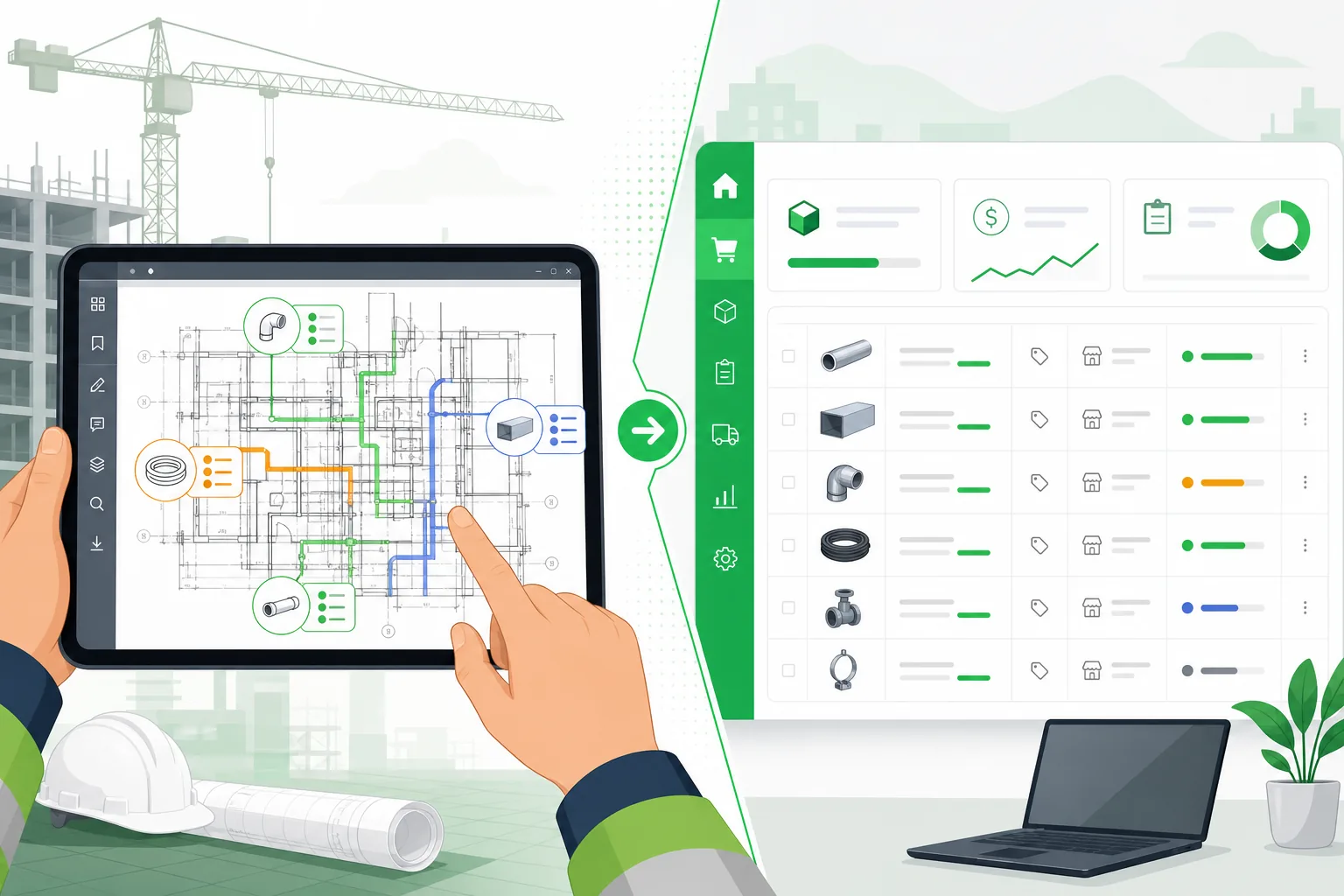
AI construction takeoff software changes who does the identification and counting. Computer vision models trained on construction drawings recognize components automatically — receptacles, diffusers, sprinkler heads, light fixtures, duct runs. The AI reads the drawing, classifies the sheets, detects every item, measures linear and area quantities, parses schedules, and produces a structured takeoff. The estimator reviews and adjusts instead of building the takeoff from scratch.
The distinction matters because many tools marketed as "AI-powered" are actually digital takeoff tools with minor automation features (auto-scaling, symbol search, batch counting). True automated takeoff software handles the full recognition-to-quantity pipeline without requiring the estimator to pre-define what to look for.
Types of AI Takeoff Software
Not every AI takeoff tool is built the same way. Understanding the categories helps you shortlist the right type before comparing individual products.
Cloud-Based vs. Desktop
| Feature | Cloud-Based | Desktop |
|---|---|---|
| Deployment | Browser-based, no installation | Installed on local machines |
| Processing | Server-side GPU compute | Local CPU/GPU |
| Updates | Continuous, automatic | Manual update cycles |
| Collaboration | Real-time multi-user | Single-user or network license |
| File size limits | Typically higher (server resources) | Constrained by local hardware |
| Security | SOC 2, encryption in transit/at rest | Data stays on-premises |
| Offline access | Requires internet | Works offline |
Cloud-based platforms dominate the market in 2026 because AI inference requires significant compute that most estimator workstations do not have. The accuracy gap between cloud and desktop AI is real — cloud platforms can run larger, more capable models.
Desktop tools still make sense for firms with strict data residency requirements or unreliable internet at job sites. But for preconstruction office work, cloud is the standard.
Full-Service vs. Self-Serve
Full-service AI takeoff means you upload your drawings and receive a completed takeoff — often within 24–48 hours. A combination of AI processing and human reviewers produces the output. You are buying a service, not a tool.
Self-serve AI takeoff software gives you the platform. You upload drawings, the AI processes them in minutes, and your team reviews and adjusts the results directly. You control the workflow, the timing, and the final output.
| Factor | Full-Service | Self-Serve |
|---|---|---|
| Turnaround | 24–48 hours | 5–15 minutes |
| Cost model | Per-project fee ($500–$3,000) | Monthly subscription ($200–$1,500/mo) |
| Control | Limited — you receive a deliverable | Full — you adjust in real time |
| Learning curve | None | 2–4 hours to learn the platform |
| Addenda handling | Re-submit, wait for updated deliverable | Re-process instantly |
| Best for | Firms with low bid volume or no tech staff | Active estimating teams bidding frequently |
For firms bidding 8+ projects per month, self-serve is almost always more economical and faster. Full-service makes sense for occasional large bids where you want a second set of eyes.
Trade-Specific vs. General Purpose
This is the most consequential distinction and the one most buyers overlook.
General-purpose AI takeoff tools attempt to handle all trades and building types with a single model. They tend to do well on simple, high-contrast drawings and struggle with dense MEP plans where symbols overlap and context matters.
Trade-specific AI takeoff tools are built and trained for particular disciplines — electrical, mechanical, plumbing, fire protection. Their models understand the visual vocabulary of that trade: the difference between a GFCI receptacle and a standard duplex, between a supply diffuser and a return grille, between a fire alarm pull station and an exit sign.
For MEP contractors, trade-specific tools consistently outperform general-purpose alternatives. The component density on an electrical power plan or HVAC duct layout is an order of magnitude higher than a civil site plan. Models trained on MEP drawings handle this density; general models often do not.
Learn more about MEP-specific takeoff capabilities →
Evaluation Criteria: What to Look for in 2026
The market has matured enough that basic AI extraction is table stakes. Here is what separates the best AI takeoff software from the rest.
1. Assembly-Level Output, Not Just Symbol Counts
Counting 112 duplex receptacles is a starting point, not a takeoff. A bid-ready takeoff needs the full installed assembly for each item: device, box, cover plate, conduit, wire, connectors, fittings, and labor.
Ask every vendor: "Show me the output for a single receptacle." If you see just a line item that says "Duplex Receptacle — 112 EA," that tool produces a symbol count, not an estimate. If you see the full assembly breakdown with conduit home-runs and wire quantities, you are looking at a real takeoff tool.
2. Conduit and Wire Inference
For electrical contractors, conduit and wire typically account for 40–60% of total material cost. Any automated takeoff software that stops at device counts is missing the majority of your bid.
Proper conduit and wire inference requires:
- Parsing panel schedules to determine circuit assignments and amperage
- Applying NEC ampacity tables and voltage drop calculations to size conductors
- Applying NEC conduit fill rules to size raceways
- Estimating run lengths from floor plan scale and routing logic
This is hard to do well, and it is the feature that most clearly separates serious AI takeoff tools from superficial ones.
Explore how AI handles electrical takeoff in depth →
3. Schedule Parsing
Panel schedules, fixture schedules, equipment schedules, and valve schedules contain data that does not appear anywhere on the floor plans. A tool that ignores schedule tables is working with incomplete information.
Evaluate whether the tool can:
- Read panel schedule tables and extract breaker sizes, circuit loads, and voltage levels
- Parse fixture schedules to match fixture types on plans to catalog numbers in schedules
- Extract equipment specifications (tonnage, HP, voltage, phase) from equipment schedules
4. Confidence Scoring and Review Workflow
Every AI system encounters items it is not sure about — a non-standard symbol, a faded annotation, overlapping elements. The question is what happens next.
Good construction takeoff software in 2026 surfaces uncertainty explicitly:
- High confidence items (90%+) are auto-approved and require no estimator attention
- Medium confidence items (70–90%) are flagged for quick verification
- Low confidence items (below 70%) require manual review
This confidence-based workflow means your estimator reviews 5–10% of the takeoff instead of 100%. The AI handles the volume; the human handles the judgment.
5. Revision and Addenda Support
A takeoff is rarely a one-shot event. Addenda arrive — sometimes three or four rounds before bid day. The tool needs to compare the new issue against the previous one and show you what changed: added components, removed components, and modified areas.
Without change detection, every addendum means re-running the entire takeoff and manually diffing the results. That erases much of the time savings AI provides.
6. File Format Support
At minimum, the tool must handle PDF — it is how 90%+ of drawings are distributed for bidding. Beyond that:
- DWG/DXF support unlocks CAD layer and block data that PDFs lose during export. This improves classification accuracy significantly.
- RVT/IFC support enables BIM-level extraction with metadata that flat drawings cannot provide.
If your workflow regularly includes CAD files from design teams, DWG support is not optional.
7. Export and Integration
The takeoff is not the end of the workflow. It feeds into pricing, proposals, and project management. Evaluate:
- Excel export (the universal handoff format)
- PDF report generation for bid packages
- API access for integration with ERP, accounting, or proposal tools
- Direct pricing application within the platform
8. Processing Speed
Construction takeoff software in 2026 should process a 150-page drawing set in under 10 minutes. If a tool requires hours or "business days," it is either a service (with humans in the loop) or running outdated models. Speed matters because estimators often work on multiple bids simultaneously and need rapid iteration.
The ROI Math for AI Takeoff Software
Every preconstruction manager wants to know the payback period. Here is how to calculate it for your firm.
Direct Labor Savings
Start with your current takeoff time per bid and your estimator's loaded hourly cost:
| Variable | Your Number | Example |
|---|---|---|
| Average takeoff hours per bid (manual) | ___ | 22 hours |
| Average takeoff hours per bid (AI + review) | ___ | 3.5 hours |
| Hours saved per bid | ___ | 18.5 hours |
| Bids per month | ___ | 10 |
| Total hours saved per month | ___ | 185 hours |
| Loaded estimator cost per hour | ___ | $90 |
| Monthly labor savings | ___ | $16,650 |
For a mid-size MEP contractor bidding 10 projects per month, direct labor savings alone typically range from $12,000 to $20,000 per month.
Revenue Uplift from Increased Bid Volume
The larger financial impact comes from bidding more work. When your estimating team has 185 freed hours per month, they can pursue projects that previously went unbid:
| Scenario | Before AI | After AI |
|---|---|---|
| Bids submitted per estimator per month | 5–6 | 15–20 |
| Win rate | 22% | 22% |
| Additional projects won per month | — | 2–3 |
| Average project gross margin | — | $75,000 |
| Additional monthly gross profit | — | $150,000–$225,000 |
This is the number that gets executive attention. AI takeoff software does not just reduce costs — it removes the bottleneck that caps your revenue.
Accuracy Savings
Missed items and quantity errors on manual takeoffs cost real money. Industry estimates put the average bust rate from takeoff errors at 2–5% of project value. On a $500K project, that is $10,000–$25,000 at risk.
AI takeoffs do not eliminate all errors, but they eliminate the categories of errors that humans are worst at: miscounts on high-volume items, forgotten assemblies, arithmetic mistakes in quantity compilation, and using the wrong drawing revision.
Payback Period
Most firms see full payback within the first month. If your monthly AI software cost is $500–$1,500 and your monthly savings exceed $12,000, the math is not close.
How Aginera DesignOps Fits the Picture
Aginera DesignOps is a cloud-based, self-serve AI takeoff and estimating platform purpose-built for MEP and electrical contractors. It falls into the trade-specific category — trained on thousands of MEP drawing sets and engineered for the component density and assembly complexity that MEP trades require.
Here is how the workflow maps to the evaluation criteria above:
- Assembly-level output: Every detected component is expanded into a full material and labor assembly — device, box, plate, conduit, wire, fittings, and installation labor.
- Conduit and wire inference: NEC-compliant conductor sizing, raceway sizing, and run-length estimation derived from panel schedule data and floor plan scale.
- Schedule parsing: Panel schedules, fixture schedules, and equipment schedules are parsed automatically and cross-referenced with floor plan extractions.
- Confidence-based review: Items are scored by confidence level. High-confidence items auto-approve; flagged items are surfaced in a review queue for the estimator.
- Change detection: Upload a new revision and the platform highlights what changed — added, removed, and modified components.
- Processing speed: A 150-page commercial project processes in under 5 minutes.
- Export: Excel, PDF, and structured data export. Pricing can be applied directly within the platform.
The platform supports electrical (power, lighting, fire alarm, low voltage), mechanical/HVAC, and plumbing trades.
Start a free trial — no demo call required →
Implementation Tips: Rolling Out AI Takeoff Software
Adopting new estimating technology does not have to disrupt your workflow. Here is how firms that successfully adopt AI takeoff tools approach implementation.
Start with a Parallel Run
Do not switch overnight. Run your next 3–5 bids through both your existing process and the AI tool. Compare the outputs side by side:
- Are the quantities within 5% of each other?
- Did the AI catch items your manual takeoff missed (or vice versa)?
- How much time did each method take?
This gives your team confidence in the tool and identifies any calibration needed for your specific drawing types and trade focus.
Choose a Champion
Assign one estimator as the AI tool champion. This person becomes the expert, develops best practices for your team's workflow, and trains others. Trying to roll out to the entire team simultaneously creates confusion and support overhead.
Customize Your Assembly Database
Most AI takeoff platforms ship with standard assemblies. Your firm has specific preferences — preferred conduit types, standard wire pulls, go-to fixture brands. Invest time upfront to align the tool's assembly database with your pricing database. This reduces post-takeoff adjustment work significantly.
Integrate with Your Pricing Workflow
The takeoff is the input to pricing. Map the AI tool's output format to your existing pricing spreadsheet or estimating system. Many firms export to Excel and then import into their pricing tool. If the AI platform supports direct pricing (as Aginera does), evaluate whether doing pricing within the platform saves an export-import step.
Establish a Review Protocol
Define what "reviewed" means for your team:
- Spot check — verify 10–15 random line items against the drawings
- Flagged item review — address every item the AI flagged as uncertain
- Scope completeness check — confirm all drawing sheets were processed and no scope areas were missed
- Quantity reasonableness check — do the total quantities make sense for the building size and type?
This protocol ensures quality without requiring the estimator to re-do the takeoff manually.
Measure and Report
Track three metrics from day one:
- Time per bid (from drawing receipt to completed takeoff)
- Quantity accuracy (compare AI takeoff to as-built quantities on won projects)
- Bid volume (are you submitting more bids per month?)
These metrics justify the investment and identify areas where the tool or your workflow needs refinement.
What to Expect from AI Takeoff Software in Late 2026 and Beyond
The technology is advancing quickly. Here is where the market is heading:
Specification cross-referencing — AI that reads the project specifications alongside the drawings and automatically matches drawn components to spec requirements for material grades, manufacturers, and installation standards.
3D model integration — As BIM adoption grows, AI takeoff tools will extract quantities from 3D models (Revit, IFC) in addition to 2D drawings, combining geometric data with metadata for more precise takeoffs.
Real-time collaboration — Multiple estimators working on the same takeoff simultaneously, with AI handling the extraction and humans dividing the review and pricing work.
Bid strategy intelligence — AI that not only produces the takeoff but recommends pricing strategy based on historical win rates, project type, and market conditions.
The firms that adopt AI takeoff tools now build institutional knowledge and workflow integration that compounds over time. Waiting for the "perfect" tool means falling behind competitors who are already bidding faster and more accurately.
Frequently Asked Questions
What is the best AI construction takeoff software in 2026?
The best AI construction takeoff software depends on your trade, bid volume, and workflow requirements. For MEP and electrical contractors, trade-specific platforms like Aginera DesignOps consistently outperform general-purpose tools because they are trained on MEP drawing conventions and support assembly-level output with conduit and wire inference. For general trades, evaluate based on the criteria in this guide: assembly output depth, schedule parsing, confidence scoring, and processing speed.
How much does AI takeoff software cost?
AI takeoff software pricing in 2026 typically falls into three models: per-seat subscriptions ($200–$1,500/month per user), per-project fees ($500–$3,000 per project for full-service), or usage-based pricing tied to page count or project volume. For most active estimating teams, subscription models offer the best value. The ROI calculation is straightforward — if the software saves 15+ hours per bid and you bid 8+ times per month, the labor savings alone exceed the software cost by 10x or more.
Can AI takeoff software replace estimators?
No. AI construction takeoff software automates the quantity extraction phase — counting, measuring, and compiling. It does not replace the estimator's judgment on pricing strategy, labor productivity adjustments, site conditions, risk assessment, or bid/no-bid decisions. The best way to think about it: AI handles the 70% of estimating that is repetitive data extraction, freeing your estimator to focus on the 30% that requires experience and judgment. Firms using AI takeoff tools are not reducing estimating headcount — they are increasing bid volume per estimator.
How accurate is automated takeoff software compared to manual takeoffs?
AI takeoffs typically achieve 90–95% accuracy with full assembly expansion, compared to 85–90% for manual takeoffs. The error profiles differ: manual takeoffs suffer from miscounts, forgotten assemblies, arithmetic errors, and wrong-revision mistakes. AI takeoffs may misclassify a non-standard symbol or miss an item in a cluttered drawing area. The confidence-based review workflow catches most AI errors during the review step, resulting in final accuracy that matches or exceeds manual methods. For a deeper technical explanation of how AI extraction works, read our technical deep dive on AI-powered takeoffs.
What file formats do AI takeoff tools support?
Most AI construction takeoff software supports PDF as the baseline format — it is how the vast majority of bid documents are distributed. Advanced platforms also support CAD formats (DWG, DXF) which preserve layer and block information that improves classification accuracy. Some tools support BIM formats (RVT, IFC) for model-based extraction. If your workflow regularly involves CAD files from design engineers, prioritize tools with native DWG support rather than those that require PDF conversion first.
Is digital takeoff software the same as AI takeoff software?
No. Digital takeoff software (the previous generation) digitized the takeoff process — moving it from paper to screen — but the estimator still manually identifies and counts every component. AI takeoff software automates the identification and counting itself using computer vision and machine learning. The estimator reviews the AI's output rather than producing the takeoff from scratch. The practical difference is significant: digital takeoff tools reduce takeoff time by 30–40% compared to paper, while AI takeoff tools reduce it by 70–90%.
How long does it take to implement AI takeoff software?
Most cloud-based AI takeoff platforms require no installation and minimal setup. An estimator can create an account, upload a drawing set, and receive a takeoff within the first hour. Full implementation — including assembly customization, pricing database alignment, and team training — typically takes 1–2 weeks of part-time effort. The parallel-run approach (running both your existing process and the AI tool on the same bids for 3–5 projects) is the most effective way to build confidence and calibrate the tool for your specific needs.
What trades benefit most from AI takeoff software?
Trades with high component density and complex assembly relationships benefit the most — primarily electrical (power, lighting, fire alarm, low voltage), mechanical/HVAC, and plumbing. Electrical takeoffs see the largest time savings because they involve the highest symbol counts per sheet and the most complex conduit and wire inference. However, any trade that involves counting items from drawings and expanding them into material assemblies can benefit, including fire protection, civil/site work, and architectural finishes.