AI-Powered Construction Takeoffs: The Complete Guide to Automated Estimating in 2026
Construction estimating has a bottleneck, and every estimator knows exactly where it is: the takeoff.
Counting fixtures from drawings. Measuring duct runs. Cross-referencing panel schedules with specifications. Recounting everything when an addendum lands at 5 PM on Friday. This work consumes 60–70% of an estimator's time on every project, and it is the primary reason most contracting firms can only bid a fraction of the projects they see.
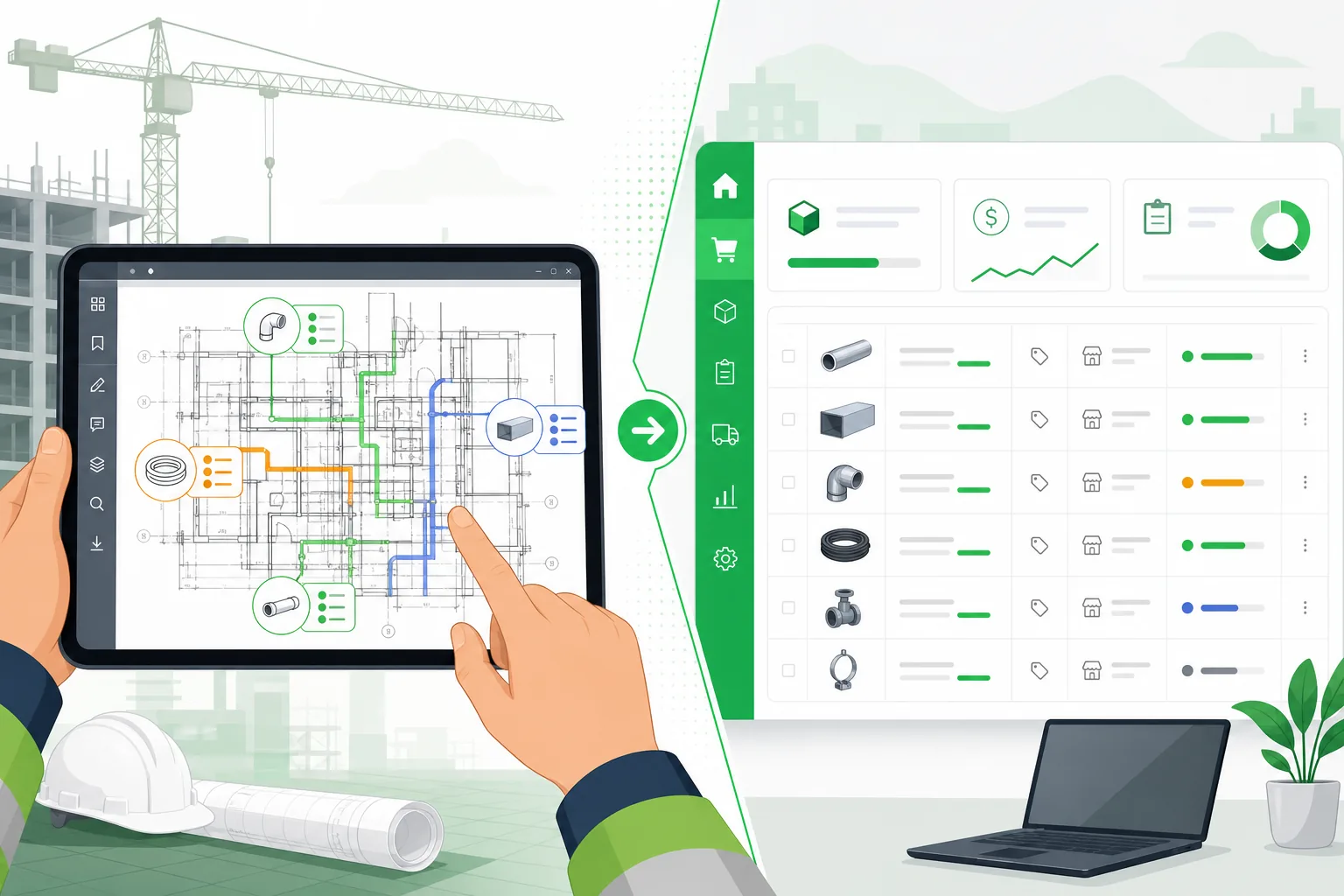
AI takeoff software changes the equation. Instead of an estimator spending 2–3 days counting symbols on a 150-page drawing set, AI processes the entire set in minutes — identifying components, calculating quantities, and producing a structured takeoff ready for pricing.
This guide covers how AI construction takeoffs work, what they can and cannot do, how they compare to manual and semi-automated methods, and what to look for when evaluating AI takeoff software for your team.
What Is an AI Construction Takeoff?
A construction takeoff (also called a quantity takeoff or material takeoff) is the process of identifying and quantifying every material and component needed for a construction project by analyzing the project drawings and specifications.
An AI construction takeoff uses computer vision, machine learning, and domain-specific engineering rules to automate this process. Instead of a human manually counting each fixture, measuring each run of conduit, and calculating each quantity, the AI reads the drawings and produces the same output — faster and with fewer arithmetic errors.
What AI Takeoff Software Actually Does
- Reads construction drawings — PDFs, CAD files (DWG/DXF), and Revit models
- Classifies sheets — identifies which pages are electrical, mechanical, plumbing, architectural, structural, and routes each to the appropriate extraction model
- Recognizes components — identifies every symbol, fixture, device, and equipment item on each drawing
- Counts and measures — tallies individual items (EA), measures linear runs (LF), and calculates areas (SF)
- Cross-references specifications — matches drawn components to specification requirements for material grades, types, and standards
- Produces a structured takeoff — organized by CSI division, trade, system, or however your team structures estimates
- Flags uncertainty — items the AI is not confident about are flagged for human review rather than silently guessed
The Problem AI Takeoffs Solve
Manual Takeoff: The Status Quo
A traditional manual takeoff for a commercial MEP project looks like this:
| Step | What the Estimator Does | Time |
|---|---|---|
| Sheet review | Flip through 150+ pages to identify relevant sheets | 1–2 hours |
| Device counting | Count every fixture, receptacle, switch, diffuser, sprinkler | 4–8 hours |
| Linear measurement | Scale conduit runs, duct lengths, pipe runs from floor plans | 4–8 hours |
| Panel/schedule review | Read panel schedules, equipment schedules, fixture schedules | 2–4 hours |
| Cross-referencing | Match drawn items to specifications and detail sheets | 2–3 hours |
| Quantity compilation | Organize counts into a structured takeoff spreadsheet | 2–3 hours |
| QA review | Check quantities for reasonableness, catch missed items | 1–2 hours |
| Total | 16–30 hours |
For a firm bidding 8–10 projects per month, that is 128–300 hours of estimator time on takeoffs alone — before pricing, before proposals, before negotiations. At a loaded estimator cost of $75–100/hour, that is $10,000–$30,000/month in takeoff labor.
The Hidden Cost: Bids Not Submitted
The bigger cost is the work you do not bid. When each takeoff consumes 2–3 days, estimators are forced to triage. They pick the projects most likely to win and skip the rest. Every skipped bid is unrealized revenue.
Industry data suggests that the average commercial contractor bids on only 25–35% of the projects they are invited to estimate. The primary constraint is not market opportunity — it is estimating capacity.
Semi-Automated Takeoff: The Middle Ground
Tools like On-Screen Takeoff (OST), PlanSwift, and Bluebeam digitized the takeoff process without automating it. Instead of scaling from a paper plan, estimators click on a digital PDF. Instead of hand-writing counts on a yellow pad, they click on each component to increment a counter.
This is faster than paper, but it is still fundamentally manual. The estimator still has to:
- Visually identify every component
- Click on each one individually
- Decide what category it belongs to
- Measure each linear run by clicking two points
Semi-automated tools reduce takeoff time by roughly 30–40% compared to paper methods. AI takeoff software reduces it by 70–90%.
How AI Construction Takeoff Technology Works
Computer Vision for Drawing Analysis
AI takeoff software uses computer vision models trained on thousands of construction drawings to recognize components. These are not generic image recognition models — they are specialized for the visual language of construction plans.
A construction drawing contains a dense mix of symbols, text annotations, dimension lines, hatching patterns, and graphic elements. A trained model distinguishes between:
- A duplex receptacle symbol and a GFCI receptacle symbol (often differing by a single line)
- A supply diffuser and a return grille (visually similar but functionally different)
- A fire alarm pull station and an exit sign (both small symbols near doors)
- Conduit routing lines and dimension lines (both are lines on the drawing)
The model also understands spatial context. A symbol near a door in an electrical plan is more likely an occupancy sensor or light switch than a receptacle. A circle on a reflected ceiling plan is more likely a light fixture than a sprinkler head.
Sheet Classification
A 150-page drawing set contains architectural plans, structural details, mechanical layouts, electrical plans, plumbing diagrams, fire protection layouts, and specification pages. Feeding every page through the same extraction model wastes compute and produces noise.
AI takeoff software classifies each sheet first:
| Sheet Type | Routing | Extraction Focus |
|---|---|---|
| Electrical power plans | Electrical model | Receptacles, panels, switches, conduit |
| Lighting plans | Lighting model | Fixtures, sensors, switching groups |
| HVAC plans | Mechanical model | Equipment, ductwork, diffusers, VAVs |
| Plumbing plans | Plumbing model | Fixtures, piping, valves, equipment |
| Fire protection plans | Fire model | Sprinklers, standpipes, FDC, risers |
| Panel/equipment schedules | Table parser | Breaker data, equipment specs, fixture types |
| Architectural plans | Reference only | Room names, areas for context |
Quantity Extraction and Measurement
After classification, the AI extracts quantities using a combination of:
- Object detection for countable items (fixtures, devices, equipment) → counted in EA
- Line detection and tracing for linear items (conduit, ductwork, piping) → measured in LF
- Area detection for coverage items (insulation, flooring, painting) → measured in SF
- Table parsing for schedule data (panel schedules, fixture schedules, equipment schedules)
Assembly Expansion
This is where AI takeoff software diverges from simple "symbol counters." Counting 89 duplex receptacles is useful, but an estimator needs to price the full installed assembly:
For each receptacle:
- The device itself
- A box and cover plate
- Conduit from the receptacle to the circuit home-run
- Wire for the circuit
- Connectors and fittings
- Installation labor
An AI takeoff that stops at the symbol count captures maybe 15% of the actual material cost. One that expands assemblies captures 85–95%.
Confidence Scoring and Human Review
No AI system is 100% accurate on construction drawings. Drawing quality varies — faded scans, overlapping annotations, non-standard symbols, and hand-drawn markups all create ambiguity.
Good AI takeoff software handles this with confidence scoring:
- High confidence (90%+): Standard symbols, clear drawings, common components. Auto-approved.
- Medium confidence (70–90%): Unusual symbols, partially obscured items, or non-standard abbreviations. Flagged for quick review.
- Low confidence (below 70%): Ambiguous symbols, poor drawing quality, or items the model hasn't seen before. Flagged for manual verification.
The result: your estimator reviews 5–10% of the takeoff instead of producing 100% of it from scratch.
AI Takeoff vs. Manual Takeoff vs. Semi-Automated Takeoff
| Capability | Manual (Paper) | Semi-Automated (OST/PlanSwift) | AI-Powered (Aginera) |
|---|---|---|---|
| Takeoff time (150 pages) | 3–5 days | 1.5–3 days | 5–15 minutes |
| Component recognition | Human visual | Human visual with digital tools | Automated AI |
| Linear measurement | Scale ruler | Click-to-measure | Automated detection |
| Area measurement | Manual calculation | Click-to-define | Automated detection |
| Schedule parsing | Manual reading | Manual entry | Automated table parsing |
| Assembly expansion | Manual buildup | Template-based | AI-powered with NEC/SMACNA rules |
| Revision handling | Full re-takeoff | Partial re-measure | Automated change detection |
| Accuracy | 85–90% | 88–93% | 90–95% |
| Estimator time per bid | 16–30 hours | 10–20 hours | 2–4 hours (review only) |
| Bids per estimator/month | 4–6 | 6–10 | 15–25 |
Trades Supported by AI Takeoff Software
Electrical Takeoff
The electrical discipline has the highest component density per sheet and the most complex assembly relationships. AI electrical takeoff handles:
- Power devices: Receptacles (standard, GFCI, dedicated), disconnect switches, motor connections
- Lighting: LED fixtures, emergency lights, exit signs, occupancy sensors, daylight sensors
- Distribution: Panelboards, transformers, switchgear, feeders, branch circuits
- Fire alarm: Pull stations, smoke detectors, horn/strobes, FACP, NAC circuits
- Low voltage: Data outlets, CCTV cameras, access control readers, BDA/DAS antennas
- Conduit and wire: Inferred from panel schedules and circuit assignments using NEC ampacity and fill calculations
Read our deep dive on AI electrical takeoff →
Mechanical/HVAC Takeoff
Mechanical takeoffs involve equipment, ductwork, piping, and accessories:
- Equipment: AHUs, RTUs, VAV boxes, fan coil units, split systems, chillers, boilers
- Ductwork: Supply, return, and exhaust ducts with dimensions and insulation
- Accessories: Dampers, diffusers, grilles, registers, duct silencers
- Controls: Thermostats, sensors, actuators, control valves
- Piping: Chilled water, hot water, refrigerant, condensate with pipe sizing
Plumbing Takeoff
- Fixtures: Sinks, toilets, urinals, water heaters, drinking fountains
- Piping: Domestic water (hot and cold), sanitary waste, vent, storm drainage
- Valves and fittings: Isolation valves, check valves, backflow preventers, cleanouts
- Equipment: Water heaters, pumps, expansion tanks, grease interceptors
Fire Protection Takeoff
- Sprinklers: Pendent, upright, sidewall, concealed — with coverage area calculations
- Piping: Main, branch, and arm-over piping with sizing
- Equipment: FDC, standpipes, fire pumps, alarm valves
- Accessories: Inspectors test connections, drains, escutcheons
What to Look for in AI Takeoff Software
Not all AI takeoff tools are the same. Some are rebranded OCR tools. Others handle symbol counting but skip the assembly-level detail that makes a takeoff useful for pricing. Here is what to evaluate:
1. Does it go beyond symbol counting?
A tool that counts 89 receptacles is a symbol counter. A tool that produces 89 receptacle assemblies with box, plate, conduit, wire, fittings, and labor is a takeoff tool. Ask to see the assembly-level output.
2. Does it handle conduit and wire inference?
For electrical trades, conduit and wire represent 40–60% of material cost. If the tool does not infer conduit sizing and wire quantities from panel schedules and NEC rules, you are missing the majority of your estimate.
3. Does it parse schedules?
Panel schedules, fixture schedules, and equipment schedules contain critical data — breaker sizes, fixture types, equipment specifications. If the tool ignores schedules, the takeoff is incomplete.
4. How does it handle uncertainty?
Every AI system encounters ambiguous items. Good tools flag them for review. Bad tools silently guess or skip them. Ask what happens when the AI is not confident about an item.
5. Can it handle revision addenda?
Projects rarely have just one drawing issue. When addendum 3 arrives, can the tool compare it against the previous issue and identify what changed? Or do you re-run the entire takeoff from scratch?
6. What file formats does it support?
PDF is the minimum. CAD (DWG/DXF) support is valuable because it preserves layer and block information that PDFs lose. Revit (RVT) support enables BIM-level extraction.
7. How fast is the turnaround?
If a tool requires you to upload drawings and wait 2–3 business days for results, it is a takeoff service, not takeoff software. Look for tools that deliver results in minutes, not days.
ROI of AI Takeoff Software
The economics are straightforward:
Direct Labor Savings
| Metric | Manual | AI-Powered | Savings |
|---|---|---|---|
| Takeoff hours per bid | 20 hours | 3 hours | 17 hours |
| Bids per month | 8 | 8 | — |
| Monthly takeoff hours | 160 hours | 24 hours | 136 hours |
| Estimator cost per hour | $85 | $85 | — |
| Monthly takeoff labor cost | $13,600 | $2,040 | $11,560 |
Increased Bid Volume
With 136 hours freed up per month, your estimating team can bid more work:
| Scenario | Manual | AI-Powered |
|---|---|---|
| Bids per estimator per month | 6 | 18 |
| Win rate | 25% | 25% |
| Projects won per month | 1.5 | 4.5 |
| Average project value | $500K | $500K |
| Monthly revenue pipeline | $750K | $2.25M |
The revenue impact of bidding more work dwarfs the direct labor savings. AI takeoff software does not just save money on estimating — it unlocks revenue by removing the capacity constraint on bidding.
Accuracy Improvement
Manual takeoffs average 85–90% accuracy. The errors are predictable:
- Missed items on sheets that were skimmed instead of carefully counted
- Arithmetic errors in quantity compilation
- Forgotten assemblies (conduit home-runs, box connectors, wire)
- Revision items missed because the estimator used the wrong drawing issue
AI takeoffs average 90–95% accuracy with assembly expansion, and the error profile is different — the AI does not make arithmetic mistakes or forget home-runs, but it may misclassify a non-standard symbol. The human review step catches those classification errors.
How Aginera DesignOps Handles AI Takeoffs
Aginera DesignOps is an AI-powered takeoff and estimating platform built for MEP and electrical contractors. Here is how the takeoff workflow works:
Step 1: Upload Drawings
Upload your drawing set in PDF, DWG, or DXF format. The platform accepts any file size and page count.
Step 2: AI Processing
The system classifies sheets, extracts components, parses schedules, infers conduit and wire quantities, and expands assemblies. For a 150-page commercial project, this takes under 5 minutes.
Step 3: Review and Adjust
The takeoff appears in a structured, editable view. High-confidence items are auto-approved. Flagged items are highlighted for your review. You can add, remove, or modify any line item.
Step 4: Price and Export
Apply your material pricing and labor rates. Export to Excel, PDF, or connect directly to your accounting and proposal systems.
What Makes Aginera Different
- Full assembly expansion: Not just symbol counts — complete material and labor assemblies for every component
- Conduit and wire inference: NEC-compliant conductor sizing, raceway sizing, and run-length estimation from panel schedules
- Panel schedule parsing: Reads breaker assignments, circuit loads, and voltage configurations from schedule tables
- Confidence-based review: Items flagged by confidence level so your estimator focuses on the 5–10% that needs judgment
- Change detection: Compare addenda against previous issues to identify what changed
- MEP specialization: Purpose-built for electrical, mechanical, and plumbing trades — not a generic "AI for construction" tool
Getting Started
If your estimating team spends more time counting than pricing, AI takeoff software is the highest-ROI tool you can adopt. The math is simple: every hour freed from counting is an hour available for pricing, negotiating, and bidding more work.
Start your free trial and run an AI takeoff on your next project. Upload your drawings and see results in minutes — no demo call required.
Frequently Asked Questions
What is AI takeoff software?
AI takeoff software uses computer vision and machine learning to automatically identify and quantify construction materials and components from project drawings (PDFs and CAD files). It replaces the manual process of counting fixtures, measuring runs, and compiling quantities — reducing takeoff time from days to minutes.
How accurate are AI construction takeoffs?
AI construction takeoffs typically achieve 90–95% accuracy with assembly expansion, compared to 85–90% for manual takeoffs. The AI eliminates arithmetic errors and forgotten items, while human review catches the small percentage of items where the AI is uncertain about symbol classification.
What trades does AI takeoff software support?
Modern AI takeoff software supports all major MEP trades: electrical (power, lighting, fire alarm, low voltage), mechanical/HVAC (equipment, ductwork, piping), plumbing (fixtures, piping, valves), and fire protection (sprinklers, piping, equipment). Some platforms also support architectural, structural, and civil trades.
How long does an AI takeoff take?
Processing time depends on the drawing set size and complexity. A typical 150-page commercial MEP project processes in 3–5 minutes. A 500-page hospital or data center project might take 10–15 minutes. The human review step adds 30–60 minutes depending on project complexity.
Is AI takeoff software worth it for small contractors?
Yes. Small contractors often have the most to gain because they have limited estimating staff. If one estimator handles all takeoffs, AI frees 70–80% of their takeoff time to focus on pricing strategy, supplier negotiations, and bidding more projects. The increased bid volume typically pays for the software within the first month.
Can AI handle poor quality drawings?
AI takeoff software handles most drawing quality issues — low resolution scans, hand markups, and older drawing styles. However, extremely degraded drawings (heavily faded, damaged, or hand-sketched) may have lower extraction accuracy. Good AI software flags low-confidence items for manual review rather than guessing.
How does AI takeoff software handle addenda and revisions?
Advanced AI takeoff platforms include change detection that compares a new revision against the previous issue. The system identifies added, removed, and modified components so the estimator only reviews changes — not the entire takeoff. This is critical for the common scenario of receiving addenda days before bid deadline.