Closing the Gap: How to Turn a PDF Takeoff into a Real-Time Procurement BOM
For decades, construction procurement ran on a broken handoff.
An estimator spent days producing a takeoff — counting devices, measuring conduit, reading panel schedules — and exported the results into a spreadsheet or estimating system. When the project was awarded, a project manager or purchasing agent rebuilt the same material list from scratch to issue purchase orders.
That gap between takeoff and transaction is where money leaks: duplicate data entry, stale quantities after addenda, wrong pack sizes, and orders placed against bid assumptions that never made it into the field.
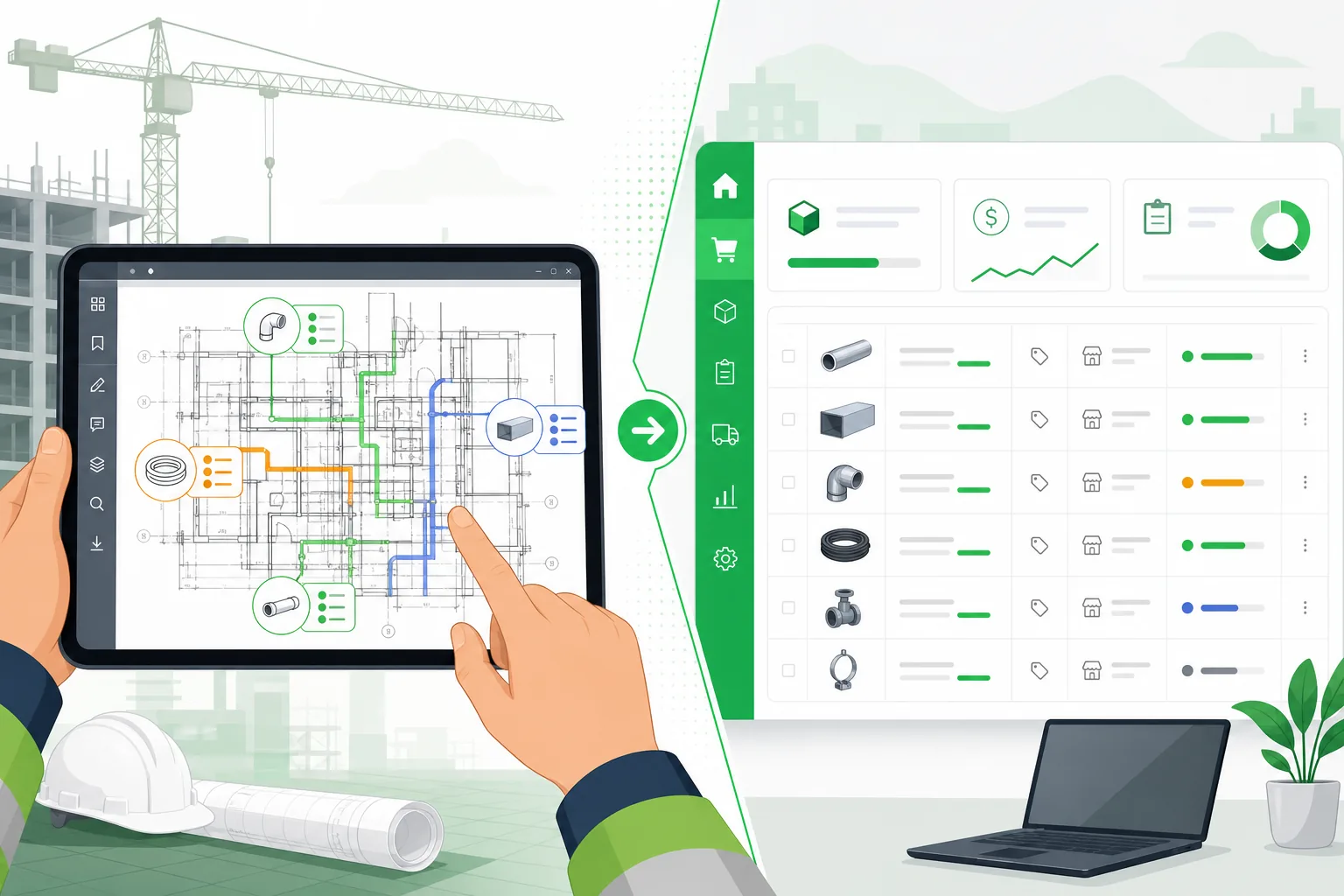
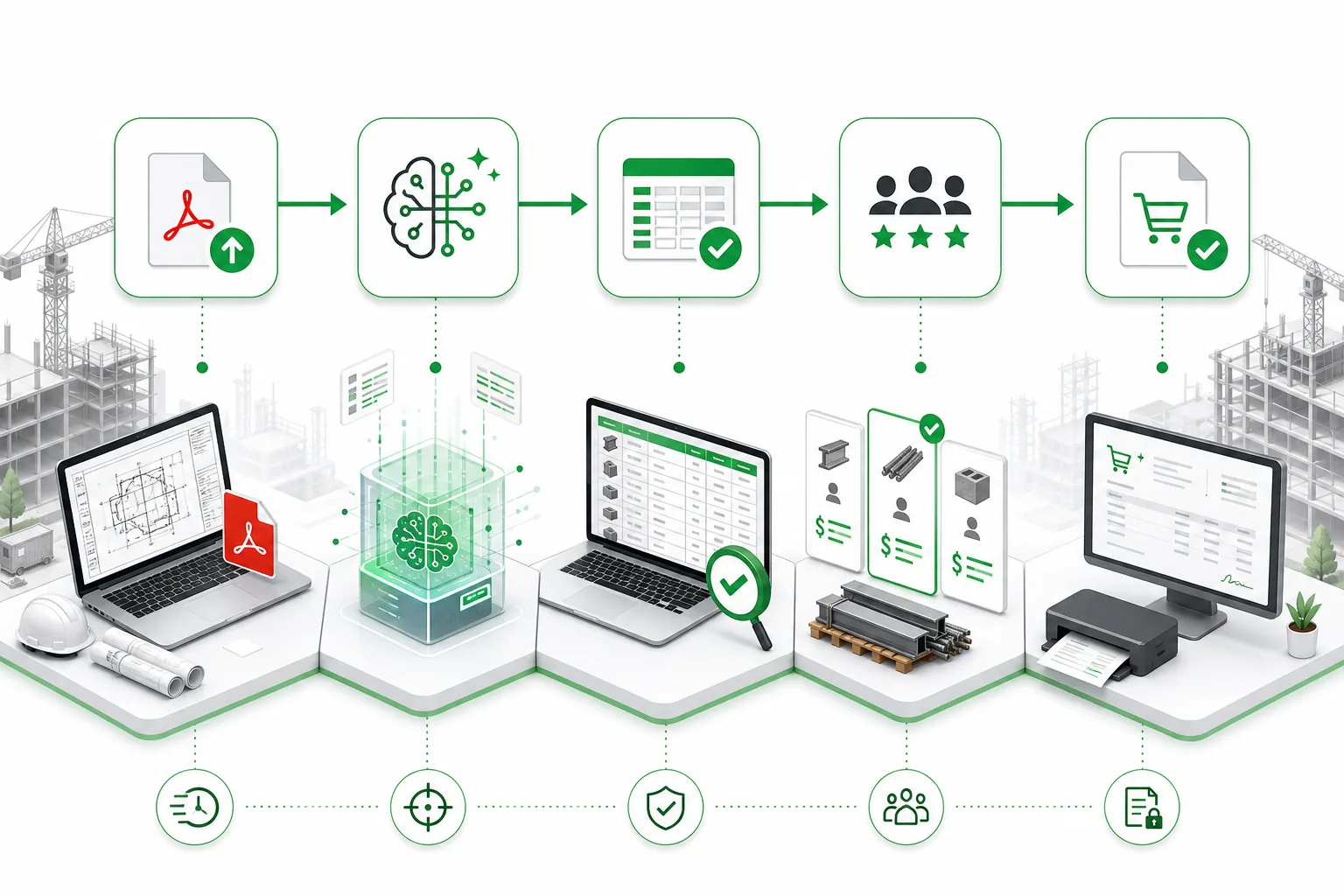
In 2026, the industry is calling this problem by a new name: takeoff-to-transaction. The goal is not just faster estimating. It is a single, validated data path from PDF drawings to a live procurement BOM that purchasing teams can act on immediately.
This article explains how that workflow works, what technology makes it possible, and what still requires human judgment before you buy.
Why the Takeoff-to-Procurement Gap Still Exists
Most contractors already digitize drawings. PDFs arrive by email, get stored in Procore or SharePoint, and get opened in Bluebeam or a takeoff tool. But the data inside those PDFs rarely travels cleanly to procurement.
| Stage | Typical Tool | Output Format | Next Manual Step |
|---|---|---|---|
| Drawing intake | Email / document management | PDF files | Estimator opens set |
| Quantity takeoff | Spreadsheet, digitizer, or AI | Device counts, LF totals | Reformat for estimating |
| Estimating | Accubid, ConEst, Sage, Excel | Priced bid | Rebuild material list if awarded |
| Procurement | ERP, supplier portal, phone | Purchase orders | Reconcile against field changes |
Each arrow in that chain is a chance for transcription error. A receptacle counted twice in takeoff becomes two boxes ordered. A luminaire type misread from a schedule becomes a return shipment. A conduit run measured on the wrong scale becomes 400 feet of pipe nobody needed.
The takeoff-to-transaction trend attacks this by asking a simpler question:
Why should anyone re-type quantities that already exist in the drawing set?
Step 1: Extract BOM from PDF — Not Just Count Symbols
The first requirement is reliable BOM extraction from PDF sources. That means reading:
- Power and lighting plans for device symbols
- Panel schedules for breaker and circuit data
- Equipment schedules for mechanical and electrical loads
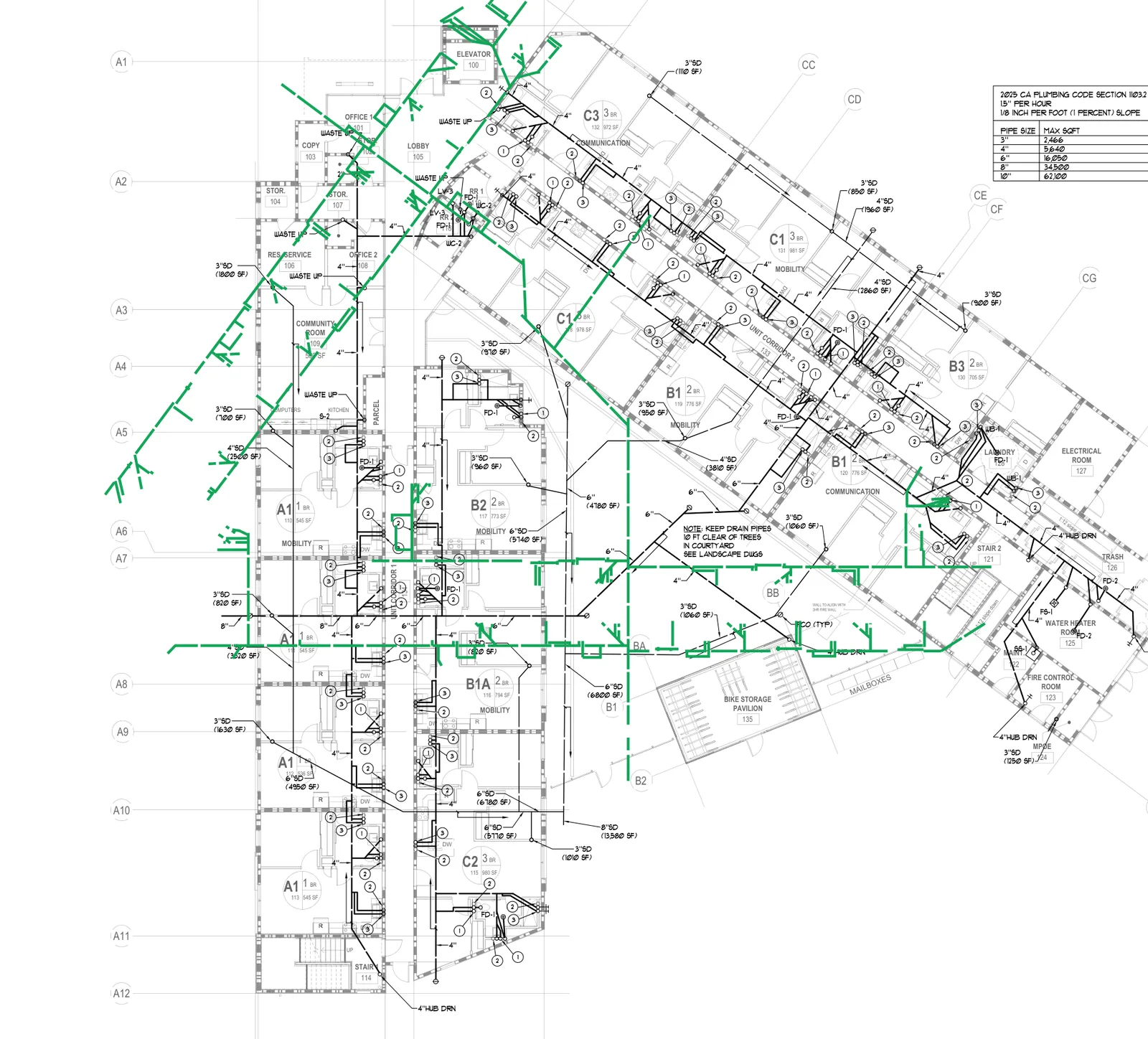
- Plumbing plans for fixture counts and pipe runs
- General notes and keyed details for scope that is not symbolized
Generic OCR is not enough. Construction PDFs mix vector text, rasterized scans, title blocks, revision clouds, and discipline-specific symbology. A platform built for extract BOM from PDF workflows needs to classify each sheet, route it to the right extraction model, and filter garbage output before it pollutes your material list.
What good extraction produces
A review-ready BOM line item should include:
- Description — human-readable, not raw OCR fragments
- Quantity and unit — EA, LF, LS, etc.
- Discipline and category — electrical, mechanical, plumbing
- Source reference — sheet number, schedule row, or note reference
- Confidence / review flag — plan-confirmed vs. estimator review required
This is the same structured output that feeds AI MEP takeoff review workflows. The difference for procurement is what happens next.
Step 2: Separate Bid Quantities from Order-Ready Line Items
Not every extracted quantity belongs on a purchase order on day one.
Experienced estimators know that drawings contain three types of scope:
- Plan-confirmed quantities — symbols counted directly on plans
- Schedule-derived quantities — rows parsed from fixture, panel, or equipment schedules
- Note-only or assumption scope — referenced in text but not clearly drawn
For procurement, only the first two categories should flow automatically toward ordering. Note-only scope should surface as review items — the same discipline Aginera applies in MEP estimating software evaluation.
| Scope Type | Estimating Use | Procurement Use |
|---|---|---|
| Plan-confirmed | Price directly | Map to SKU, order |
| Schedule-derived | Cross-check with plans | Order after schedule validation |
| Note-only | Carry allowance or RFI | Hold until clarified |
| Addendum delta | Adjust bid | Hold or revise PO |
Skipping this separation is how contractors order materials for scope that was never actually confirmed.
Step 3: Enrich the BOM for Suppliers
An estimating takeoff says "847 LF of 3/4 inch EMT." A procurement BOM says:
- Manufacturer and catalog number
- Pack size (10-foot sticks vs. custom cut)
- Alternate acceptable products
- Lead time and warehouse availability
- Price as of today, not bid day
This enrichment layer is where takeoff-to-transaction either succeeds or stalls. Contractors who maintain internal SKU crosswalks — mapping common spec language to preferred vendor part numbers — can automate more of this step. Others start with exported CSV/Excel and enrich in their ERP.
The key principle: enrichment rules should attach to the extracted line item ID, not to a re-typed spreadsheet row. When addendum 3 adds 14 receptacles on sheet E-201, the system should update the same line item that already maps to your supplier's SKU.
Step 4: Connect to Live Pricing and Inventory
Real-time procurement means the BOM reflects current supplier conditions, not a price list from six weeks ago when you bid the job.
In 2026, leading contractors are connecting takeoff exports to:
- Distributor APIs — live pricing and stock checks for electrical, plumbing, and HVAC commodities
- Preferred vendor portals — Ferguson, Graybar, WESCO, and regional suppliers with contractor accounts
- Internal cost databases — historical paid costs by project type and region
The takeoff-to-transaction workflow does not require every integration on day one. Even a structured export that lands in a purchasing template — with consistent column headers, units, and line IDs — eliminates the most expensive manual step.
Step 5: Handle Revisions Without Starting Over
Construction drawings change. Addenda, ASIs, and field revisions are normal. A procurement BOM tied to takeoff extraction should support:
- Delta detection — compare revision N to revision N+1 and show added, removed, and changed line items
- Version-linked POs — know which purchase order was issued against which drawing revision
- Partial releases — order long-lead items early while holding commodity releases until final coordination
This is where automating addenda and revision tracking pays off directly in procurement, not just estimating.
Where 3D Visualization Fits
Search data shows growing interest in converting PDF floor plans to 3D — queries like "convert pdf floor plan to 3d free" and "pdf floor plan to 3d" are driving organic traffic to construction technology sites.
3D visualization and BOM extraction solve different problems, but they complement each other:
- 3D tools help teams verify spatial layout, room adjacency, ceiling heights, and coordination conflicts
- BOM extraction produces the discipline-specific material quantities that 3D models rarely encode (breaker sizes, wire gauges, fixture types, pipe diameters)
Aginera's free Floor Plan to 3D converter lets you upload a PDF floor plan and explore an interactive 3D model — useful for spatial verification during preconstruction. The MEP takeoff pipeline handles the quantity and assembly logic that turns drawings into order-ready line items.
If your team is evaluating both capabilities, think of 3D as the spatial sanity check and BOM extraction as the commercial transaction layer.
A Practical Takeoff-to-Transaction Checklist
Use this checklist when evaluating whether your workflow closes the gap:
Extraction quality
- Can the platform extract BOM from PDF MEP drawings with discipline-specific accuracy?
- Does it read schedules and notes, not just plan symbols?
- Does it flag low-confidence items for review instead of silently counting them?
Data structure
- Does every line item have a stable ID that survives export and re-import?
- Are units normalized (EA, LF, LS) across disciplines?
- Can you trace each quantity back to a sheet and source?
Estimator control
- Can estimators adjust, suppress, or split line items before procurement sees them?
- Are note-only and assumption items clearly separated from order-ready quantities?
- Does the platform support estimator review workflows?
Procurement handoff
- Can you export to CSV/Excel formats your purchasing team already uses?
- Is there a path to supplier SKU mapping — manual or automated?
- Can revision deltas be exported without rebuilding the full BOM?
Speed
- How long from PDF upload to first-pass reviewed BOM?
- Does the platform reduce bid-to-buy cycle time on awarded projects?
Common Questions Procurement Teams Ask Estimators
These are the friction points that takeoff-to-transaction workflows must address:
"Which revision is this BOM based on?"
Every export should carry the drawing revision, addendum list, and extraction timestamp. Procurement should never guess.
"Is this quantity net of waste and spare?"
Estimating quantities and order quantities differ. Conduit waste factors, spare fixtures, and attic stock should be configurable rules applied at the procurement view — not hidden in someone's spreadsheet formula.
"Can we order this SKU yet?"
Long-lead equipment (switchgear, generators, custom panels) may need early release while commodity items wait. A good BOM supports partial order status per line item.
"What changed since the last addendum?"
Delta reports should be automatic. If your process requires manually diffing two Excel files, you have not closed the gap yet.
What Aginera Does Today — and What Comes Next
Aginera's current platform focuses on the highest-value segment of takeoff-to-transaction: fast, reviewable extraction from PDF construction drawings across electrical, mechanical, plumbing, and fire protection disciplines.
Today, contractors use Aginera to:
- Upload full PDF drawing sets
- Classify sheets by discipline and drawing type
- Extract quantities, schedules, and note-referenced scope
- Separate plan-confirmed items from review-required scope
- Export structured takeoff data to CSV/Excel for estimating and procurement systems
The procurement enrichment layer — live supplier pricing, SKU mapping, and direct PO generation — is the natural next step in the takeoff-to-transaction stack. The foundation is a clean, validated BOM that does not need to be re-keyed.
For teams comparing approaches, our guides on best electrical takeoff software in 2026 and AI vs. free MEP estimating tools cover the extraction side in detail.
Conclusion
The takeoff-to-transaction trend is not about eliminating estimators or purchasing agents. It is about eliminating the redundant work between them.
When you can reliably extract BOM from PDF drawings, validate quantities once, enrich with supplier data, and push order-ready line items to procurement — you shorten the path from bid day to material on site.
The contractors who win in 2026 will not be the ones with the most sophisticated ERP. They will be the ones whose takeoff data travels cleanly from PDF to purchase order without anyone retyping a receptacle count at 10 PM on a Tuesday.
Frequently Asked Questions
Can you extract a BOM directly from a PDF construction drawing?
Yes. Modern AI takeoff platforms can read PDF construction drawings — including MEP plans, schedules, and details — and extract structured bill of materials line items with quantities, units, and specifications. The output is a reviewable BOM that estimators validate before procurement.
What is takeoff-to-transaction in construction?
Takeoff-to-transaction refers to connecting quantity takeoff directly to procurement actions — supplier pricing, purchase orders, and material releases — without re-entering data into separate systems. In 2026, contractors are closing this gap to reduce bid-to-buy cycle time.
How is a procurement BOM different from an estimating takeoff?
An estimating takeoff focuses on quantities and labor for pricing a bid. A procurement BOM adds supplier SKUs, lead times, pack sizes, alternates, and order-ready formatting. The best workflows start from the same extracted data and branch into estimating and procurement views.
What still needs human review before ordering materials?
Estimator review is essential for addenda scope, note-only items, existing conditions, substitution approvals, and pricing assumptions. AI should flag uncertain quantities rather than silently ordering materials from unverified extractions.
Can BOM extraction work alongside 3D visualization tools?
Yes. Many teams use 2D PDF extraction for MEP quantities and complementary 3D tools for spatial verification. Aginera's free floor plan to 3D converter helps validate room layouts and spatial context while separate extraction pipelines handle discipline-specific BOM line items.