Rate cards
Set the default labor rates and installed item costs Aginera uses to price every estimate — labor rates by trade and sector, item rates with the installed-cost formula, and regional multipliers.
Purpose
The rate card is the pricing source of truth for your workspace. Set it up once and every new estimate prices against it — consistently and repeatably.
Find it under Pricing → Rate Cards. The three sub-tabs are Labor Rates, Item Rates, and Regional Multipliers.
Who this is for
Admins and senior estimators who own pricing standards. Changes apply to all new estimates — existing estimates keep the rates they were built with.
Labor rates
Hourly, fully-burdened billing rates by trade, filtered by sector (Residential / Commercial / Industrial), with Low / Default / High columns.
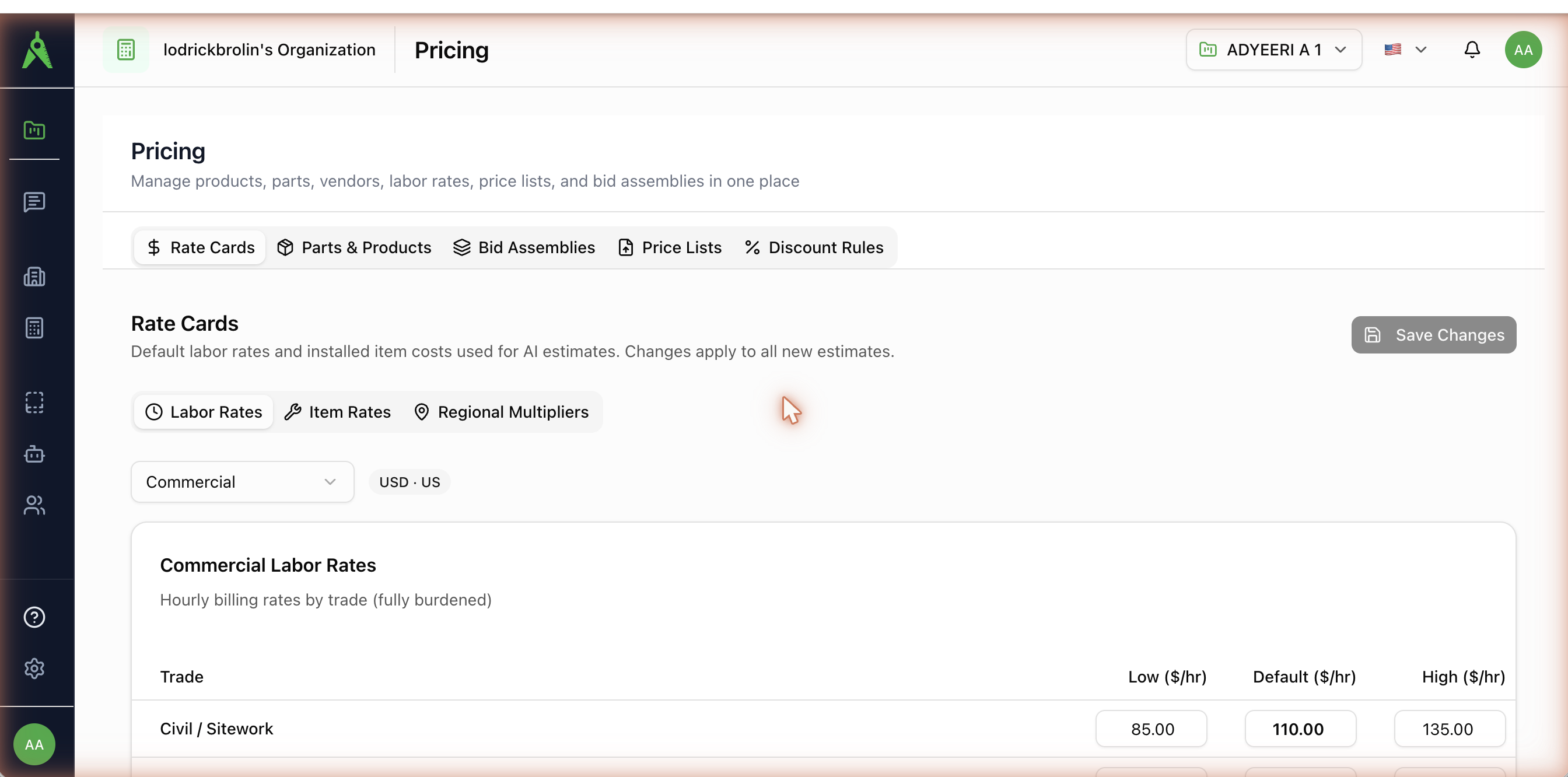
Trades include Electrical, Low Voltage / Data, Fire Alarm, HVAC / Mechanical, Refrigeration, Plumbing, Pipefitting / Process, Sheet Metal / Duct, Controls / BAS, Fire Protection, Structural, Interior / Architectural, Civil / Sitework, and Mechanical Piping.
Item rates
Per-item material cost and labor hours, from which the installed cost is computed:
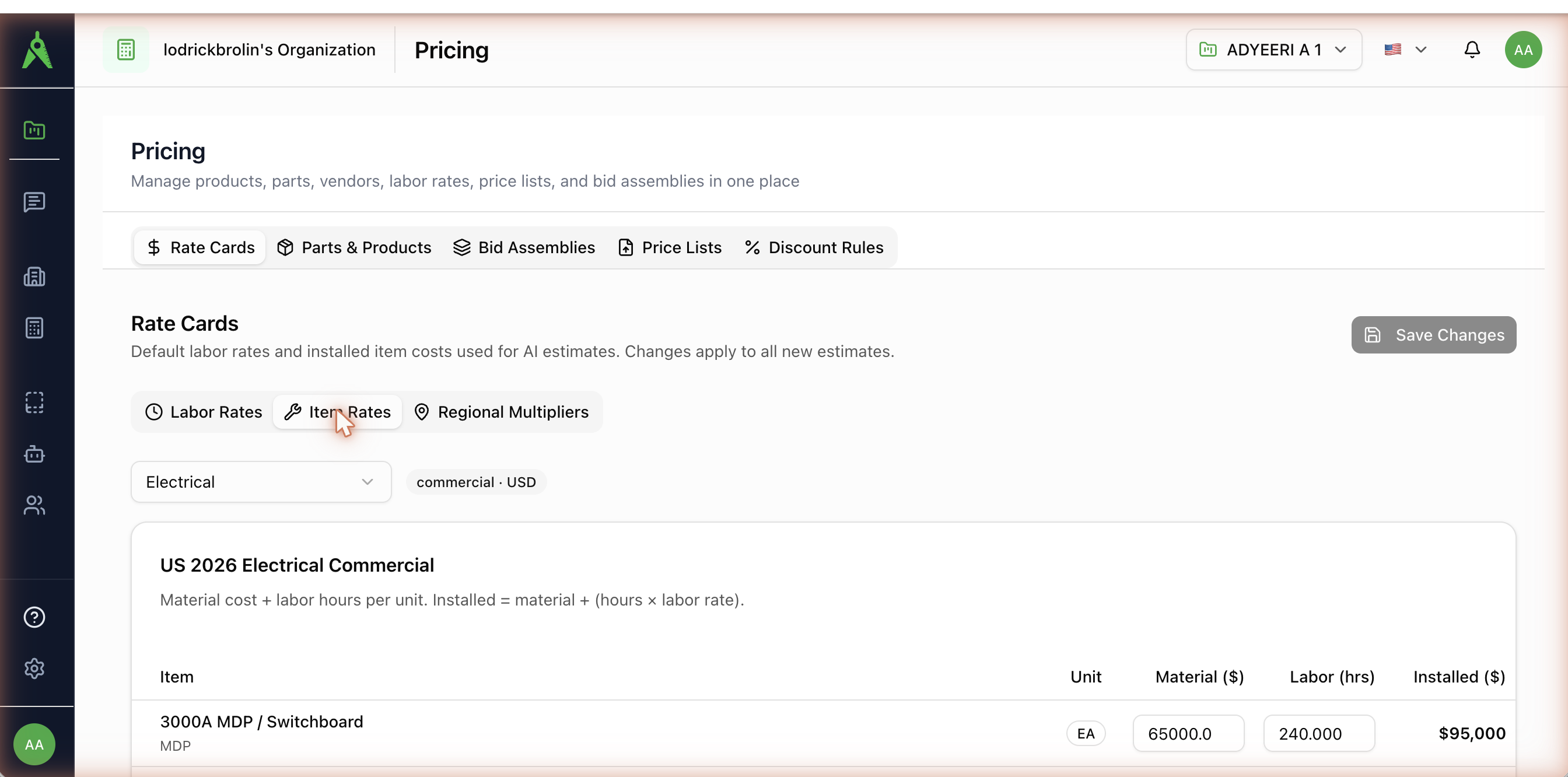
Installed = material + (hours × labor rate)
Each row shows Item · Unit · Material ($) · Labor (hrs) · Installed ($). You edit material cost and labor hours (each with Low / Default / High values); Installed is calculated for you. Pick the trade and the card is scoped to your country and currency (for example US 2026 Electrical Commercial).
Regional multipliers
Per-region Low / Default / High multipliers (for example 1.15×) applied after the base rate to adjust for local market conditions.
How rates attach to takeoff items
When you price a takeoff, each item is matched to an item rate (by search key, unit, and type code) and a labor rate (by trade and sector), then priced as material + hours × labor rate. Your workspace's own card overrides Aginera's system defaults.
Verify rates for your market
The default rate cards are starting points. Review the labor and item rates for your region and trade before relying on generated estimates — local pricing varies widely.