Electrical takeoff (full workflow)
End-to-end electrical workflow — upload drawings, extract devices/fixtures/panels/cable, review on-plan markers, check schedules, then price and estimate.
Purpose
Run a complete electrical bid: from drawings to a priced, client-ready estimate. Aginera reads power, lighting, low-voltage, and fire-alarm sheets, counts every device and fixture, traces panels and feeders, and hands off clean quantities to pricing.
Who this is for
Electrical estimators and MEP contractors bidding fit-outs, new builds, and upgrades who want device counts and panel/feeder scope without manual click-counting.
The workflow
1. Upload the drawings
Create a project (type Electrical) and upload the drawing set — PDF or DWG/DXF. Include the symbol legend and single-line/one-line sheets: they help resolve device types and panel names.
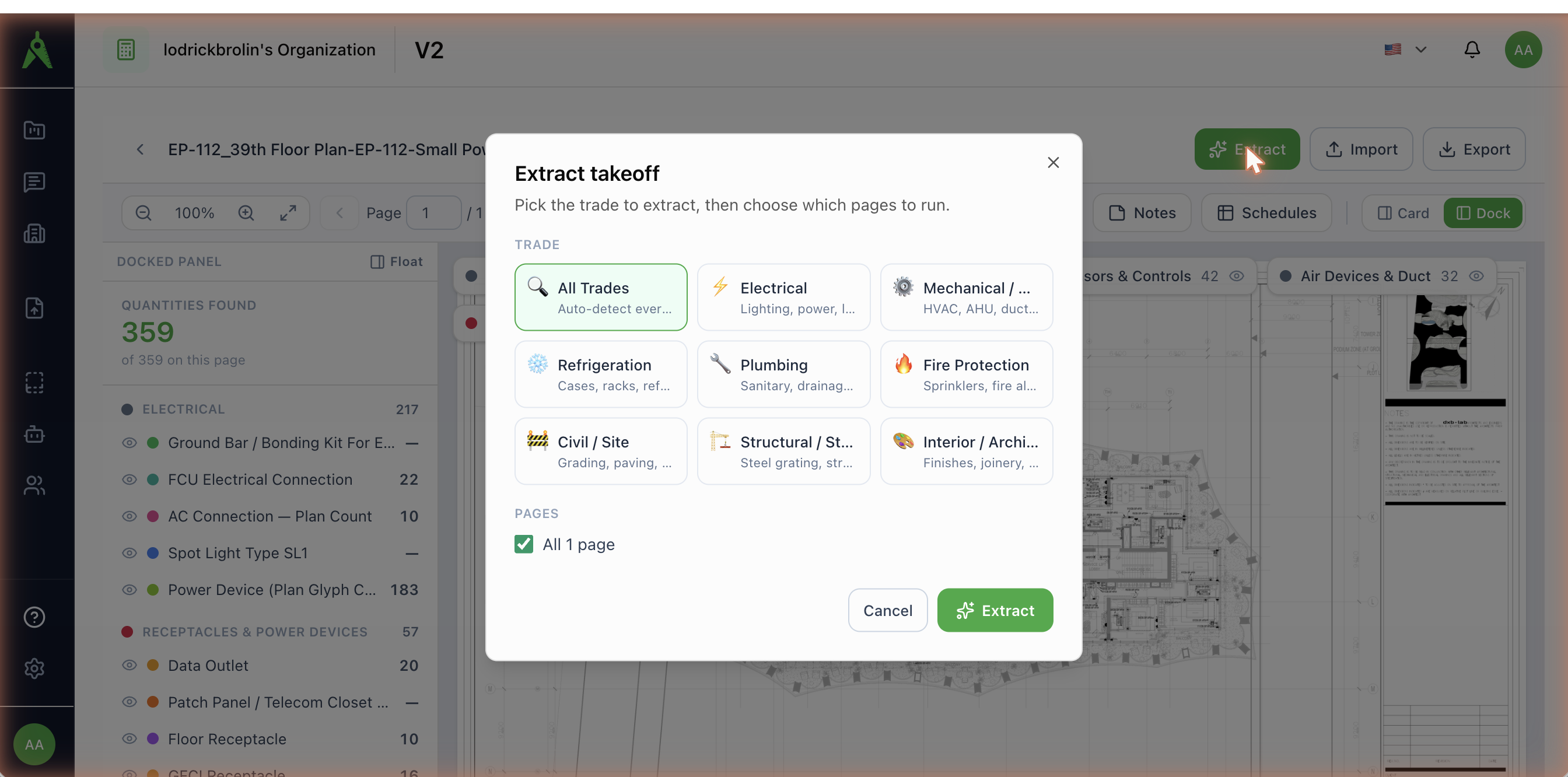
2. Extract the electrical trade
Open Extract, pick Electrical, and let the scan find the power, lighting, and low-voltage sheets. Confirm the pages and run. (See Running extraction.)
3. Review the count on the plan
Extracted items land in the takeoff workspace, grouped by category and pinned to the sheet with colour-coded markers.
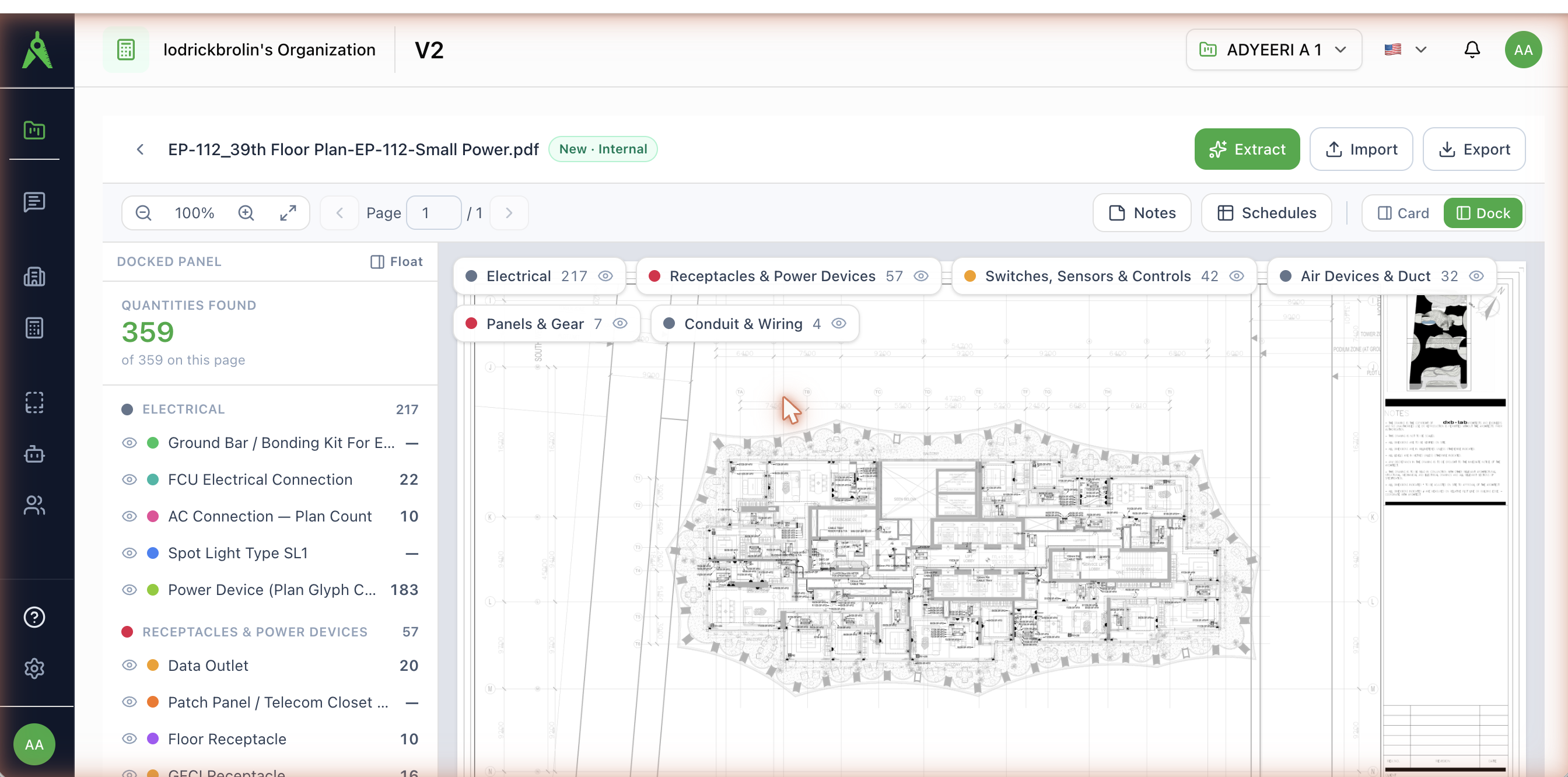
On an electrical set, quantities group into categories such as:
| Category | Typical items |
|---|---|
| Electrical | Light fixtures & spot types (e.g. Spot Light Type SL1), FCU/AC electrical connections, general power devices |
| Receptacles & Power Devices | Floor & GFCI receptacles, data & TV outlets, patch panels / telecom closet |
| Switches, Sensors & Controls | Single-pole, three-way, dimmer, and disconnect switches, occupancy sensors |
| Air Devices & Duct | Fan connections, fan-coil-unit connections |
| Panels & Gear | Distribution boards (DB), sub-main boards (SMDB), panelboards, lighting panels |
| Conduit & Wiring | Cable (e.g. Cable 150 mm²), feeders (e.g. Feeder to EWH), cable trays |
Use the eye toggles to isolate one system on a dense plan.
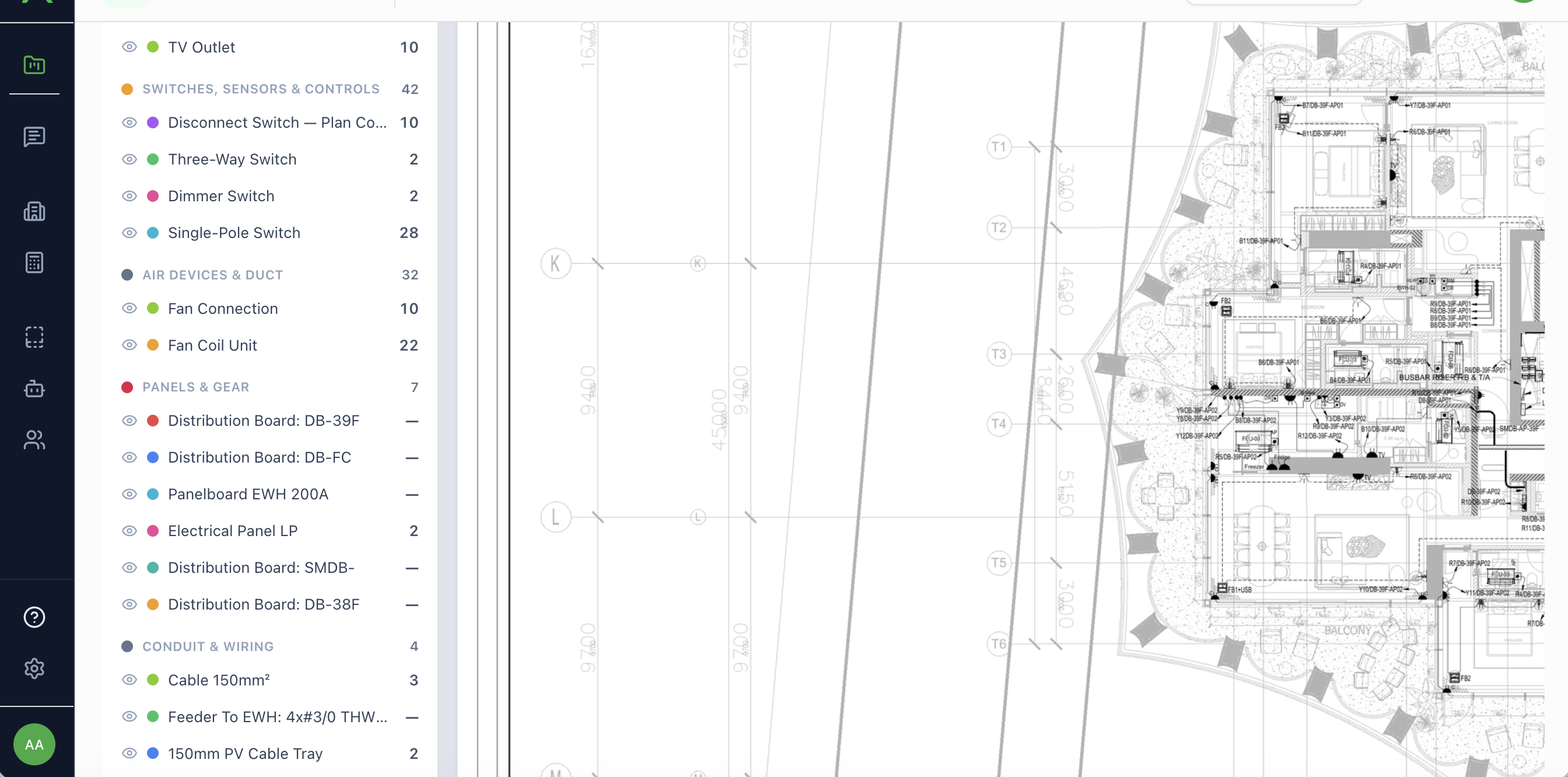
Devices, fixtures, and panels are counted in EA; cable, conduit, feeders, and trays in LM.
4. Confirm scope in Review
Open Review Extraction to accept, reject, or correct items trade-by-trade. Reject non-scope symbols (e.g. existing-to-remain) so they never reach pricing.
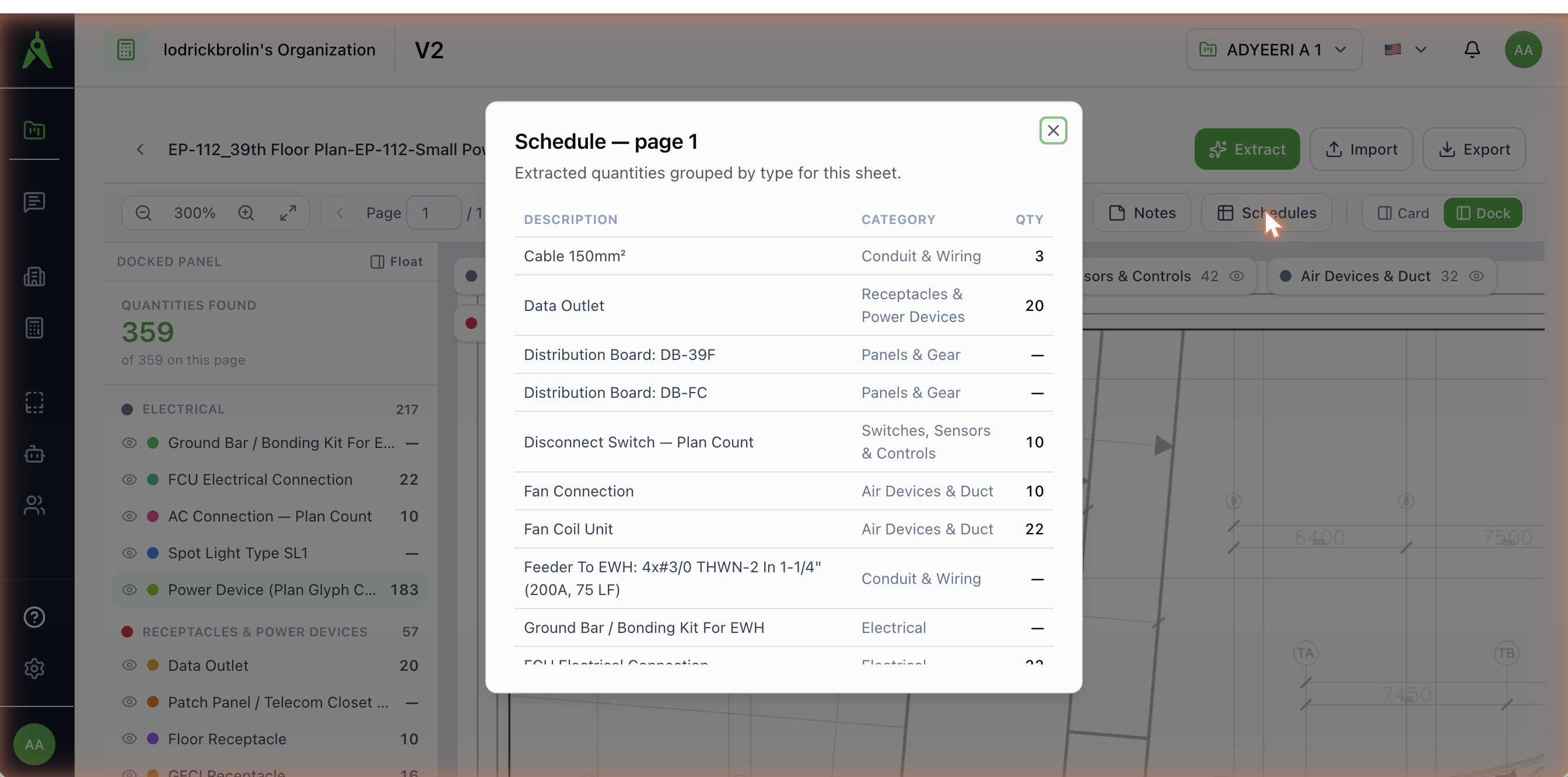
5. Check the schedules
Open Schedules for a grouped, per-sheet electrical schedule — description, category, and quantity.
6. Export or price
- Export to Excel/CSV or an estimating-system format (McCormick, Accubid, ConEst, Vision InfoSoft). See Export & import.
- Price BOM and generate the estimate directly in Aginera.
Tips for a clean electrical count
- Include legend and single-line sheets for reliable device/panel resolution.
- Review the dense pages first — power and lighting plans carry the most items.
- Capture panels, feeders, and cable, not just countable symbols — the takeoff traces these too.