Mechanical / HVAC takeoff (full workflow)
End-to-end mechanical workflow — extract HVAC equipment, ductwork, and mechanical piping (with refrigeration), review run-lengths and equipment, then price and estimate.
Purpose
Run a complete mechanical bid. Aginera reads HVAC plans, ductwork and ventilation layouts, mechanical piping, and equipment schedules — measuring duct and pipe run-lengths and counting equipment — then hands the quantities to pricing.
Who this is for
Mechanical / HVAC and refrigeration estimators bidding air-side, hydronic, and refrigeration scope.
The workflow
1. Upload and extract
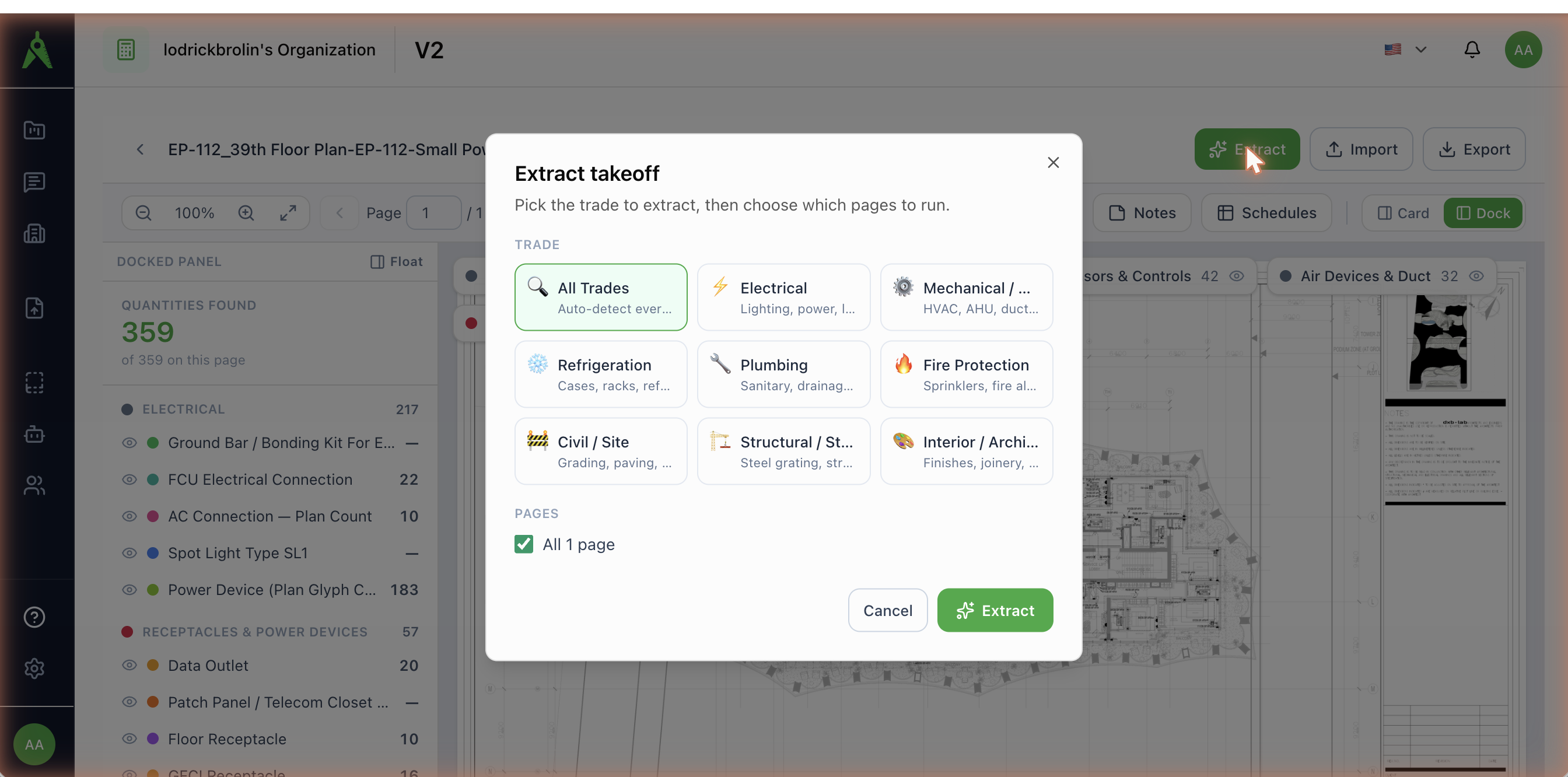
Create a project and upload the mechanical set. Open Extract and pick Mechanical / HVAC (or Refrigeration for cases, racks, and refrigerant piping). The scan finds the HVAC, ductwork, and mechanical-piping sheets.
2. Review in the takeoff workspace
Extracted items appear in the takeoff workspace, grouped by category with colour-coded markers on the sheet.
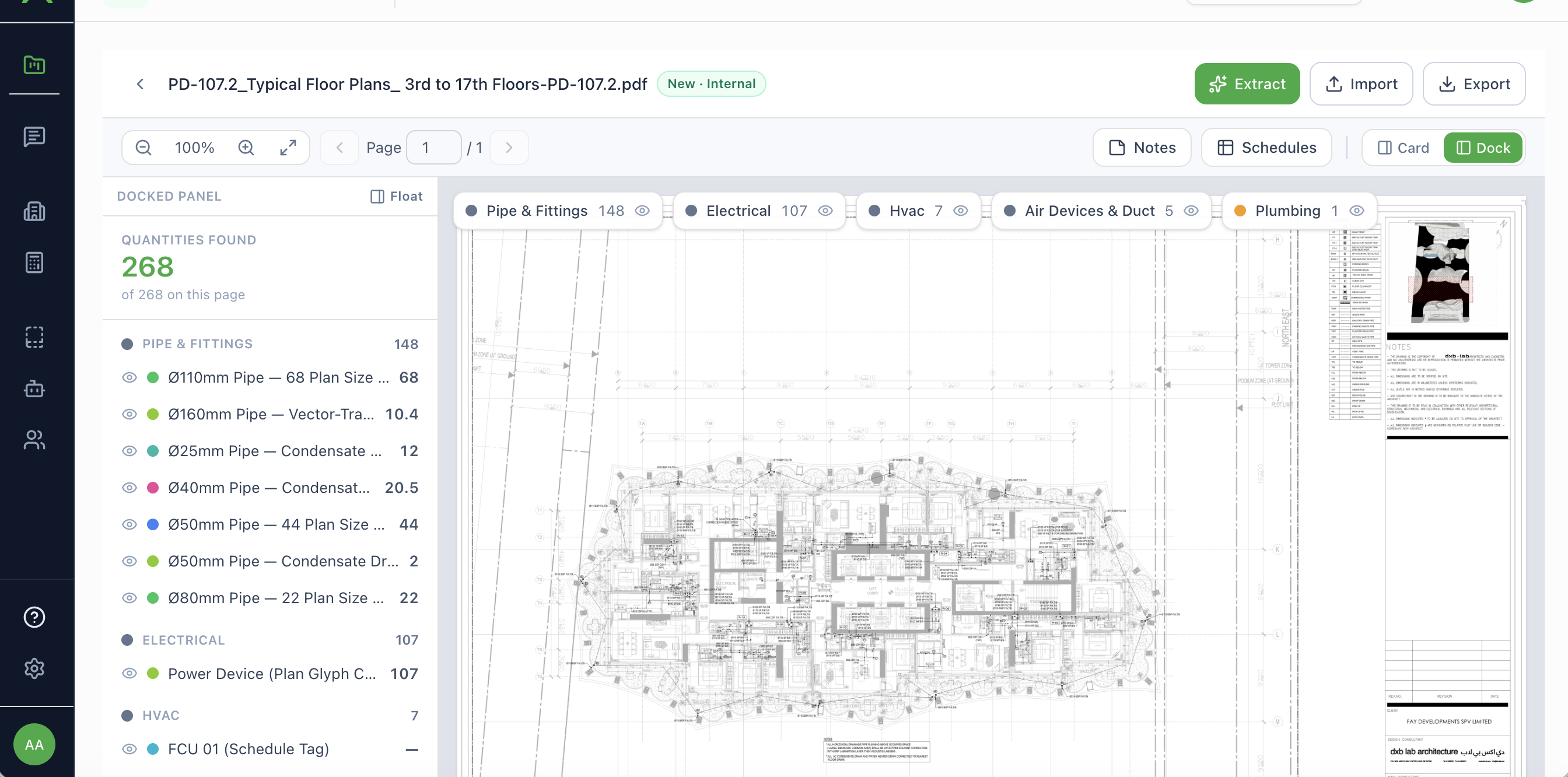
Typical mechanical categories and items:
| Category | Typical items |
|---|---|
| HVAC equipment | AHUs, RTUs, fan-coil units (e.g. FCU 01, FCU assembly: isolation valves, flex connections) |
| Air Devices & Duct | Diffusers, grilles, and ductwork (e.g. Rectangular duct 1800×2000 — vector-traced) |
| Mechanical piping | Hydronic and mechanical pipe runs, hangers and supports |
| Refrigeration | Display cases, racks, condensers / gas coolers, refrigerant piping (reach-in, walk-in freezer/cooler) |
Units: equipment and air devices are counted in EA; ductwork and mechanical/refrigerant piping are measured in LM where the drawing has vector layers — duct runs come through with a real traced length (for example 57.4 LM), not just a count. Duct/sheet-metal may also report area (SQM) or weight (KG).
3. Confirm, schedule, and price
- Review Extraction — accept/reject equipment and runs; equipment schedules (AHU/RTU/FCU) are preserved as structured tables.
- Schedules — a grouped per-sheet mechanical schedule.
- Export or Price BOM → generate the estimate.
Rate-card trades for mechanical
Mechanical scope prices against several rate-card trades — HVAC / Mechanical, Sheet Metal / Duct, Mechanical Piping, Refrigeration, and Controls / BAS. Set these in your rate card before estimating.
Tips
- Include equipment schedules and mechanical legends — they resolve equipment tags and duct/pipe types.
- Check duct run-lengths on plans with clean vector linework; scaled runs are flagged verify in exports.
- For owner-furnished equipment, price install-only in the estimate.