AI for AEC that starts from your drawings
The first place AI pays off in architecture, engineering and construction is the knowledge work around the drawings: pricing the job, checking the design, buying the material. Aginera does that work from the plan set you already have, with a sheet reference behind every number.
Why AEC is turning to AI now
Construction is one of the largest industries in the world and one of the slowest to get more productive. In How AI is reshaping the future of the AEC industry (McKinsey, July 2026), the authors argue that AI is one of the first technologies able to take on the industry’s knowledge work and coordination work, not just a single task.
10%
growth in construction labour productivity from 2000 to 2022 — manufacturing grew 90% over the same years
50%
of non-physical work in architecture and engineering that AI could automate; 39% in construction
$228B
a year by 2030: the value AI and automation could unlock for AEC in the United States
Figures: McKinsey Global Institute analysis, as reported in the McKinsey article.
Five workflows to streamline first, and where Aginera fits
The article groups the gains of the next 18 months into five kinds of work that run across a project. Here is each one in plain terms, and what Aginera does in it today — including the parts it leaves to other tools.
Win and price the work
What Aginera is built forThe work: Deciding what to bid, reading the scope, estimating, and comparing prices.
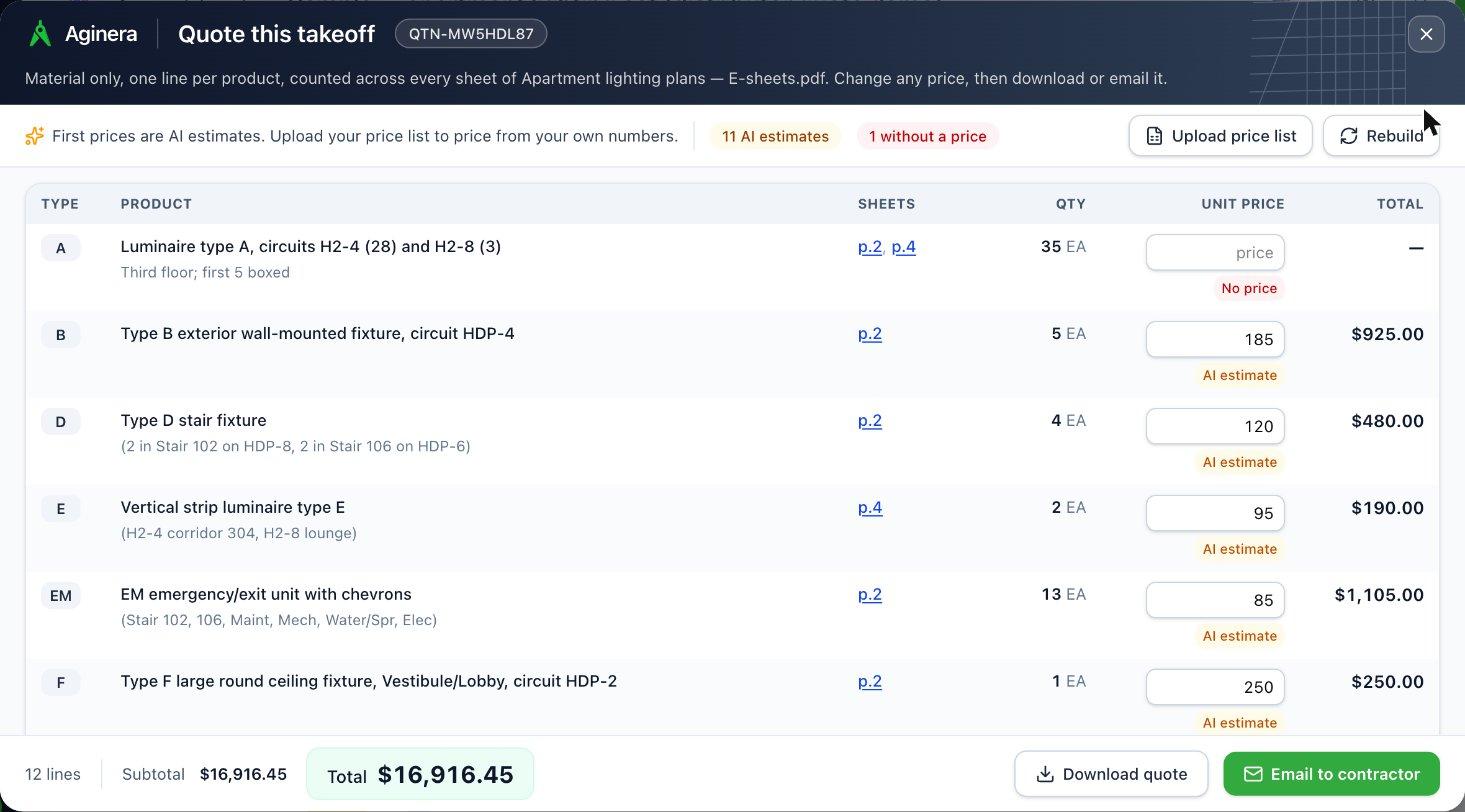
With Aginera: Upload the bid set and get counts, measured lengths and areas by trade, each one tied to the sheet it came from. The same takeoff becomes a material quote, a trade estimate or a bid, so the estimator spends the time on price and risk instead of counting.
Design and engineer for constructability
Aginera covers part of thisThe work: Checking designs and specifications, and catching what will not build before the field finds it.
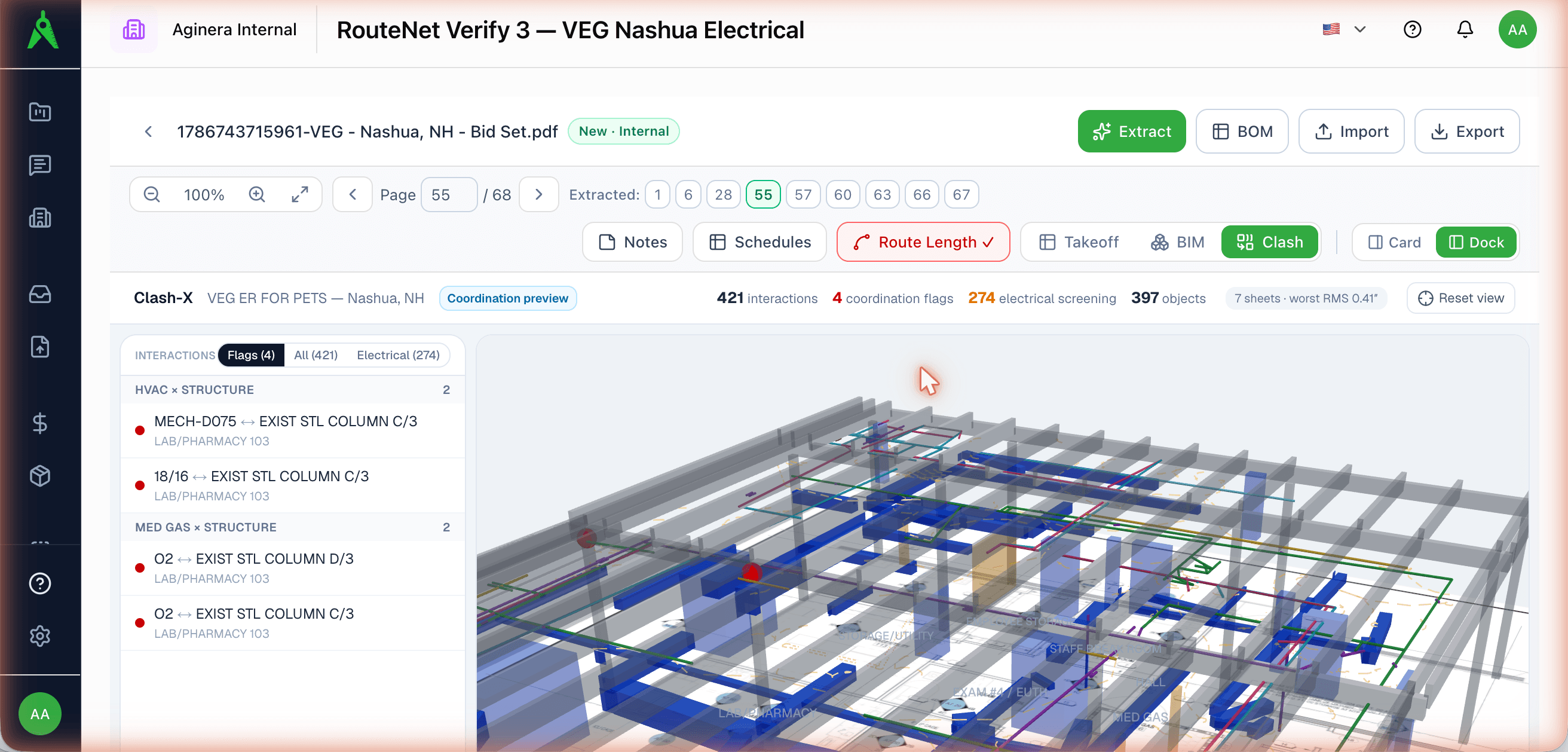
With Aginera: Aginera reads schedules, tags and equipment out of a drawing set, turns PDFs and scans into editable DWG / DXF, checks discipline sheets against each other for clashes without a BIM model, and builds a 3D model from a 2D part drawing. It does not interpret building codes or approve a design.
Plan and procure
Aginera covers part of thisThe work: Scheduling the work, checking material availability, and putting procurement packages together.
With Aginera: The takeoff becomes a bill of material you can send for pricing, and distributors can turn a contractor’s drawing set into a counted, priced quote. Aginera does not build schedules or track deliveries.
Build and control
Aginera covers part of thisThe work: Triage of RFIs and submittals, progress and cost tracking, and routing change orders.
With Aginera: When drawings are revised, Aginera shows what changed in scope and quantity so a change order starts from evidence, and it drafts numbered RFIs with sheet references from a drawing set. It does not track progress on site.
Run enterprise support
Not what Aginera doesThe work: Finance close, invoice checks, compliance, document control and other back-office work.
With Aginera: Aginera stays with the drawings. For invoicing, accounting and document control you will want the systems built for them; takeoffs and estimates export to Excel and CSV so they can go there.
Further out, the article expects AI to reach the site itself: logistics, equipment and, in time, robots. That is not Aginera’s field. Aginera is for the office work that decides what gets built and what it costs.
AI reduces the effort, not the accountability
The article is clear that people keep the judgment and the responsibility. Aginera is built on the same idea.
The agent drafts, a person is accountable
The article’s middle path is an agent that does the reading and a person who owns the decision. That is how an Aginera takeoff works: the software produces the quantities, and the estimator reviews, corrects and signs off before anything is priced.
An audit trail by default
Clients, insurers and professional bodies are starting to ask how AI was used and who checked it. Every Aginera quantity links to the sheet and place it was read from, and your corrections are kept beside the original reading.
It starts from messy drawings
You do not need clean data or a model to begin. Aginera works from the PDF plan sets, scans and CAD files a project already has.
Your work leaves with you
The article warns firms to keep their project data portable. Takeoffs and estimates export to Excel and CSV, and CAD comes out as DWG, DXF or STEP — standard files you can open anywhere.
Find your part of A, E and C
Architecture
Architects, interior designers and home builders
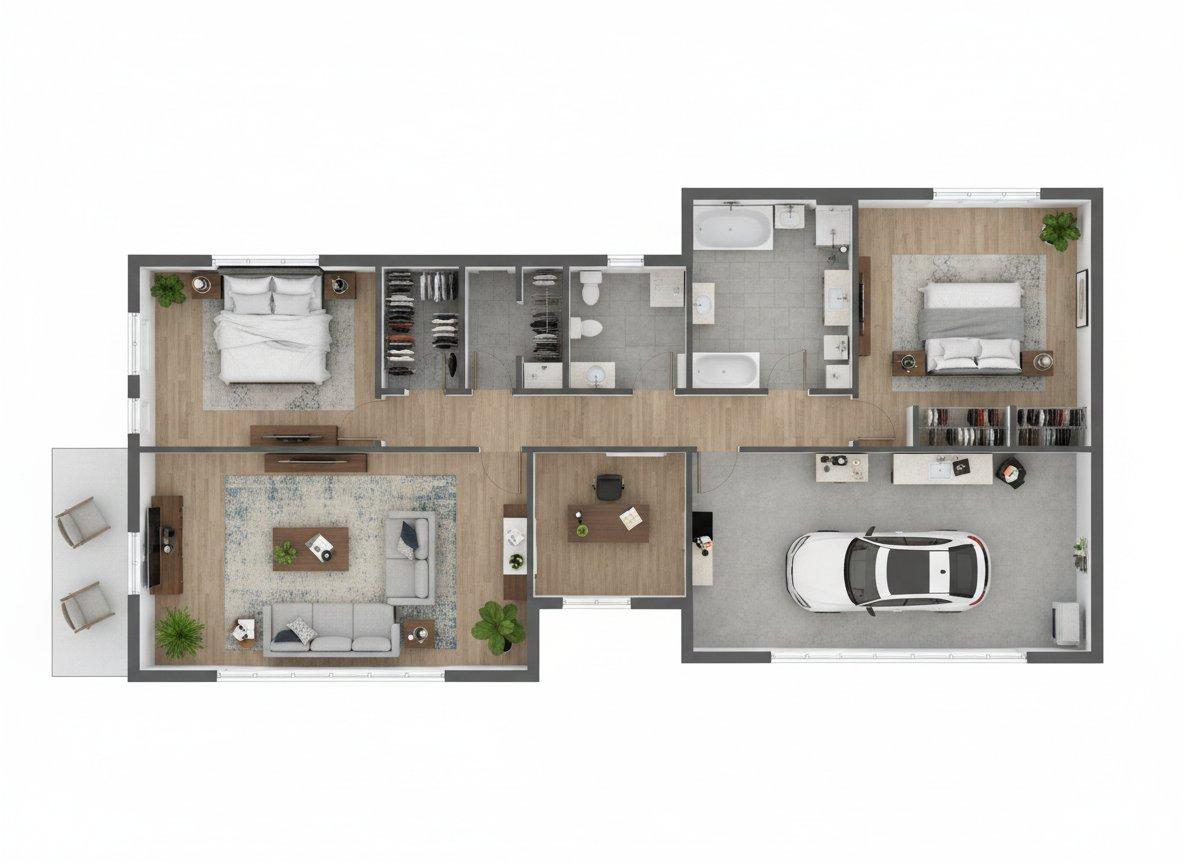
Show a client the building before it exists: a furnished 3D view of every floor, room images and a walkthrough film from the floor plans, on one page you can share — and an editable CAD file when all you were sent is a PDF.
Engineering
MEP, structural and civil engineers, design firms and fabricators
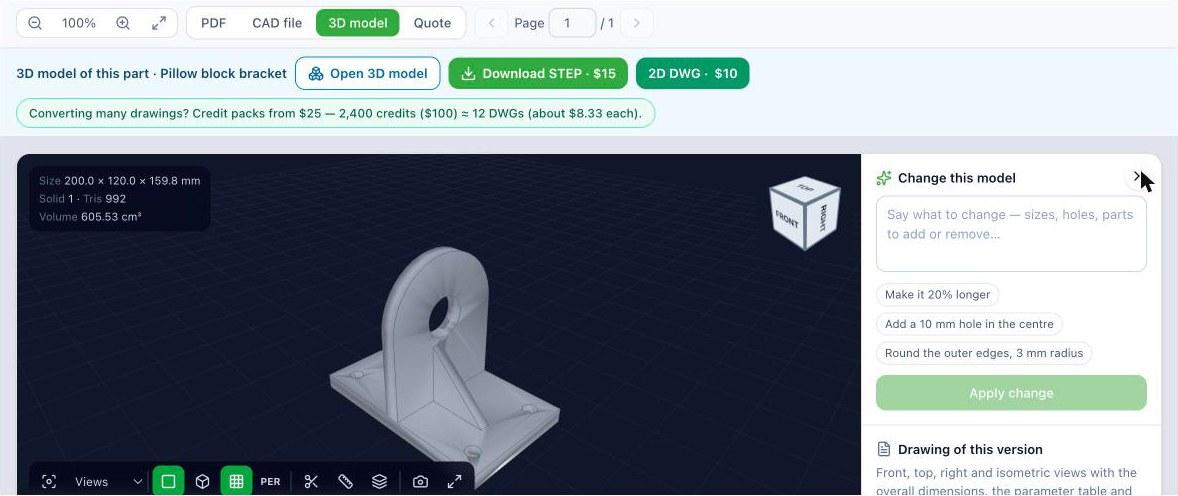
Turn drawings back into data: schedules, equipment and quantities out of a set, PDFs converted to CAD you can edit, and a 3D model from a part drawing — without redrawing anything by hand.
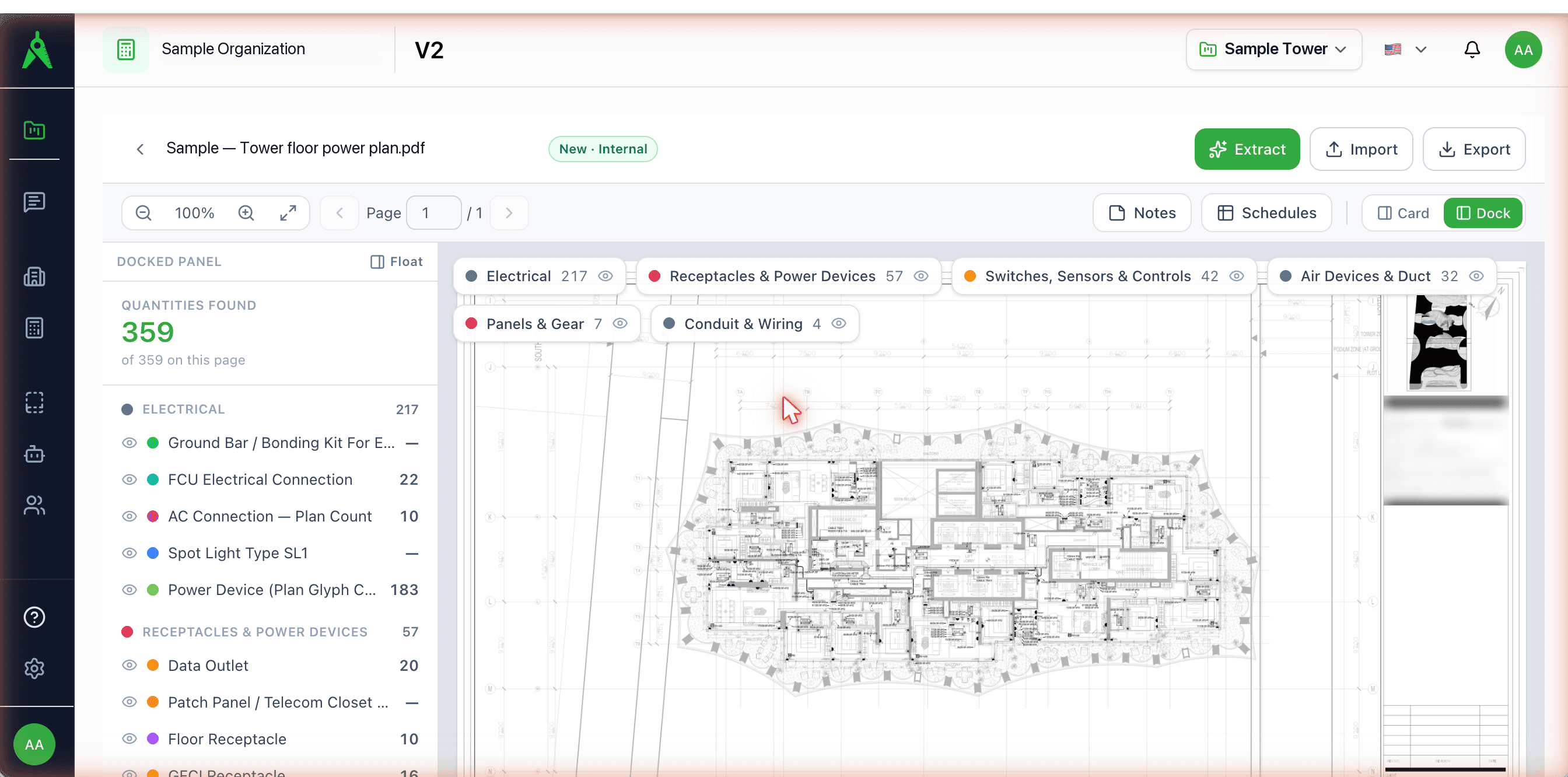
Construction
Contractors, estimators, subcontractors and distributors
Bid from the drawings, not from a blank spreadsheet: counts, measured lengths and areas by trade, each pointing back to its sheet, priced into a material quote, a trade estimate or a bid.
Frequently asked questions
What is AEC software?
AEC stands for architecture, engineering and construction. AEC software is any tool those teams use to design, document, price and build a project — CAD and BIM for drawing, takeoff and estimating for pricing, and visualization for showing the result. Aginera covers the work that starts from finished drawings: reading them, measuring them, converting them and showing them.
Where should an AEC firm start with AI?
McKinsey’s July 2026 article on AI in AEC suggests picking three to five workflows where cost, schedule and risk vary the most and where results depend on a few experienced people — it names estimating and constructability review among them. Estimating from drawings is a practical first one: the input already exists, the output is easy to check against the sheet, and it can start in the middle of a live project.
Does Aginera replace AutoCAD, Revit or other design tools?
No. You keep designing in the tools you use. Aginera works from what those tools produce — PDF plan sets, scans, and DWG / DXF files — and gives back quantities, estimates, editable CAD and 3D views.
Do I need a BIM model?
No. Aginera works from 2D drawings. A PDF plan set is enough for a takeoff, a floor plan is enough for a 3D view, and a part drawing is enough for a 3D model.
Who is responsible for the numbers?
You are, and the product is built that way. Each line in a takeoff points to where it was read on the drawing, so a person can check it, correct it and approve it. AI reduces the effort; it does not take over the accountability.
Can I use it from an AI assistant?
Yes. Aginera has a connector for Claude and ChatGPT, so you can share a drawing in the chat and ask for quantities, a CAD file or a 3D view.
What does Aginera not do?
It does not schedule projects, track progress on site, run back-office work such as invoicing, or control equipment and robots. It stays with the drawings and the numbers that come out of them.
What does it cost?
You can start free on your own drawings. After that you pay as you go with credit packs from $25, or take a monthly plan. The pricing page has the current plans.
Source and further reading
The industry figures and the five workflow groups on this page come from “How AI is reshaping the future of the AEC industry” by Daniel Ahmoye, Erik Sjödin and Jose Luis Blanco, with Aleem Mawji, Marita Winslade and Patrick Rogers (McKinsey & Company, July 2026). The summary and the description of what Aginera does are our own; McKinsey has not reviewed or endorsed this page.
Upload your drawing → get takeoff + BOM in minutes
Free 7-day trial. No credit card required.