Check a model and get its files
See which dimensions of your drawing are in the 3D model, correct what is off in one step, and download the drawing as DWG or DXF, print files, and a sheet-metal flat pattern.
Purpose
Know whether a 3D model matches your drawing before you use it, and take it out in the format the next step needs: a CAD drawing, a print file, or a flat pattern.
It works on any model Aginera built: from a PDF drawing or from a description.
Checked against your drawing
When a model opens, the panel beside it shows Checked against your drawing with a count, for example 10 / 10 dimensions on your drawing are in the model.
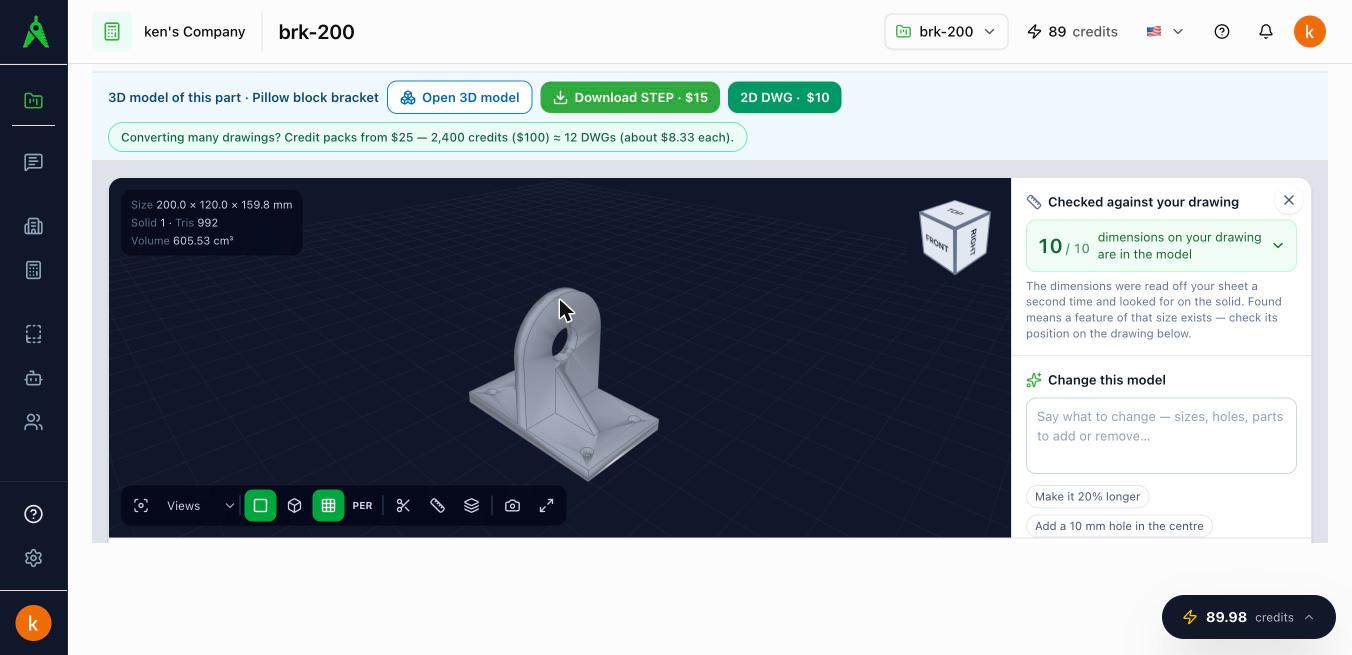
How the check is made:
- The dimensions written on your sheet are read a second time, on their own, without looking at the model.
- The solid is measured: overall sizes, every hole and shaft diameter, where each step and each centre sits, radii and angles.
- Each dimension from the sheet is looked for among those measurements.
Select the count to see every dimension:
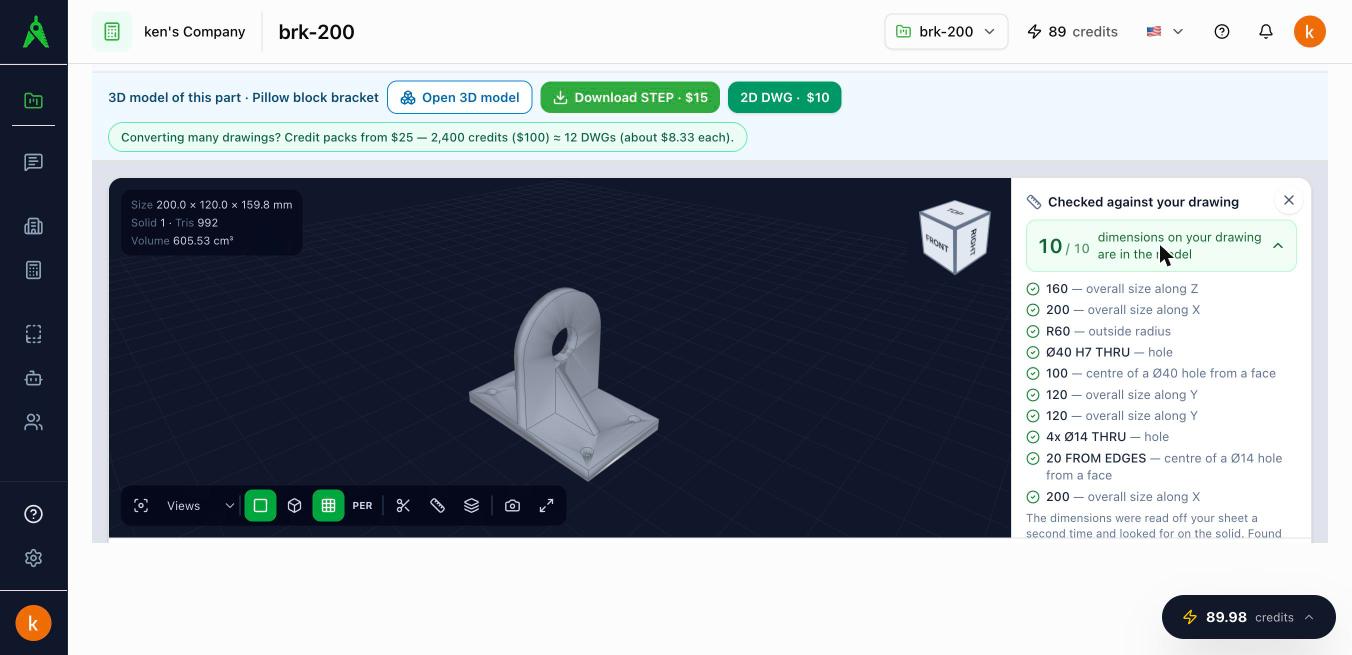
| Mark | Meaning |
|---|---|
| In the model | A feature of that size exists on the solid |
| Close | The feature is there at nearly that size. The size the model has is shown, for example Ø50 — the model has 49.5 |
| Not found | Nothing on the solid has that size |
Put the corrections in the change box writes the close and missing dimensions as one instruction. Select Apply change to rebuild the model with them.
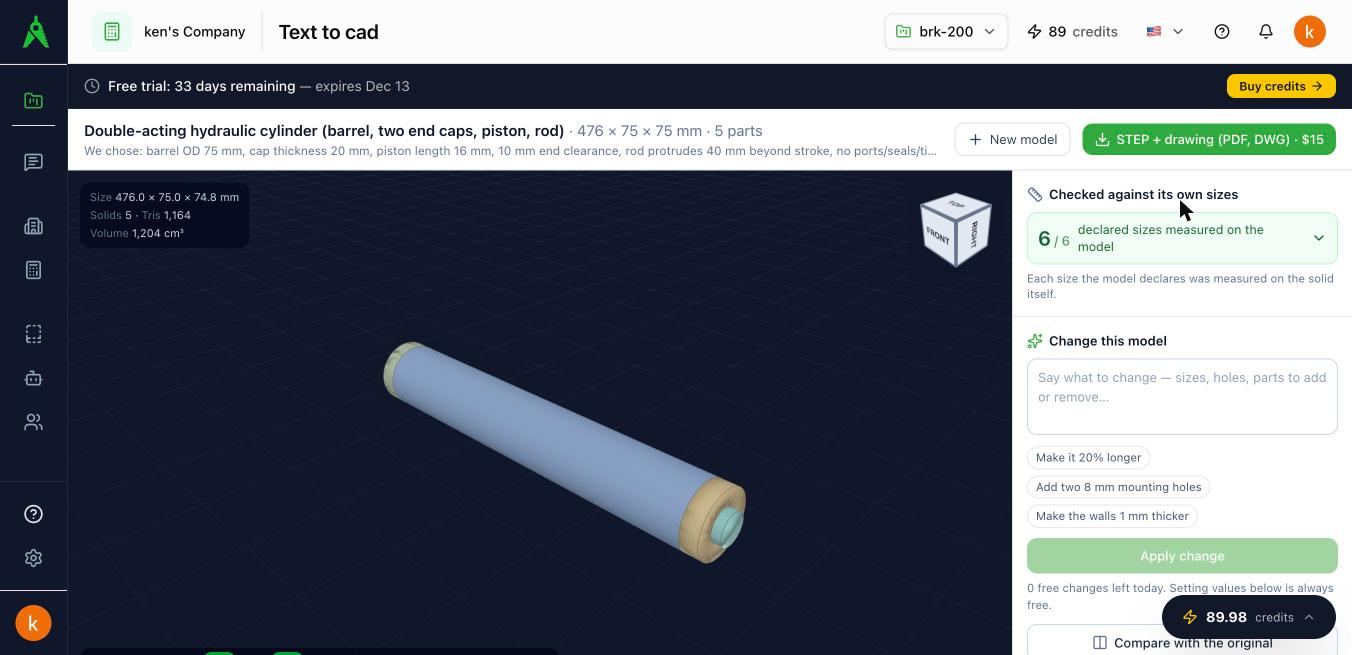
For a model made from a description there is no sheet, so the check is against its own sizes: each size the model declares is measured on the solid.
What found means
Found means a feature of that size exists. It does not prove the feature is in the right place. Check positions on the drawing of the model, which is dimensioned from the solid.
The drawing as DWG, DXF or PDF
Make the drawing draws the model as a sheet: front, top, right and isometric views. Every dimension on it is measured from the solid:
- the three overall sizes;
- where each step and each hole centre sits, as figures along the edge of a view, counted from its lower-left corner;
- the diameter of every hole and shaft seen end-on, with how many there are (for example 4x Ø18);
- centre marks and centre lines, and the radii as a note.
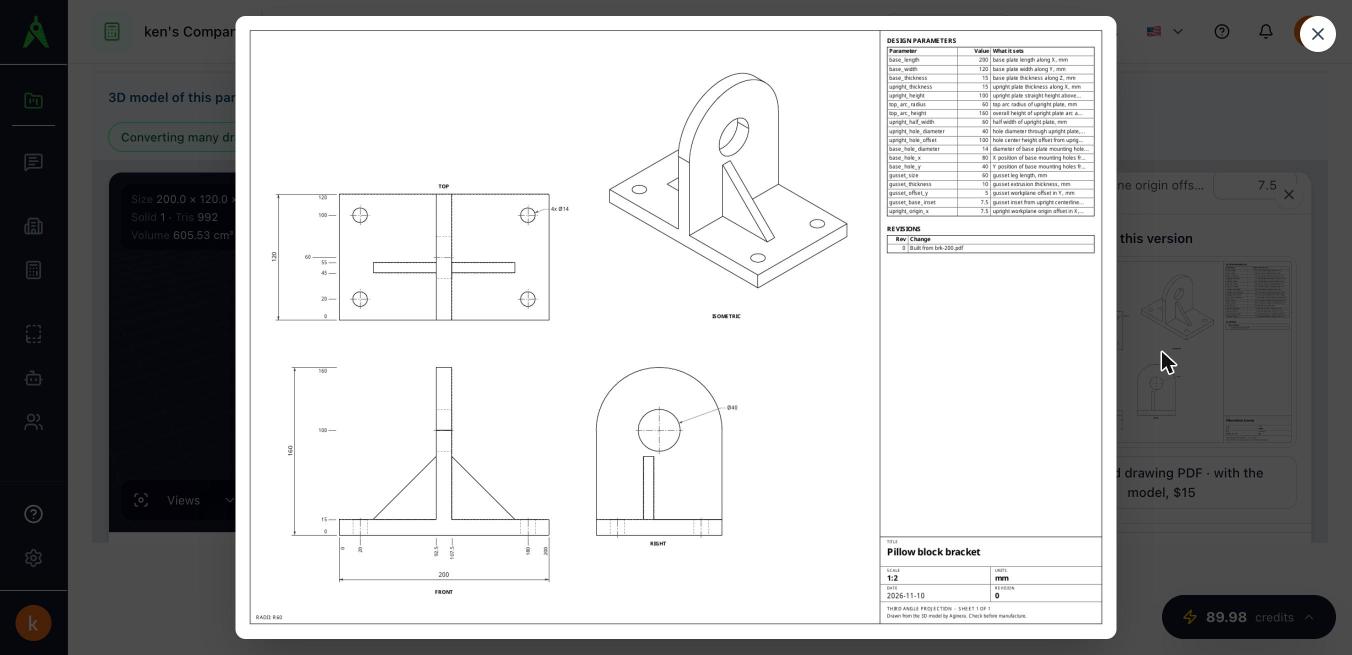
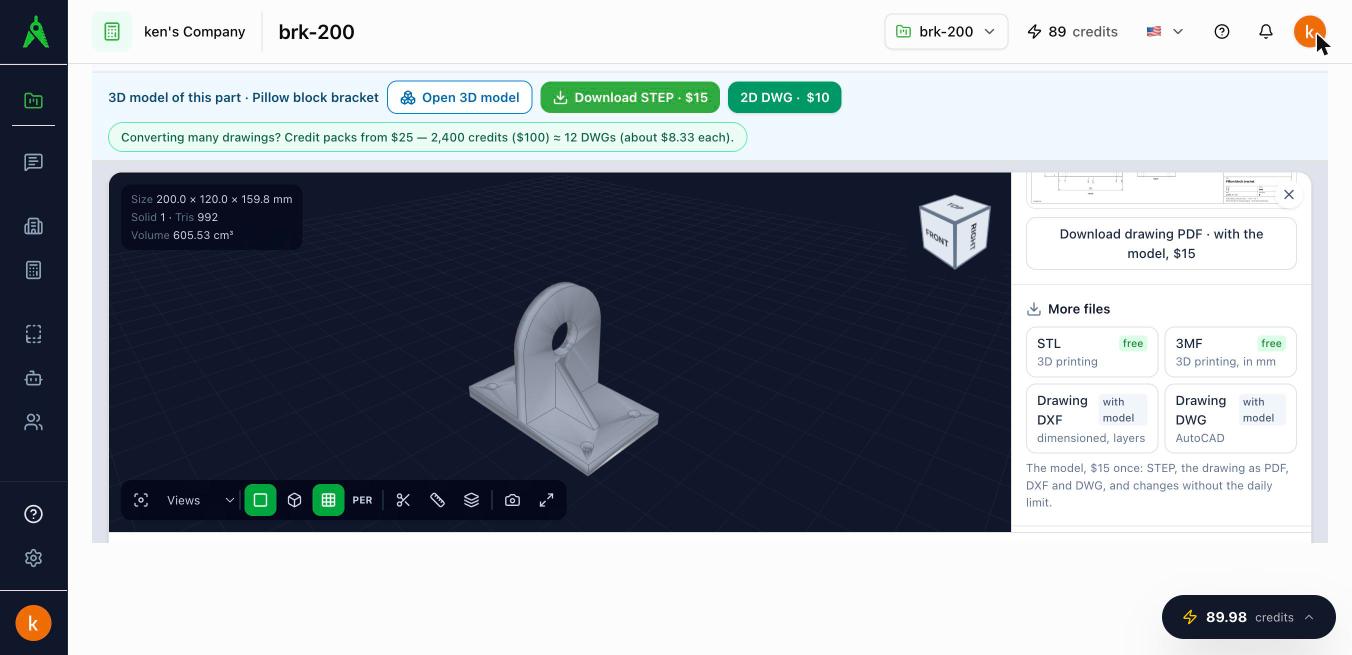
Under More files, Drawing DXF and Drawing DWG download the same sheet as CAD: full size in millimetres, true circles and arcs, on layers (VISIBLE, HIDDEN, CENTER, DIMENSIONS, TEXT, BORDER, TITLE), with the overall dimensions as real dimension objects.
Print files
STL and 3MF download the model as a mesh for 3D printing, in millimetres. They are free with an account.
Sheet metal
When the model is a bent sheet part, a Sheet metal card shows:
- thickness, the number of bends with their angle and inside radius, and the K-factor used;
- the flat blank's size, the cut length and the number of pierces;
- the part's weight for the material you choose;
- the flat pattern, with bend lines dashed.
Flat pattern DXF downloads the pattern from its lower-left corner at 0, 0: the outline on CUT_OUTER, holes on CUT_INNER (round holes as true circles), and bend centre lines on BEND_UP and BEND_DOWN.
Cost from your rates works out a cost per part from the rates you enter: sheet per kilogram, cutting per metre, per pierce, per bend, and set-up per batch. Use your own currency. The rates stay in your browser.
What is free and what is paid
| Free with an account | With the model ($15 once) | |
|---|---|---|
| The check | Yes | |
| STL and 3MF | Yes | |
| Sheet-metal numbers and flat-pattern picture | Yes | |
| Drawing as PDF, DXF and DWG | Yes | |
| Flat-pattern DXF | Yes | |
| STEP file | Yes |
On a paid plan the files download without a separate purchase.