Make and change 3D models from Claude
Ask Claude to build a 3D model from a description, read its sizes and its drawing, test which sizes drive it, try a change first without touching the model, make the change, and go back to any earlier version, through the Aginera connector. Includes the test we ran on 20 November 2026 and its results.
Purpose
Work on a 3D model in a Claude conversation. Claude reads the model's named sizes, tries a change before making it, makes it, and can take the model back to any earlier version. The original is always kept.
It works on any model Aginera built: from a description or from a PDF drawing.
Prerequisites
- The Aginera connector added to Claude. In Claude open Settings → Connectors, search for Aginera and select Connect. See Use Aginera in Claude.
- A 3D model in your Aginera account, or a description of the part you want Claude to build.
Claude and other MCP clients
These tools are available in Claude and in other MCP clients that connect to Aginera. They are not in the ChatGPT app.
What you can ask
| Ask Claude | What happens | Connector tool |
|---|---|---|
| "Make an L bracket 120 × 60 × 50 mm, 6 mm thick, with two 9 mm holes in the base." | A 3D model is built and saved to your account, with a link to open it in Aginera. | create_cad_model |
| "Which sizes of this model actually change it?" | Each named size is moved a little and the model rebuilt. Each one comes back as drives, no effect or breaks, with a summary such as 9 of 9 named dimensions change the solid when moved a little. | get_cad_model with check_parameters |
| "Would an 8 mm plate still build? Don't change anything yet." | The change is tried and nothing is saved. Claude gets back whether it builds, the size and volume it would have beside the current ones, and any warning. | change_cad_model with parameters and dry_run |
| "OK, make the plate 8 mm." | The model is rebuilt as a new revision, and the change is listed as thickness: 6 → 8. | change_cad_model with parameters |
| "Make the wall 3 mm thicker and add four M6 holes on a 60 mm circle." | A change in plain words, as a new revision. | change_cad_model with instruction |
| "Go back to the original." / "Go back to revision 3." | The model returns to that version as it was. Later versions stay in the list. | change_cad_model with revert_to |
Every answer includes the model's overall size and volume.
Claude sees the drawing
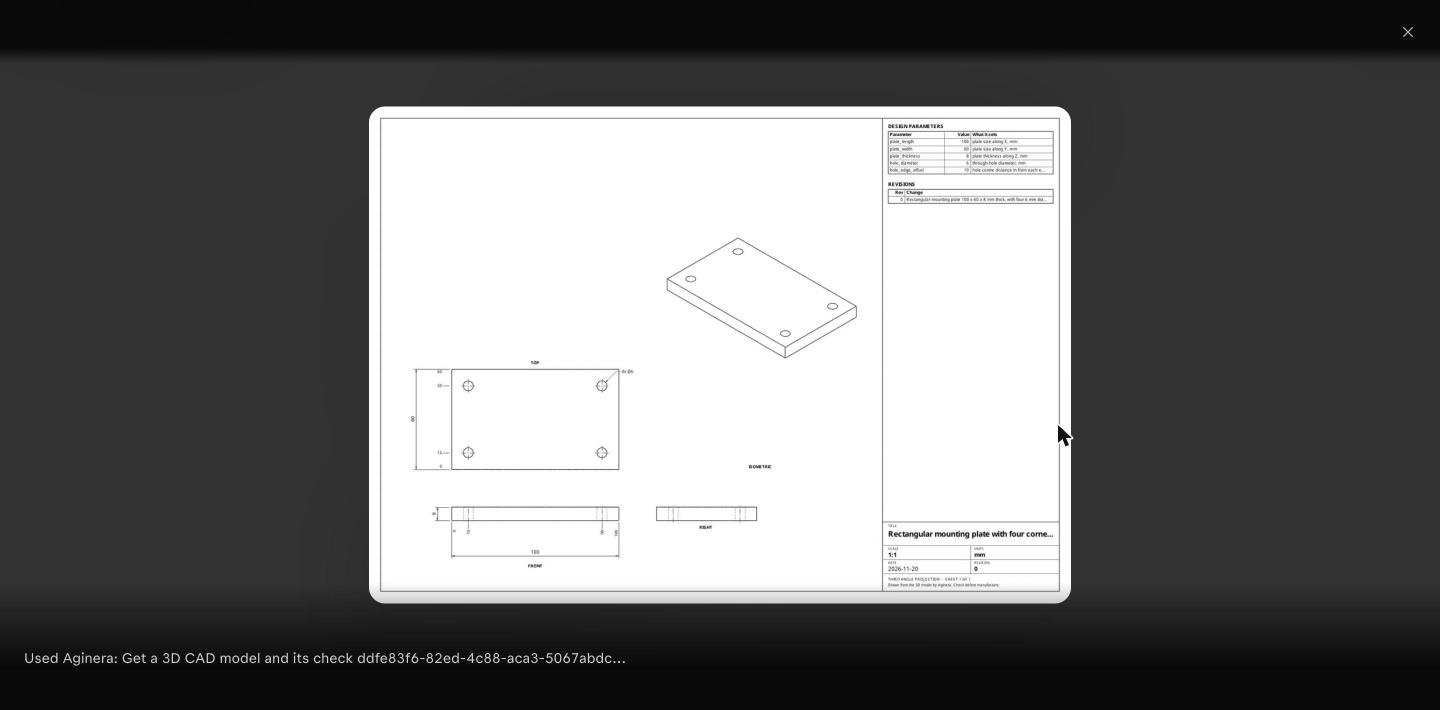
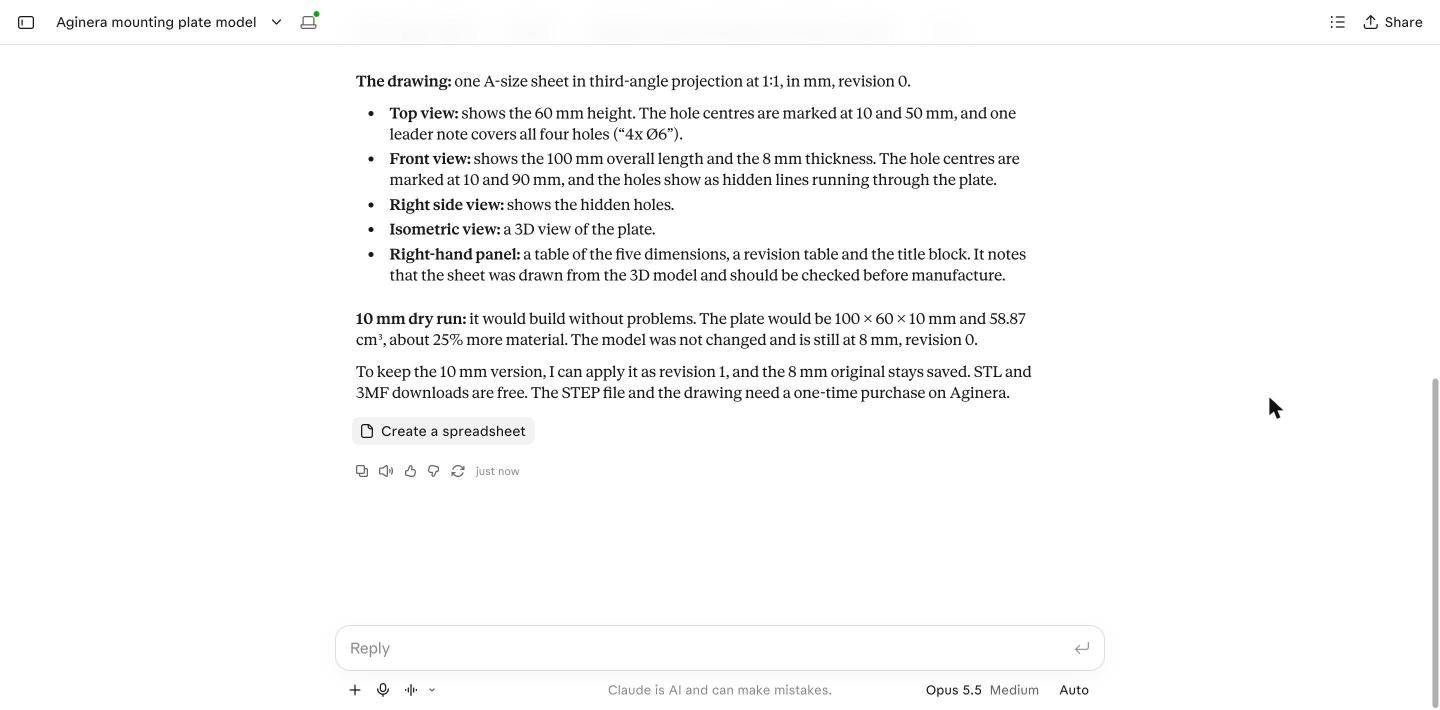
When Claude reads a model (get_cad_model), the dimensioned drawing of the current version comes with the answer as a picture, not only as a link. Claude can read the views, hole positions, scale, parameter table and revision list off it and describe them to you. In claude.ai the picture shows as a thumbnail on the tool step; select it to enlarge.
Floor-plan renders work the same way: get_floor_plan_render attaches the dollhouse and the first room image.
What a dry run answers
A dry run returns one of these, and the model stays as it was:
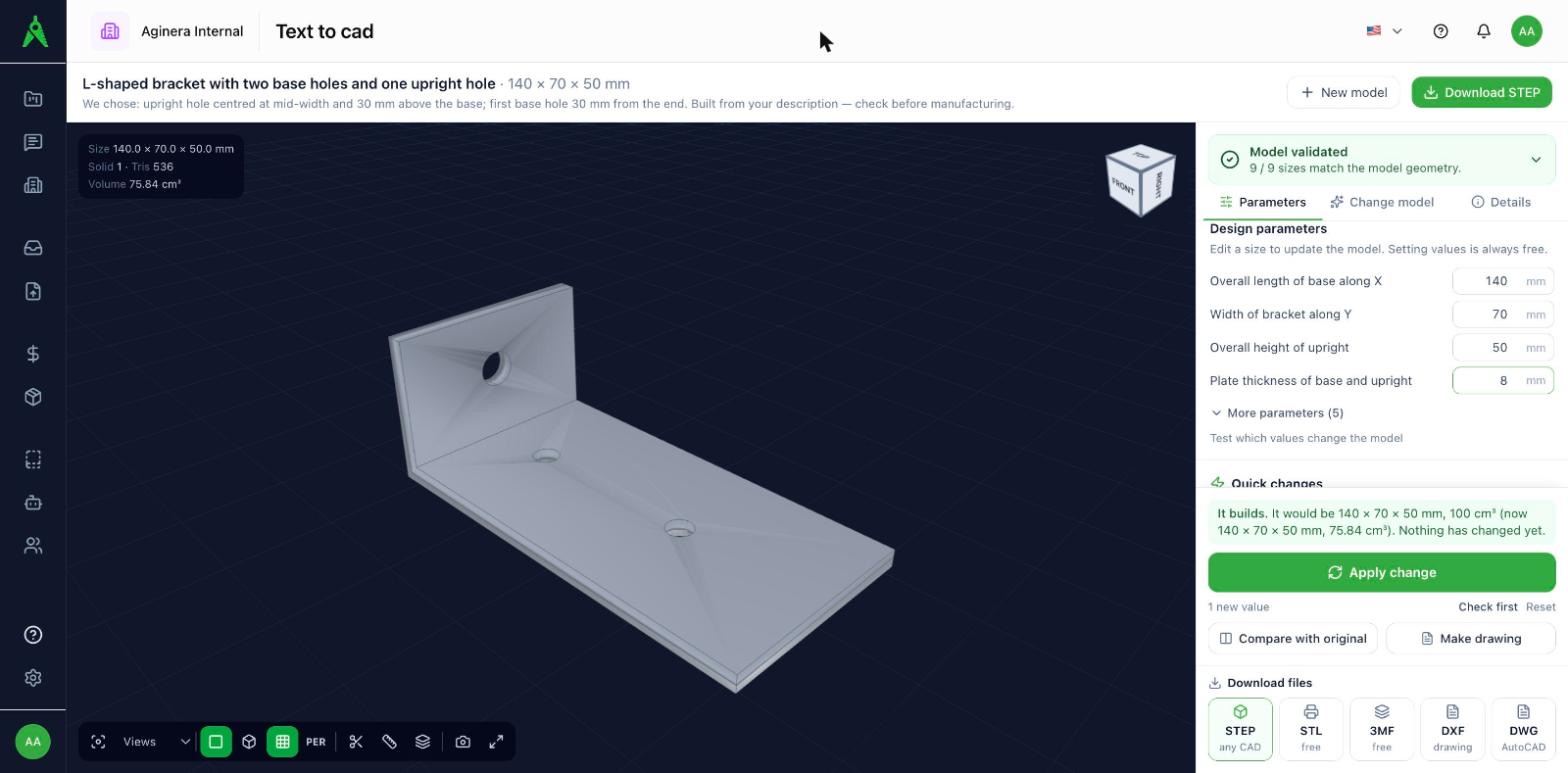
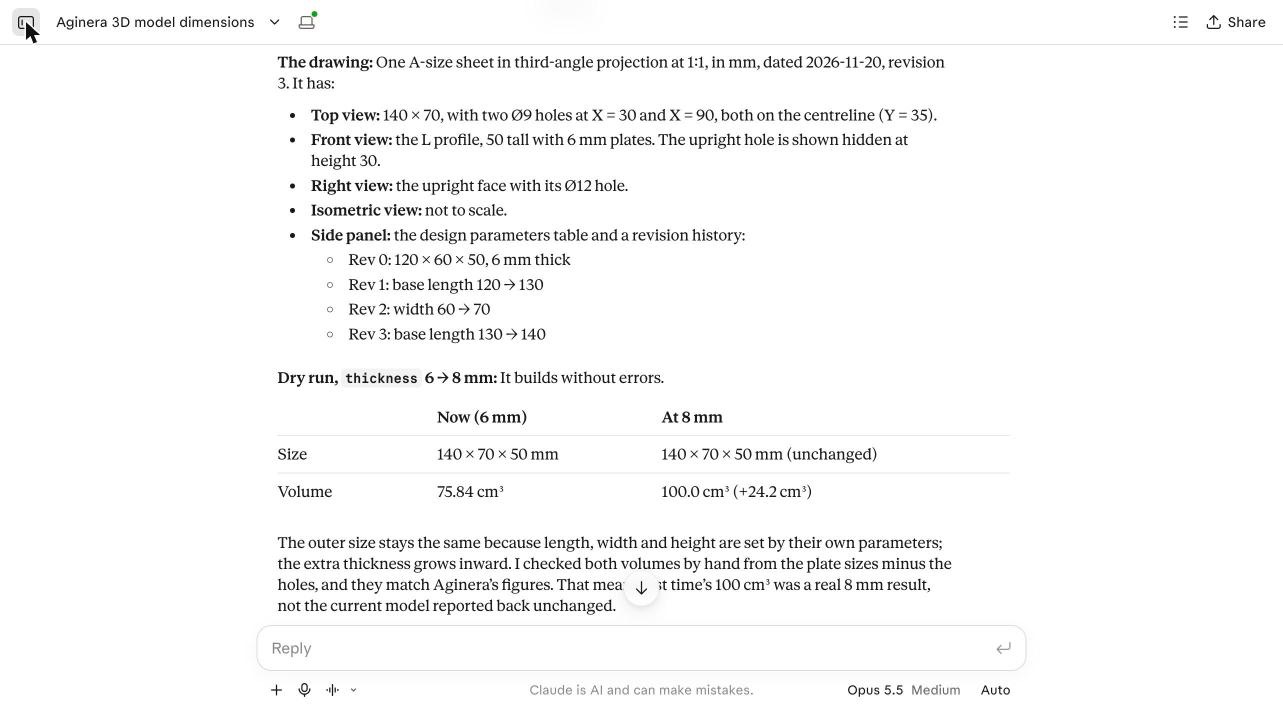
- It would build, with the size and volume it would have. For example: now 140 × 70 × 50 mm and 75.84 cm³, would be 140 × 70 × 50 mm and 100 cm³.
- It would not build: The model cannot be built with these values.
- The name is not a size of this model: for example plate_t is not a parameter of this model. Ask Claude to list the model's sizes first.
- Part of the model may be cut away: the model builds, but its overall size would drop by more than the change explains. For example, a 400 mm hole in a 50 mm upright: Its overall size would drop from 140 × 70 × 50 mm to 133 × 70 × 6 mm, more than these values explain.
The same check is the Check first button in the app. See Change a model and compare.
Expected result
- The model in your Aginera account at the version you chose, with every change listed.
- The original kept as revision 0, and any revision reachable again.
- Open the model in Aginera to turn it, compare versions, make the drawing and download the files.
How we tested it
We ran these tests on 20 November 2026 in claude.ai (Claude Opus 5.5) with the Aginera connector, signed in to an Aginera test account. Every step was a normal Claude conversation: the prompts below are exactly what was typed, and the results are what Claude and Aginera answered.
Test 1: create a model, read it, try a change
Prompt:
Use the Aginera connector to make a 3D model: a mounting plate 100 x 60 x 8 mm with four 6 mm holes, 10 mm in from each corner. Then list its named dimensions and which of them change the geometry, describe the drawing, and try a 10 mm thick plate as a dry run only, without changing the model.
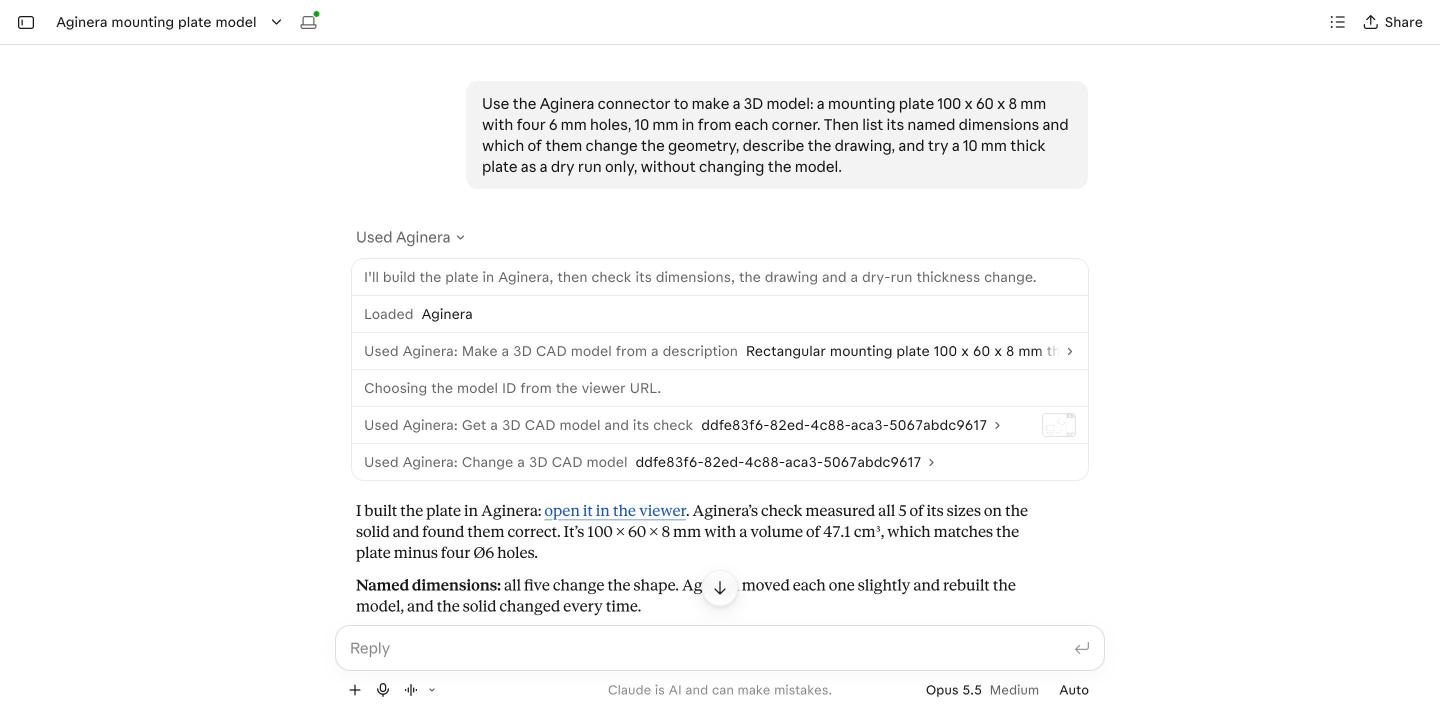
Claude called three tools in turn: create_cad_model, then get_cad_model with check_parameters, then change_cad_model with parameters and dry_run.
| Step | Result |
|---|---|
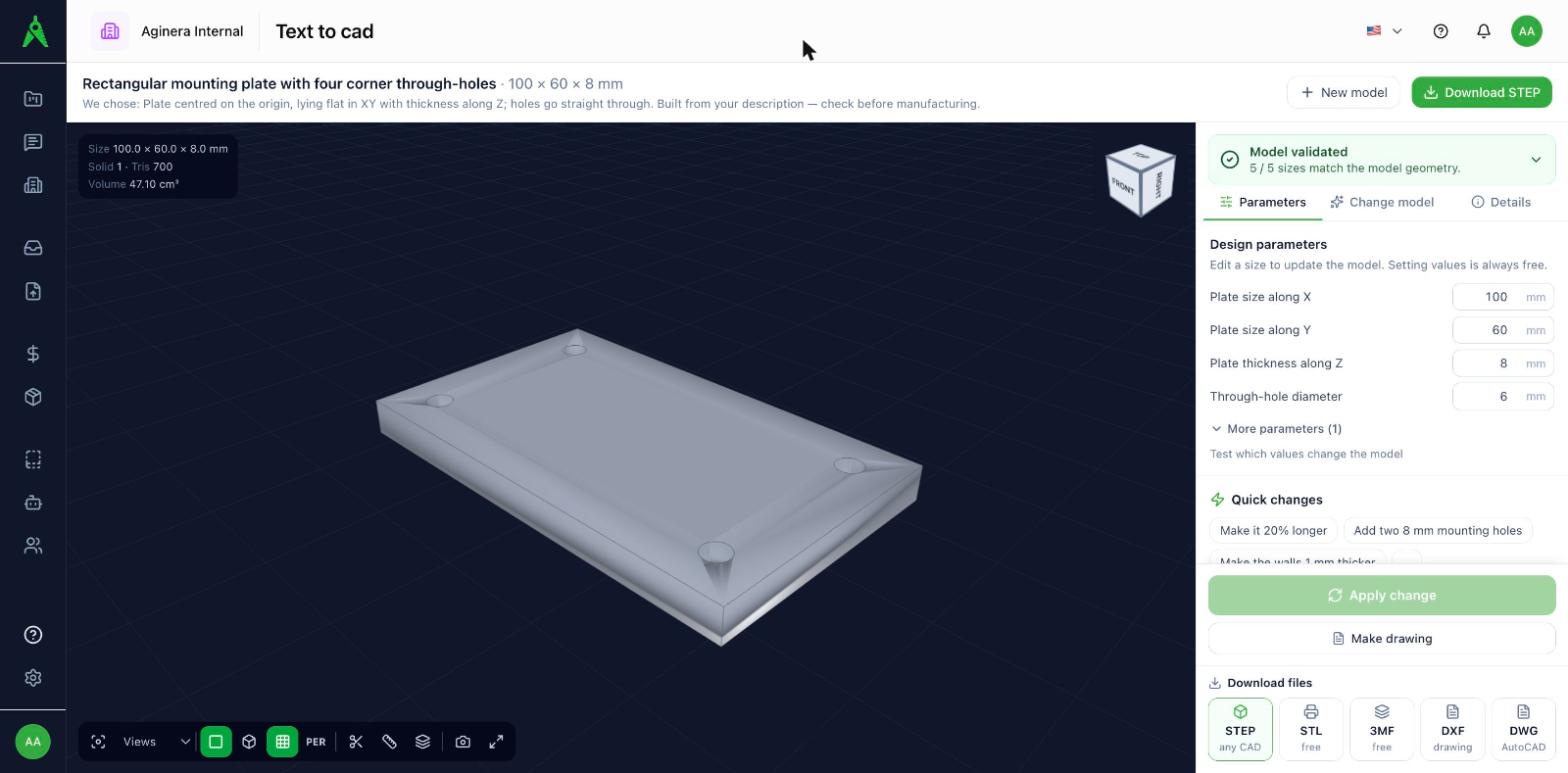
| Build | A rectangular mounting plate, 100 × 60 × 8 mm, 47.1 cm³, revision 0, saved to the account with a link to open it. |
| Check | 5 of 5 sizes the model declares were measured on it. |
| Named sizes | plate_length 100, plate_width 60, plate_thickness 8, hole_diameter 6, hole_edge_offset 10 (mm). Each was moved a little and the model rebuilt: all 5 change the solid. |
| Drawing | Received as a picture. Claude described the top, front, right and isometric views, the hole centres at 10 and 90 mm and at 10 and 50 mm, the 4x Ø6 note, the parameter table and the revision table. |
Dry run, plate_thickness 8 → 10 | Would build: 100 × 60 × 10 mm and 58.87 cm³, against 47.1 cm³ now. The model stayed at 8 mm, revision 0. |
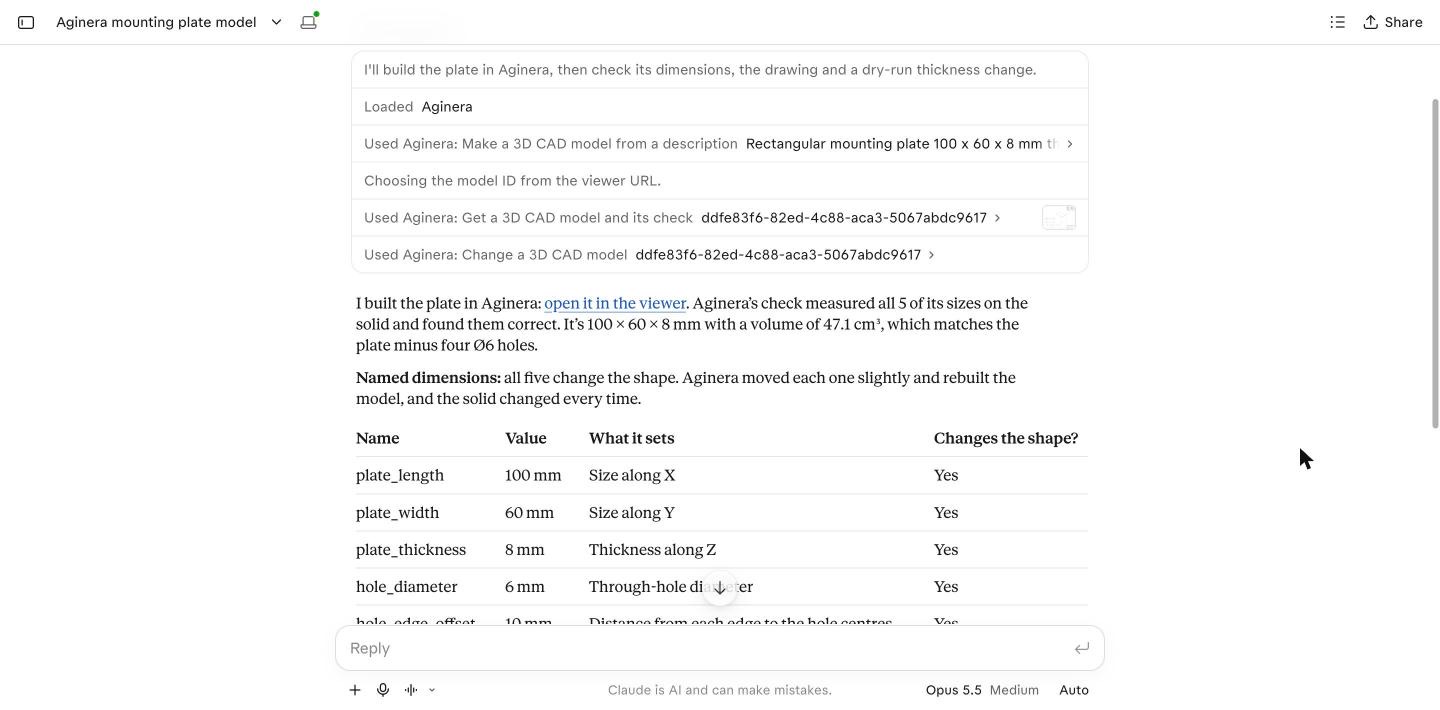
The same model, opened in Aginera from Claude's link:
Test 2: change an existing model
On an L bracket already in the account (140 × 70 × 50 mm, 6 mm plates, 9 named sizes, revision 3):
| What was asked | Tool and fields | Result |
|---|---|---|
| Which sizes change the model? | get_cad_model, check_parameters: true | All 9 drives; 9 of 9 named dimensions change the solid when moved a little. |
| Try an 8 mm plate | change_cad_model, parameters: {"thickness": 8}, dry_run: true | Would build: 140 × 70 × 50 mm, 100 cm³ (now 75.84 cm³). Nothing changed. |
| Try a negative hole | parameters: {"base_hole_dia": -5}, dry_run: true | The model cannot be built with these values. |
| Try a name the model does not have | parameters: {"plate_t": 8}, dry_run: true | plate_t is not a parameter of this model. Nothing was built. |
| Try a 400 mm upright hole | parameters: {"upright_hole_dia": 400}, dry_run: true | Builds, with the warning Its overall size would drop from 140 × 70 × 50 mm to 133 × 70 × 6 mm, more than these values explain. Part of the model may be cut away. |
| Make the 8 mm plate | parameters: {"thickness": 8} | Revision 4, 100 cm³, listed as thickness: 6 → 8. |
| Go back | revert_to: 3, then revert_to: 0, then revert_to: 3 | Revision 3 again; the original 120 × 60 × 50 mm, 57.6 cm³; then revision 3 again. |
Result
Every step answered as described on this page, from Claude, with no step done in the web app. Claude read the sizes by name, compared the dry-run volume with the current one, and checked both volumes by hand against the plate sizes. Building the plate used one AI build; every other step used none.
What it does not do
- It does not report mass. Size and volume are given for every version.
- It does not make several variants side by side. Versions are one list of revisions; go back to any of them with
revert_to. - It is a first model to check, not a signed-off design.
What is free and what is paid
Reading a model, checking which sizes drive it, dry runs and changing a size are free. Changes in plain words use the same daily allowance as in the app. The STEP file and the drawing files are the same one-time purchase per model as in the app (CAD & 3D models).