Routing & run lengths
Trace conduit, cable, pipe, and duct runs on the plan and measure their length — Aginera's RouteNet routing turns connected symbols into on-plan routes with linear quantities.
Purpose
Counting symbols answers how many. Routing answers how far. Aginera's Route Length traces the connected runs between devices — conduit and cable on electrical, pipe on plumbing, duct on mechanical — and measures each run so linear scope lands on the takeoff alongside the counts.
Who this is for
Estimators who need cable, conduit, pipe, and duct length — not just device counts — for a complete, priceable bill of quantities.
Trace routes on a sheet
From the takeoff workspace, open the Route Length tab. Aginera traces the runs on the server — for a dense sheet this takes a minute or two — then draws each measured route on the plan.
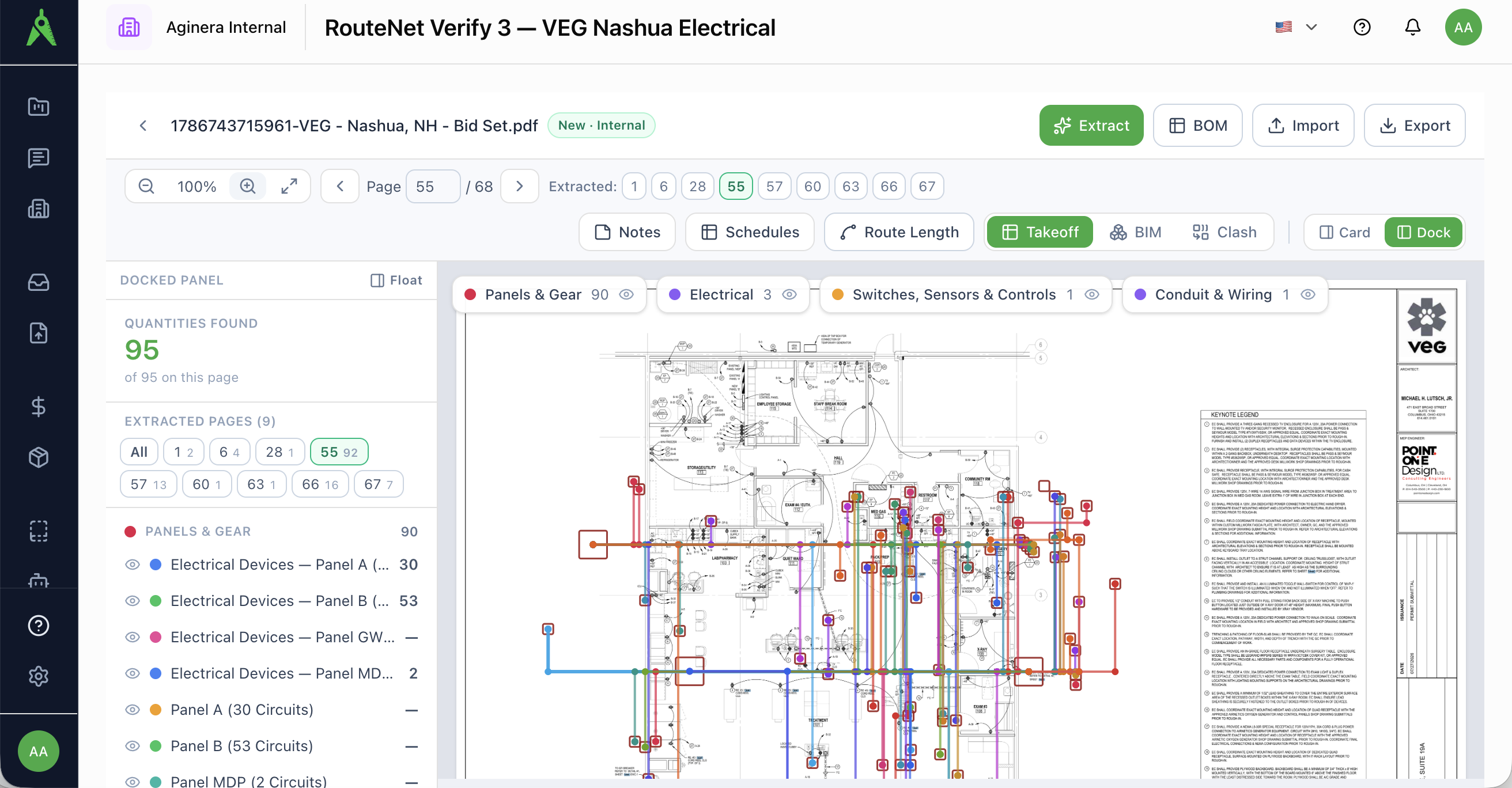
Each route is:
- Drawn on the sheet, following the run between the devices it connects.
- Measured and totalled as a linear quantity (LM / LF), so it prices like any other line item.
- Grouped by system — for example conduit and cable on electrical, or supply / waste on plumbing.
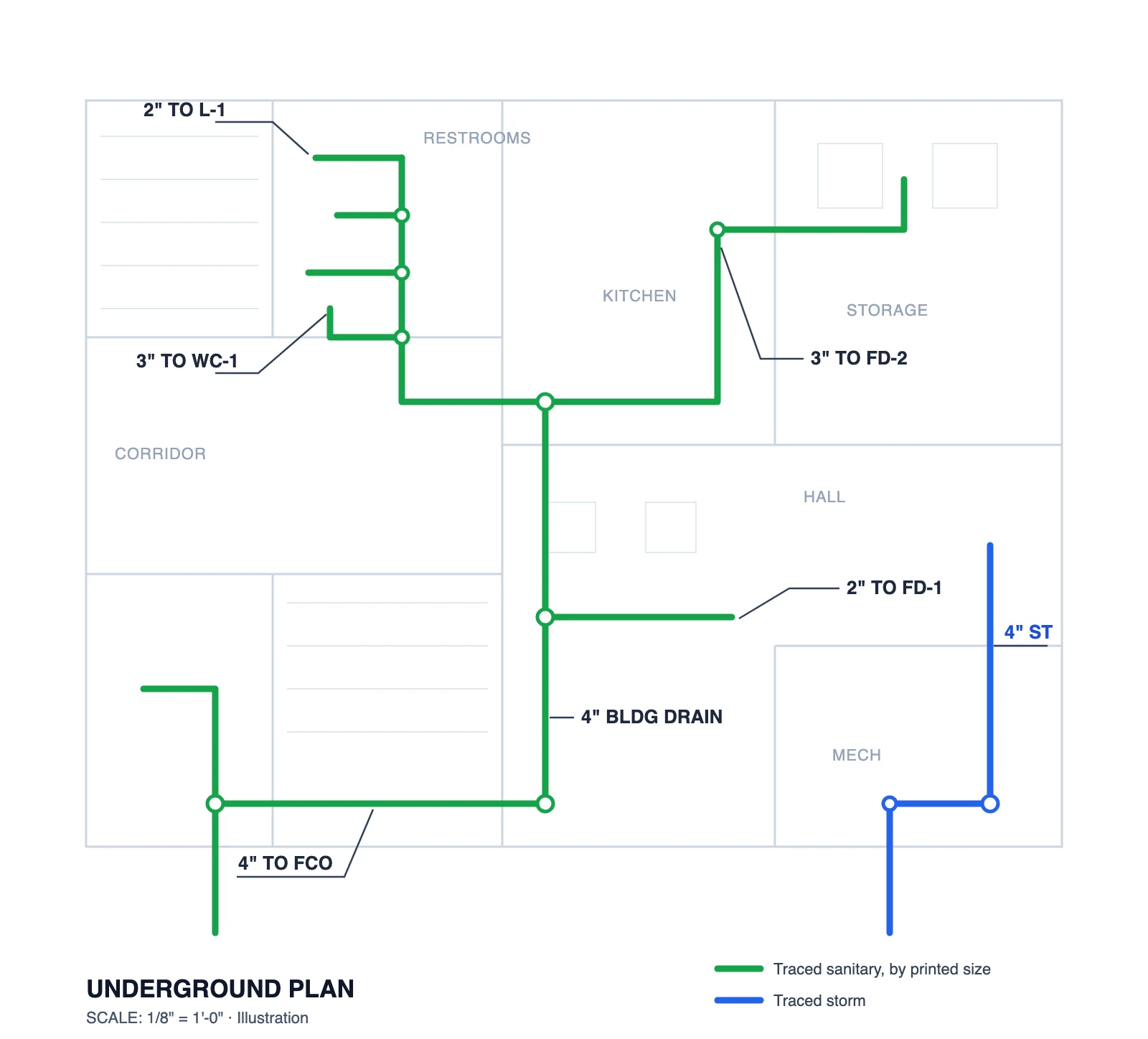
Routes, BOM, and BIM
Routing feeds the same downstream surfaces as the rest of the takeoff:
- BOM — measured runs join the bill of materials as linear line items next to the counted devices.
- BIM — traced routes and placed devices form a lightweight model on the BIM tab, and the Clash tab flags where systems conflict.
- Export — linear quantities export to Excel / CSV and estimating-system formats along with the counts (see Export & import).
Measured, not guessed
Route lengths come from tracing the actual geometry on the sheet, at the drawing's scale — not from a rule-of-thumb multiplier on device counts.