Symbol detection
How Aginera finds, classifies, and counts symbols on a drawing — plan-glyph detection, legend resolution, trade grouping with colour-coded on-plan markers, and confidence-gated review.
Purpose
Symbol detection is the engine under every WorkOps takeoff. Aginera reads each sheet, finds the devices, fixtures, and tags drawn on it, classifies them by trade and type, and pins a colour-coded marker on the plan for every one — so each number is traceable back to the exact place it came from.
Who this is for
Estimators who want to see what was detected and where, and to trust the count before it feeds pricing.
How detection works
Aginera routes every sheet through the fastest reliable path:
- Text sheets with a usable text layer are read directly — fast (~3s) and exact.
- Image-based sheets (scans, flattened CAD) go through AI vision (~40s), which reads the drawing the way an estimator does.
On each sheet the pipeline:
- Detects plan glyphs — the repeated symbol shapes that stand for a device, fixture, or fitting.
- Resolves the type against the sheet's symbol legend and any single-line / schedule sheets, so a glyph becomes Spot Light Type SL1 or Call Point (CP) rather than an anonymous mark.
- Groups the result by trade and type, with a running count.
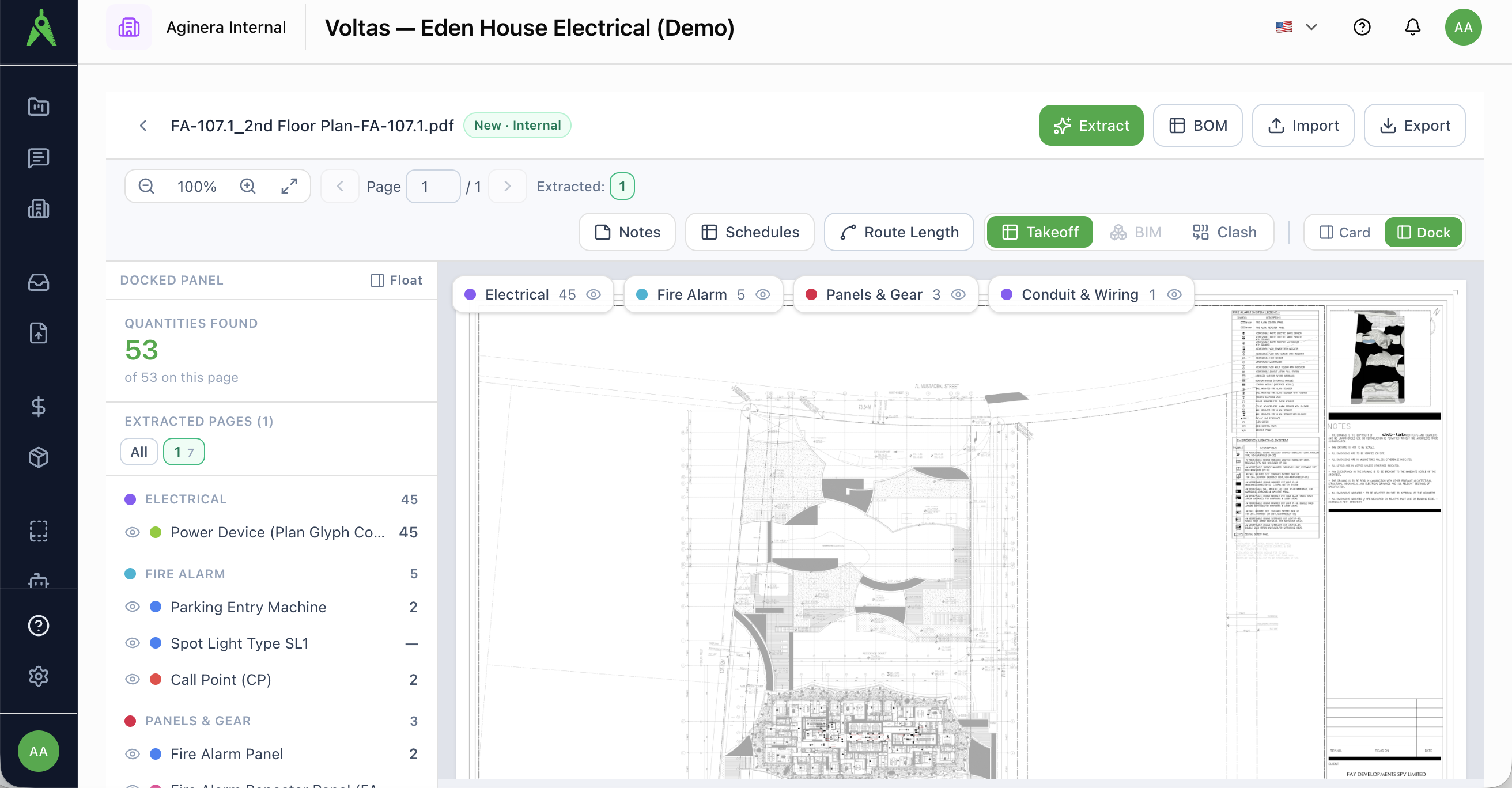
Reading the quantities panel
The docked panel lists Quantities found for the page, grouped into trade sections — for an electrical set, categories such as Electrical, Fire Alarm, Panels & Gear, and Conduit & Wiring — each with a colour swatch and a count.
The chips across the top of the plan mirror those trades. Every detected item has a matching colour-coded marker on the sheet.
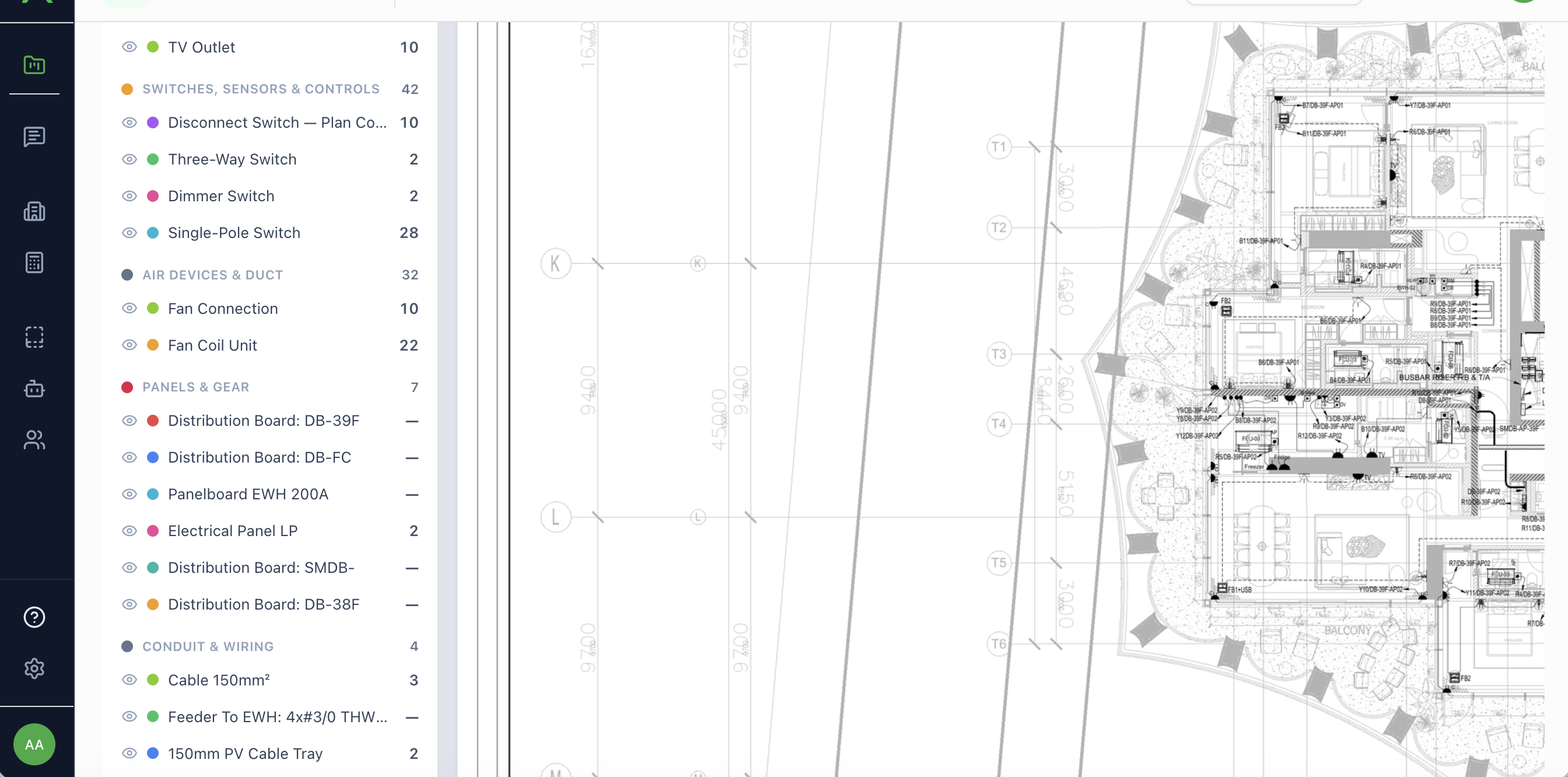
Isolate one system
Click a type in the panel (or use the eye toggles on a trade) to isolate just those markers on a dense plan — for example, show only Power device (plan glyph count) and hide everything else. Click again to clear.
Confidence and review
Detection is confidence-gated, not blind:
- Each extracted page carries a route badge (vision / text) and a confidence indicator.
- Open Review Extraction to accept, reject, or correct items trade-by-trade. Rejecting a non-scope symbol (for example, existing-to-remain) keeps it out of pricing.
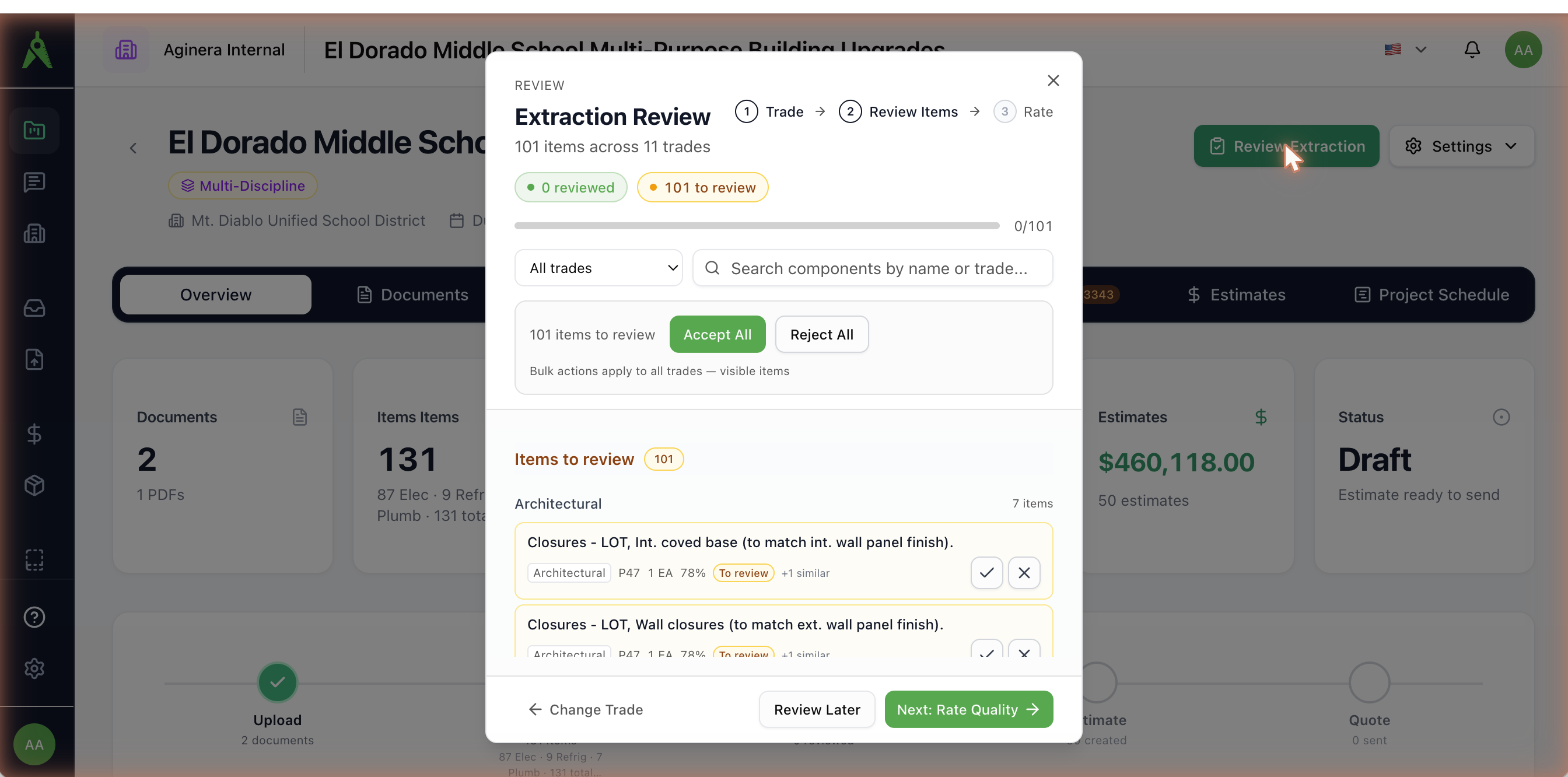
Counts stay separated as an extracted quantity (what detection found) and an effective quantity (after your review), so your corrections never overwrite the original evidence.
Units
Countable symbols — devices, fixtures, fittings, panels — are counted in EA. Continuous elements — cable, conduit, feeders, ductwork, pipe — are measured in LM (see Routing & run lengths).