Check before takeoff
Before an extraction runs, confirm the legend, each sheet's scale, and the colour lines the legend names — one card per question. Your answers steer the takeoff; anything you skip runs as today.
Purpose
An automatic takeoff is only as good as what it assumes about the drawing: what each legend symbol means, which entries are in your scope, what scale the sheets are drawn at, and what each colour stands for. Check before takeoff shows you those assumptions as a few cards before the run, so you can confirm or correct them in a minute instead of fixing rows afterwards.
Early access
Check before takeoff is in early access for Aginera Internal workspaces. Other workspaces see the Extract wizard exactly as before.
Where it is
Open Extract, pick the trade and the sheets. The wizard adds a Check step between Sheets and Plan. Aginera starts reading your sheets while you're still choosing them, so the cards are usually ready by the time you click Next — check before takeoff.
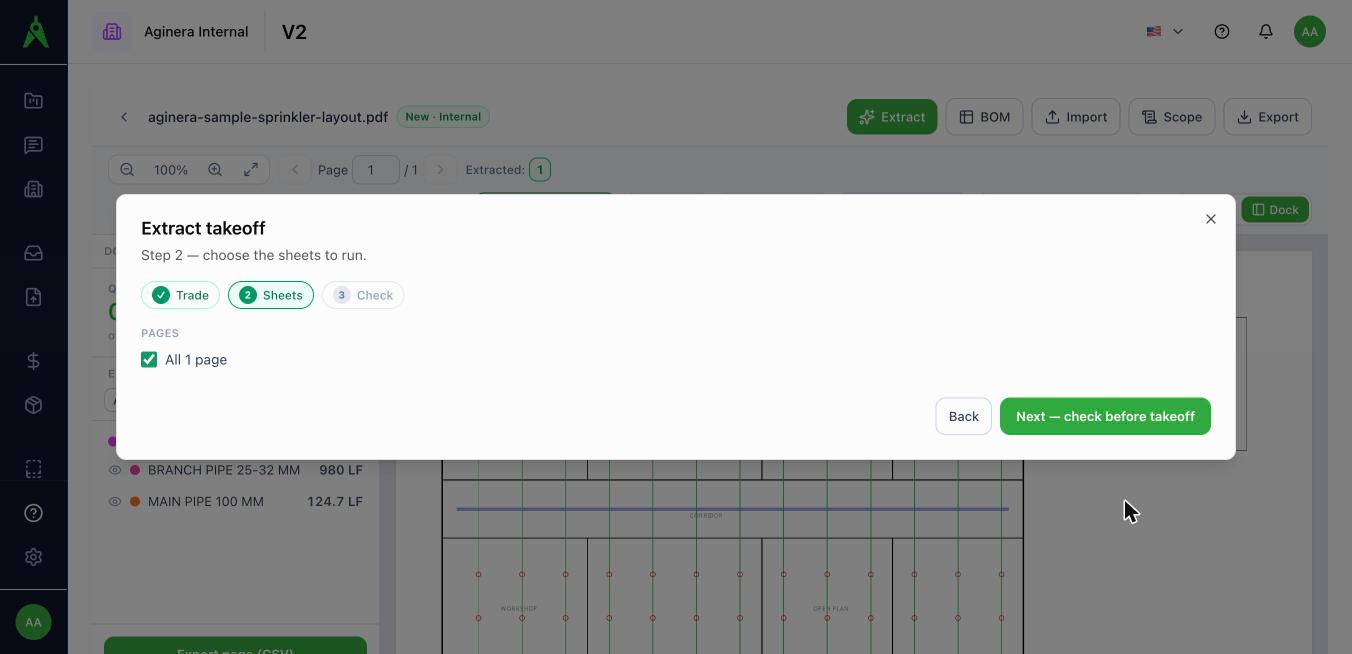
The legend card
Every legend on your sheets — and on up to three legend or notes pages you didn't select — is shown as a grid of tiles: the entry's sample cropped from the drawing, and its name.
- Click a tile to take an entry out of scope. Its rows are held for review and never priced — handy for existing services, survey lines, or another trade's symbols.
- Click a name to fix it (legends read by OCR are marked so you know to look).
- Not a legend dismisses a block that isn't one — a revision table or title-block grid.
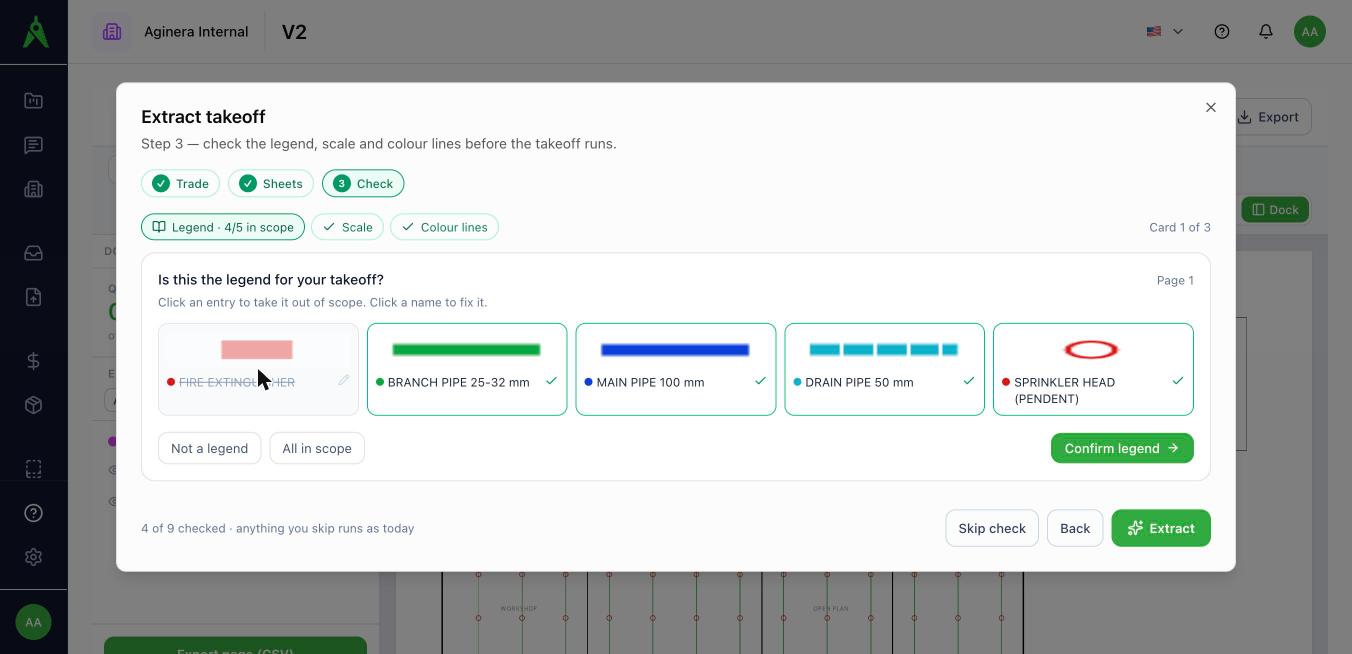
Confirmed entries become the legend the takeoff uses, quoted verbatim when it names a symbol.
The scale card
One tile per sheet with the scale Aginera read from it. Confirm it, or type the right one (for example 1:100). To check a scale against a dimension on the drawing, use Colour routes.
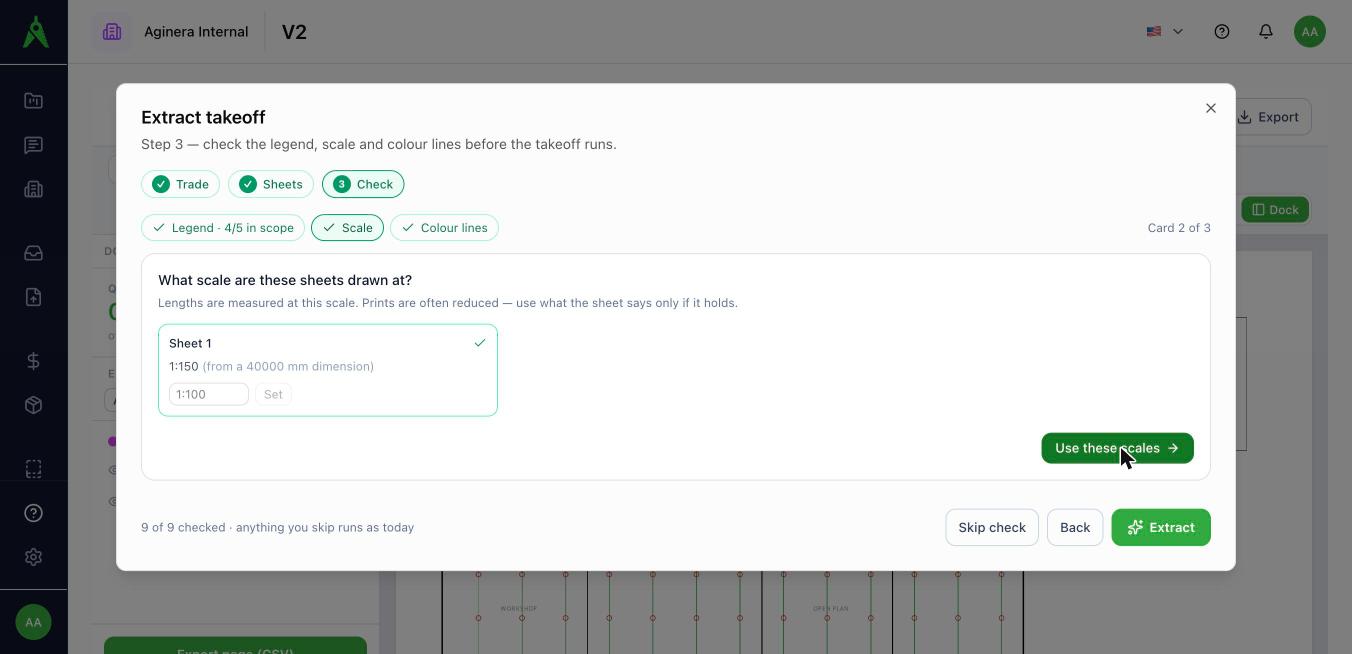
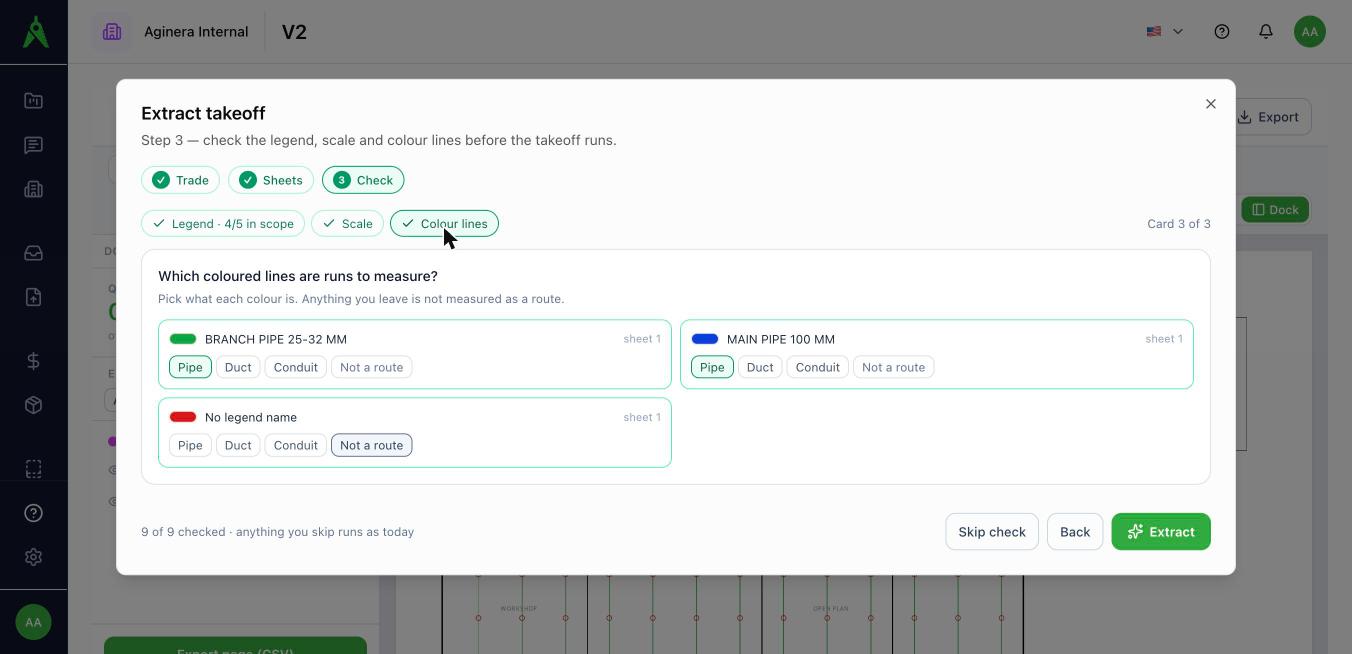
The colour lines card
For sheets that tell routes apart by colour, the colours the legend names are listed with Pipe / Duct / Conduit / Not a route. The same answers are used by Colour routes.
Skipping
Skip check is on every card, and nothing waits on the check: if the legend is still being read when you move on, the takeoff simply runs as it does today. Answers you gave are kept with the project and can be changed on the next run.